


Panduan Pemasangan kluster instrumen digital Volkswagen Passat 2016-2017
Panduan Pemasangan Cluster Digital Volkswagen Passat PQ 2016-2017
Ini Panduan Pemasangan Cluster Digital Volkswagen Passat PQ menjelaskan rute pemasangan 2016-2017 yang telah dikonfirmasi untuk pembeli dan pemasang yang meng-upgrade dari kluster instrumen mekanis asli ke rakitan tampilan digital gaya OEM.
Prosedur ini mencakup pemeriksaan paket, pengaturan pra-pemasangan yang diperlukan, pelepasan kluster asli, pemindahan motherboard khusus kendaraan, pemindahan rangka dekoratif, penanganan papan tambahan jika dilengkapi, perutean kabel USB, kalibrasi pasca-pemasangan, dan pemeriksaan fungsi akhir.
Apa Arti Plug-and-Play pada Rute Passat PQ ini: pemasangan yang didukung menggunakan sambungan kabel kendaraan asli tanpa memotong atau menyambung harness pabrik. Plug-and-play bukan berarti tidak diperlukan pembongkaran: rute ini mencakup pelepasan klaster asli, pemindahan motherboard, pemindahan rangka dekoratif, penanganan papan tambahan yang sesuai, dan pemeriksaan konfigurasi pasca-pemasangan.
Bukti dan Cakupan yang Digunakan untuk Panduan Instalasi Ini
Dipersiapkan oleh
Dukungan Teknis iKagoo
Panduan pemasangan dan pemasangan untuk rute klaster digital Volkswagen Passat PQ.
Rute Kendaraan
Pemasangan kluster instrumen digital Volkswagen Passat PQ untuk rute 2016-2017 yang telah dikonfirmasi.
Bukti yang Digunakan
Foto pemasangan aktual, referensi papan tambahan, gambar konfigurasi dan video dukungan pemasangan.
Terakhir Ditinjau
Mei 2026. Persyaratan kesesuaian dan komponen yang dipertahankan harus dikonfirmasi sebelum membeli.
Gunakan panduan ini ketika rute dasbor asli Anda atau pilihan perangkat keras yang benar tidak jelas.
Gunakan ini apabila kebutuhan Anda mencakup tampilan navigasi, output terkait CarPlay atau proyeksi HDMI.
Gunakan ini setelah instalasi ketika persyaratannya adalah Online atau pembaruan perangkat lunak USB.
Buka rute produk setelah memastikan bahwa cluster asli Anda cocok dengan prosedur pemasangan ini.
Konfirmasi Rute Volkswagen Passat PQ Sebelum Memesan
Panduan pemasangan ini ditujukan untuk rute cluster digital Volkswagen Passat PQ untuk kendaraan 2016–2017. Jangan memesan hanya berdasarkan model year. Sebelum membeli, pastikan bentuk cluster instrumen mekanis asli, bukaan dashboard, rute konektor, dan komponen pabrik yang perlu dipertahankan.
Ini Peningkatan Cluster Instrumen Digital Volkswagen Passat dibangun di sekitar konsep konversi bergaya OEM, bukan sekadar penggantian layar biasa. Logika pemasangan utamanya adalah melepas cluster mekanis asli, memindahkan motherboard asli spesifik kendaraan ke rumah digital baru, lalu memasang kembali rakitan yang sudah lengkap dengan bingkai dekoratif dan pengaturan jalur harness yang benar.
Rute pemasangan yang ditunjukkan dalam panduan ini menggunakan kembali motherboard cluster asli spesifik kendaraan di dalam rumah cluster digital baru. Ini dimaksudkan untuk mempertahankan hubungan board asli dan perilaku data kendaraan yang didukung untuk rute produk yang telah dikonfirmasi. Verifikasi fungsi akhir tetap diperlukan setelah pemasangan.
Bentuk Cluster Asli
Pastikan bahwa cluster instrumen mekanis asli dan bukaan dashboard sesuai dengan rute yang difoto dalam panduan ini.
Tahun Kendaraan dan Rute
Berikan tahun kendaraan dan konfirmasikan bahwa mobil Anda termasuk dalam rute produk Passat PQ 2016–2017 yang didukung.
Foto Sebelum Pembelian
Jika ragu, kirim foto dashboard yang jelas dan foto kluster asli sebelum memesan perangkat keras fisik.
Pengecekan pembeli: jika kluster instrumen asli atau tata letak dashboard Anda tidak cocok dengan gambar dalam panduan ini, kirim foto kendaraan dan dashboard untuk peninjauan kompatibilitas sebelum memesan.
Periksa Paket Sebelum Instalasi Dimulai
Sebelum pembongkaran, letakkan semua bagian di permukaan kerja yang bersih dan pastikan unit utama, harness, serta aksesori yang disertakan tersedia. Ini mencegah instalasi terhenti setelah kluster asli sudah dilepas.
Daftar Pemeriksaan Paket
- Unit utama kluster digital Volkswagen Passat PQ
- Harness komunikasi khusus
- Obeng kompatibel Torx yang disertakan atau diperlukan untuk jalur ini
- Kabel terkait USB untuk akses pembaruan yang didukung
- Aksesori tambahan apa pun yang disertakan dengan versi yang dipesan
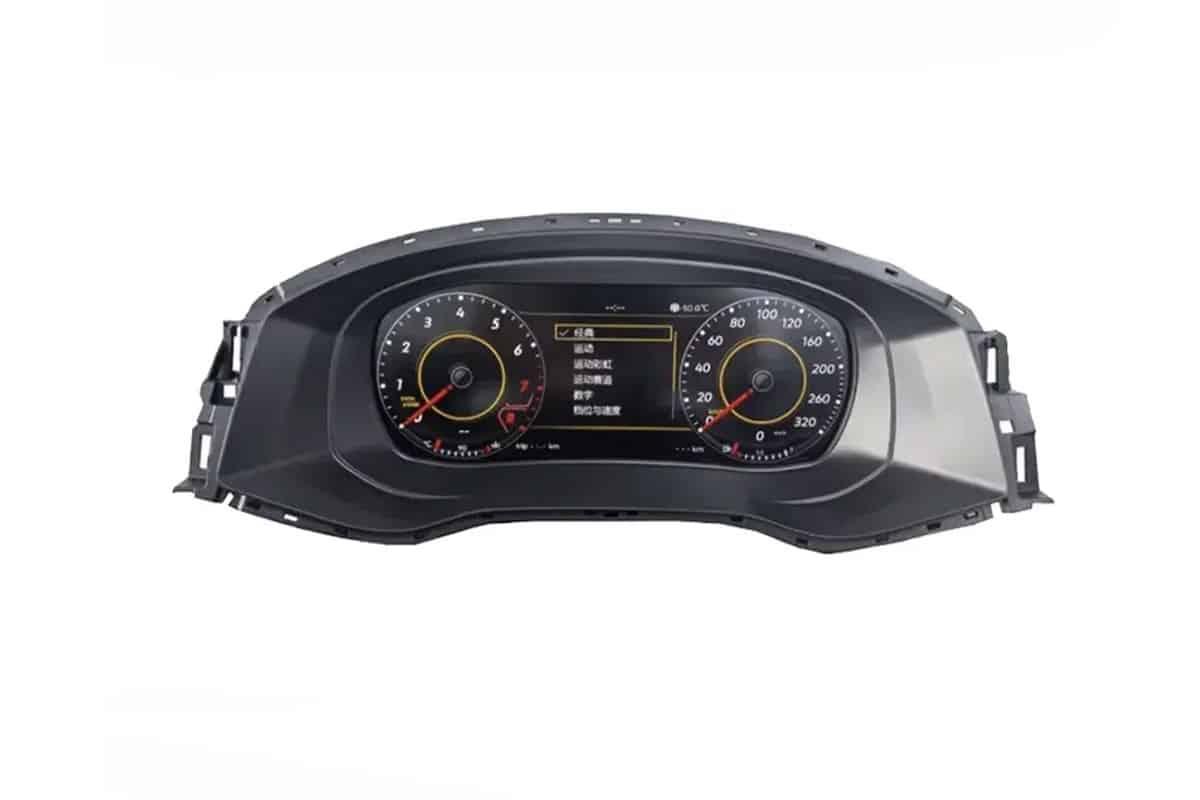
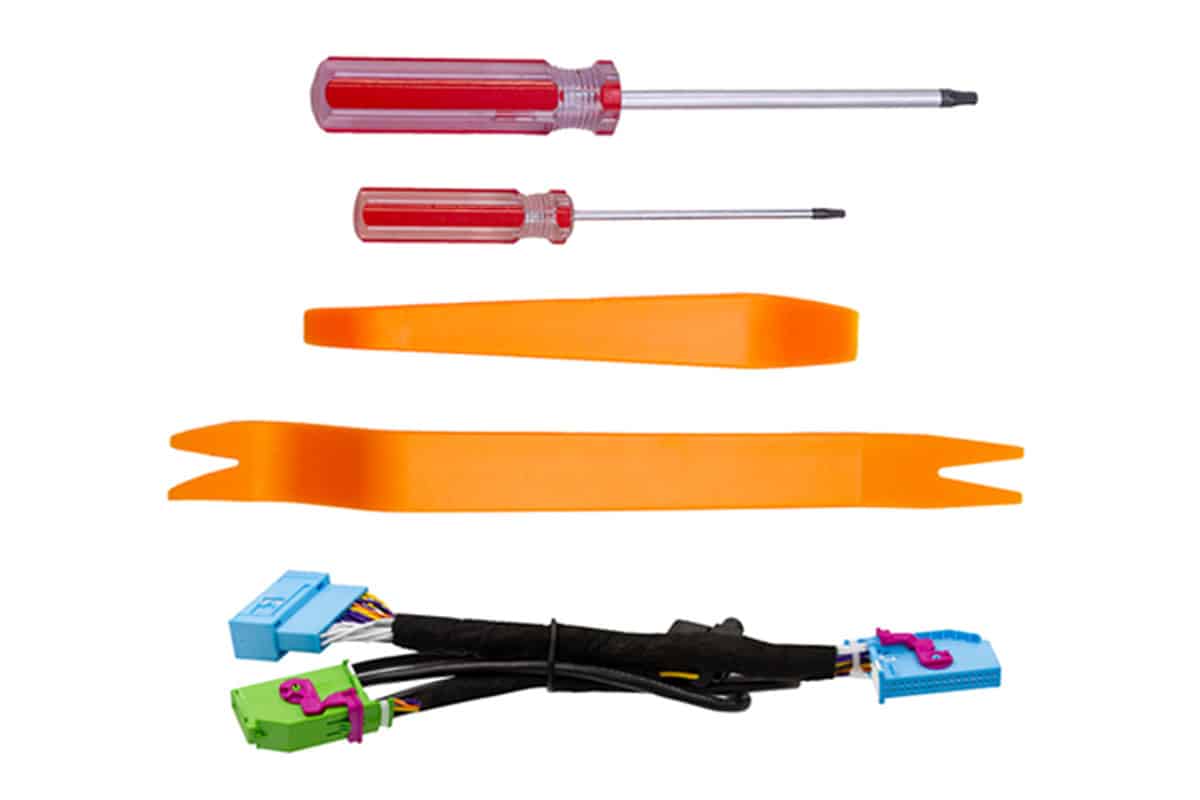
Selesaikan Pengaturan Ini Sebelum Melepas Cluster Asli
Sebelum menyentuh cluster instrumen asli, selesaikan operasi pengaturan peringatan yang diperlukan di menu kendaraan. Ini adalah bagian dari proses pemasangan dan tidak boleh ditunda hingga setelah pembongkaran.
Langkah-langkah Pengaturan yang Diperlukan
- Atur peringatan ban musim dingin ke nilai maksimum.
- Atur peringatan kecepatan ke nilai maksimum.
- Nonaktifkan kedua fungsi di tampilan multifungsi sebelum melepas cluster asli.
Mengapa ini penting: jalur pemasangan mencakup pemeriksaan fungsi dan kalibrasi setelah pemasangan. Selesaikan langkah persiapan secara berurutan daripada mencoba memperbaiki masalah pengaturan yang dapat dihindari setelah dasbor dirakit kembali.
Alat yang Diperlukan Sebelum Memulai Pemasangan
Siapkan alat trim yang tepat dan item meja kerja sebelum pembongkaran. Pemasangan ini mencakup pelepasan trim interior, penanganan komponen elektronik, dan pekerjaan pemindahan bingkai dekoratif.
Alat Pencabutan
- Alat pelepas trim anti-gores
- Obeng yang kompatibel dengan Torx untuk sekrup pengikat cluster
- Handuk mikrofiber untuk melindungi permukaan trim dashboard
Alat Bengkel dan Rangka
- Permukaan kerja yang bersih dan terlindungi
- Tindakan pencegahan penanganan antistatik untuk pekerjaan papan sirkuit
- Pisau atau alat yang sesuai untuk pelepasan perekat yang terkontrol
- Perekat yang sesuai untuk memasang kembali bingkai dekoratif yang dipindahkan
Batasan penanganan: ini bukan pengganti display-only. Proses ini mencakup pemindahan komponen internal. Jika pemasang tidak nyaman bekerja dengan elektronik cluster yang terbuka dan komponen pabrik yang dipindahkan, gunakan teknisi retrofit berpengalaman.
Lepaskan Cluster Mekanis Volkswagen Passat PQ Asli
Trim dekoratif di sekitar area ventilasi dan kluster harus dilepas dengan hati-hati. Trim tersebut dipasang dengan klip, dan bagian tengahnya mencakup kabel untuk jam dasbor, jadi urutan pelepasan sangat penting.
Lepaskan Strip Trim Dekoratif Vent Tengah
Mulailah dengan strip trim dekoratif panjang di area ventilasi tengah. Lepaskan klip dengan hati-hati dan ingat bahwa area jam tengah mencakup harness kabel.
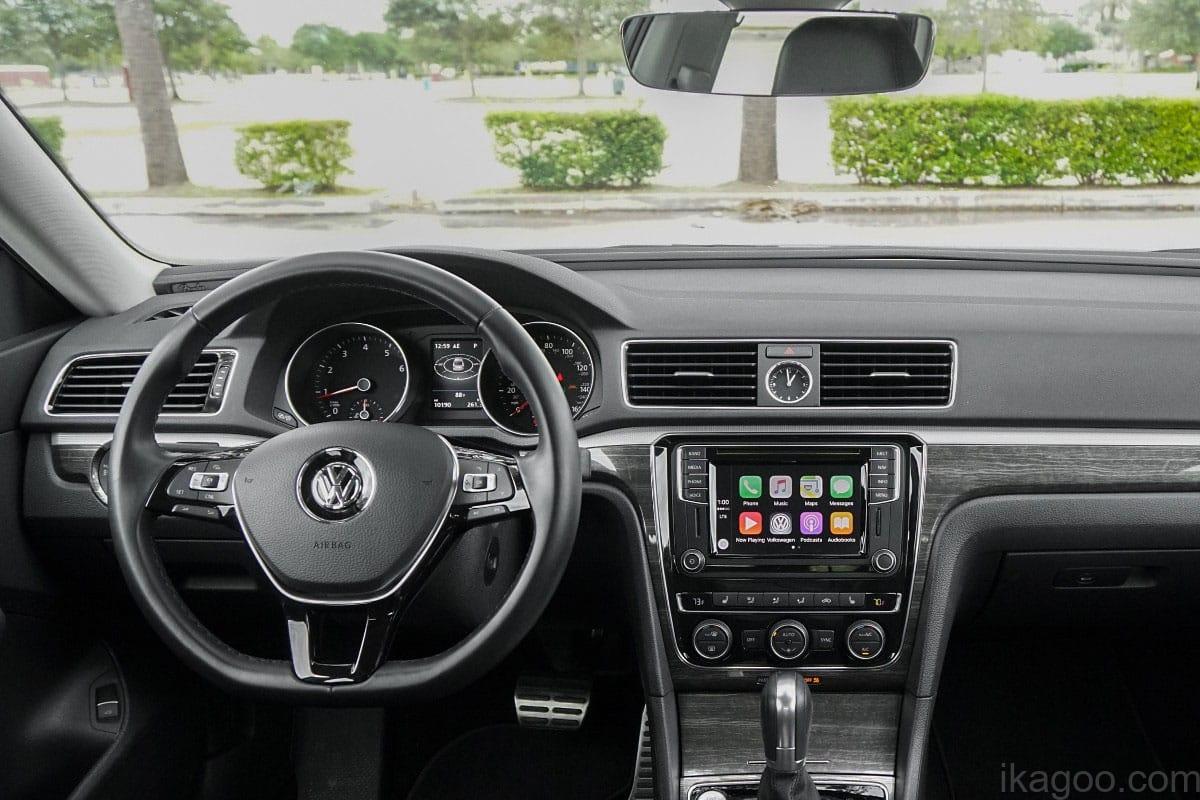
Mulai Lepaskan Trim dari Sisi Ventilasi Udara Kiri
Sisi kiri adalah titik awal yang disarankan untuk melepaskan klip trim secara terkontrol tanpa memaksa panel.
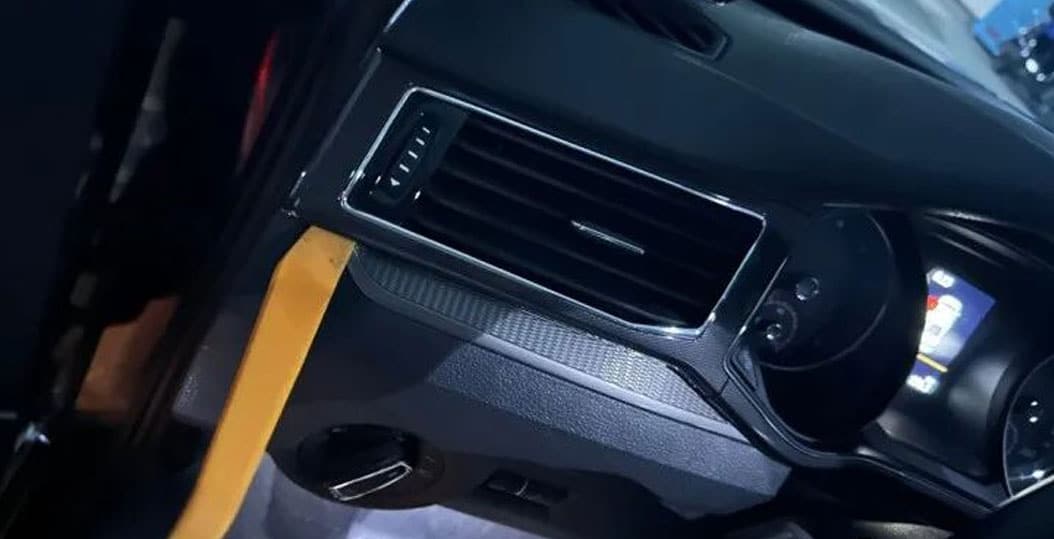
Lepaskan Trim Sisi Kanan dengan Hati-hati
Lanjutkan di sisi kanan dengan metode pelepasan trim terkontrol yang sama. Kerjakan panel secara bertahap untuk mengurangi kerusakan klip.
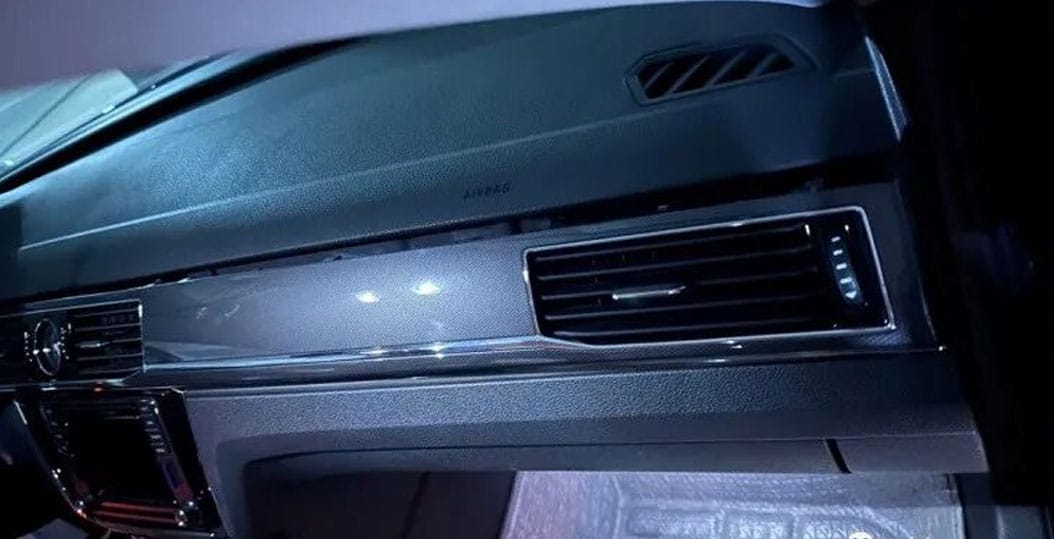
Pisahkan Area Penutup Kolom Kemudi Bagian Atas
Lepaskan penutup kolom kemudi bagian atas dengan lembut untuk menciptakan akses di sekitar kluster instrumen asli sebelum melepas titik pengikat.
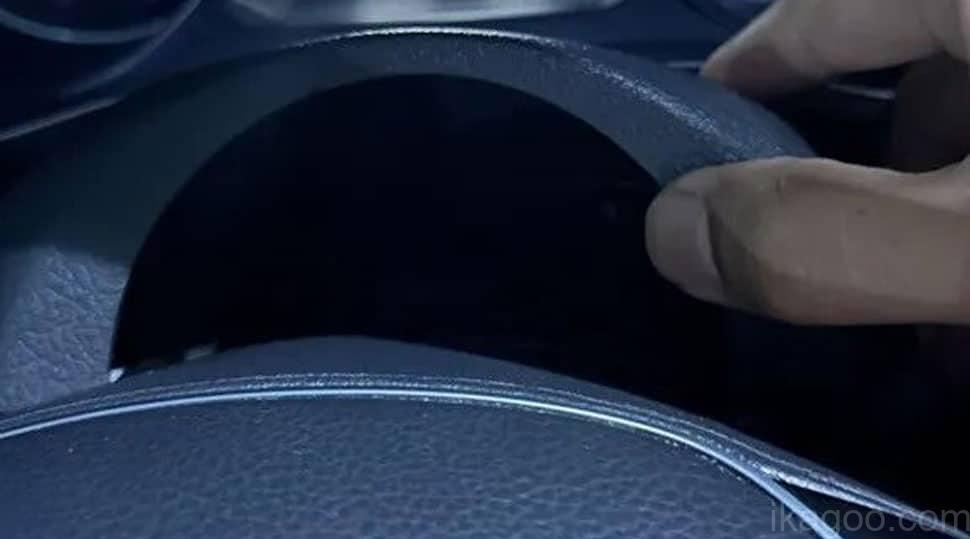
Siapkan Obeng yang Kompatibel dengan Torx
Gunakan jenis obeng yang tepat untuk jalur ini sebelum mencoba melepas sekrup pengikat cluster asli.
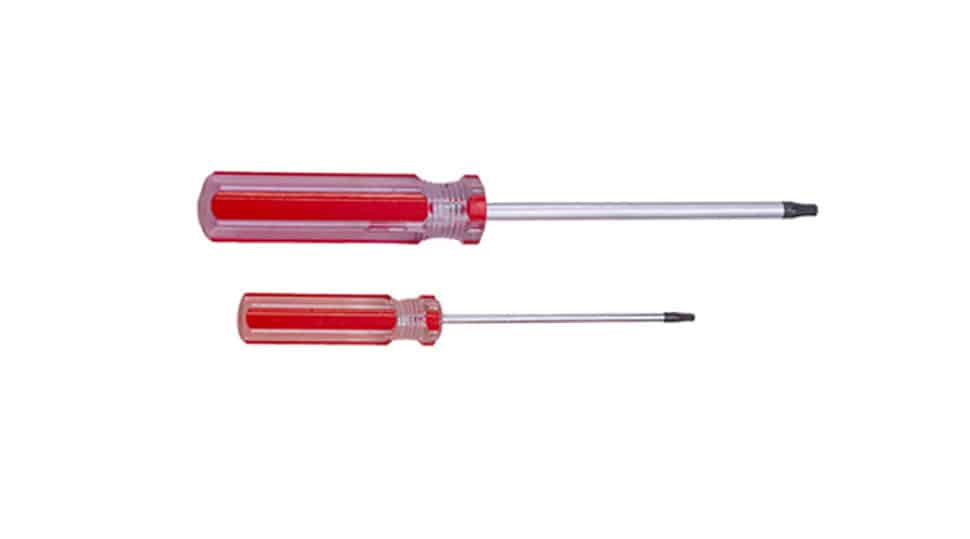
Lepaskan Sekrup Pengikat dan Lepaskan Cluster Asli
Setelah panel sekeliling dilepas, lepaskan dua sekrup Torx bagian bawah-tengah. Cluster juga ditahan oleh klip samping, jadi tarik ke depan dengan hati-hati dan ingat bahwa kabel harness belakang masih terhubung.
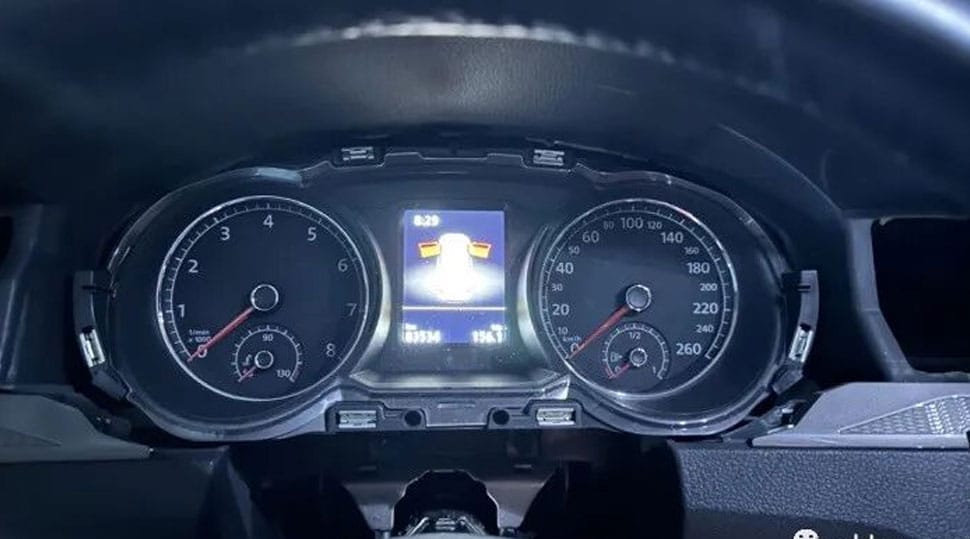
Putuskan Sambungan Harness Pabrik Asli
Buka pengunci konektor dengan benar, lepaskan harness tanpa memutarnya, dan keluarkan cluster instrumen mekanis asli dari kendaraan.
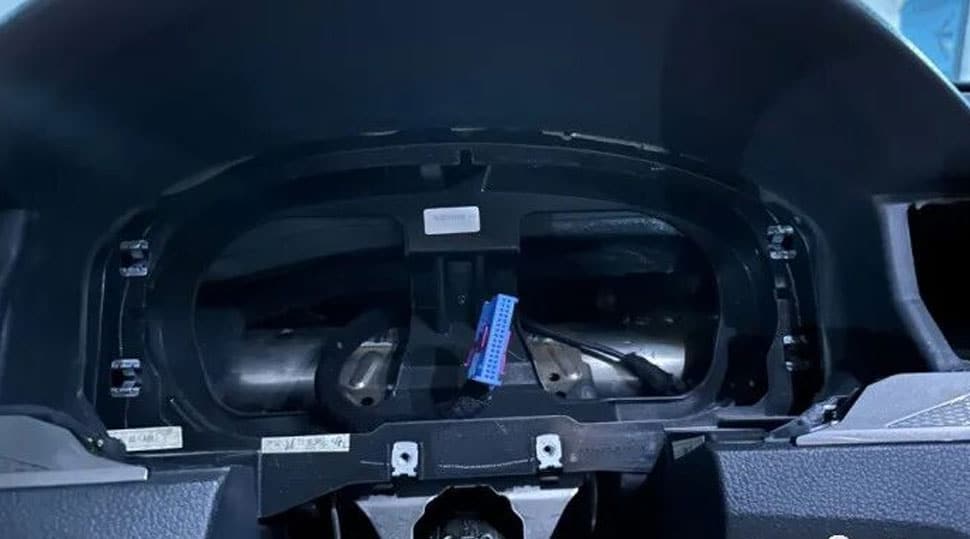
Pindahkan Motherboard Cluster Asli ke Casing Digital Baru
Ini adalah tahap inti dari Pasang Digital Cluster Passat PQ. Papan induk cluster spesifik kendaraan asli dilepas dari rumah mekanis dan dipasang ke rumah cluster digital baru untuk jalur produk yang dikonfirmasi.
Aturan penanganan kritis: sebelum menyentuh komponen elektronik internal, buang muatan statis dan pegang papan hanya pada tepi yang kokoh. Simpan semua komponen pabrik yang dilepas tetap teratur sampai cluster digital telah dipasang dan diverifikasi.
Lepaskan Sekrup Belakang dari Rumah Cluster Asli
Lepaskan empat sekrup pengikat belakang dari cluster mekanis asli sebelum membuka rumah.
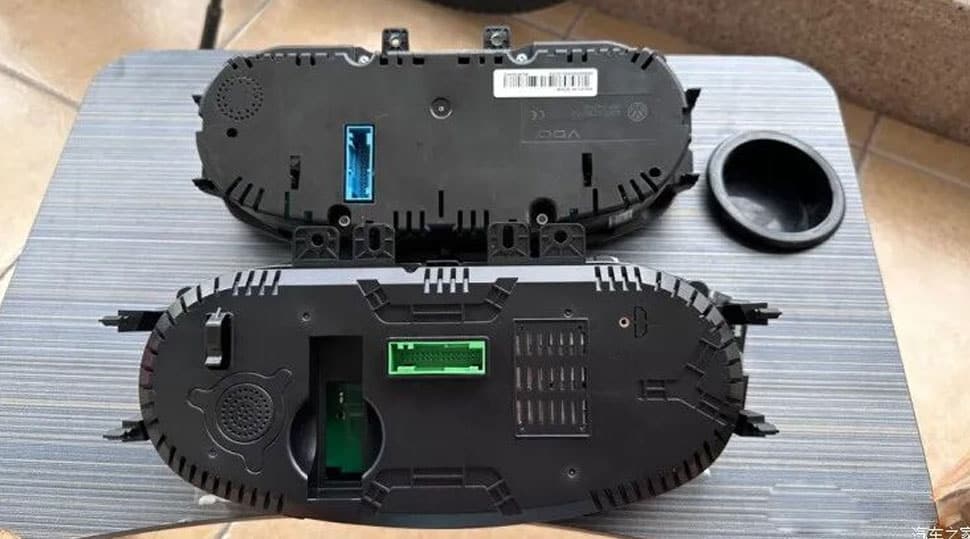
Buka Rumah Belakang Asli
Setelah melepas sekrup, buka rumah belakang asli dengan hati-hati untuk mengekspos rakitan cluster internal.
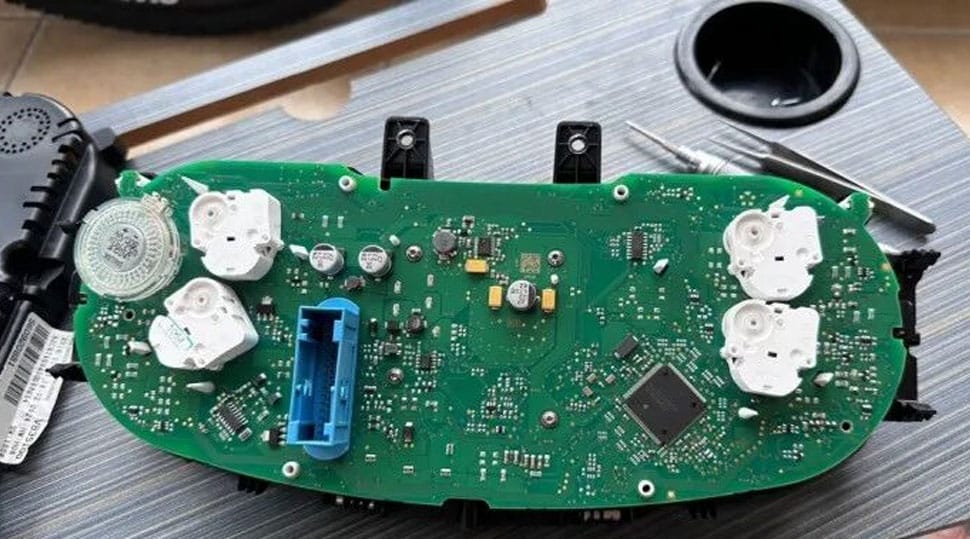
Lepaskan Keempat Jarum Penunjuk dan Komponen Skala Terkait
Jarum asli dan komponen sisi skala terkait harus dilepas sebelum menyiapkan papan induk pabrik untuk dipindahkan.
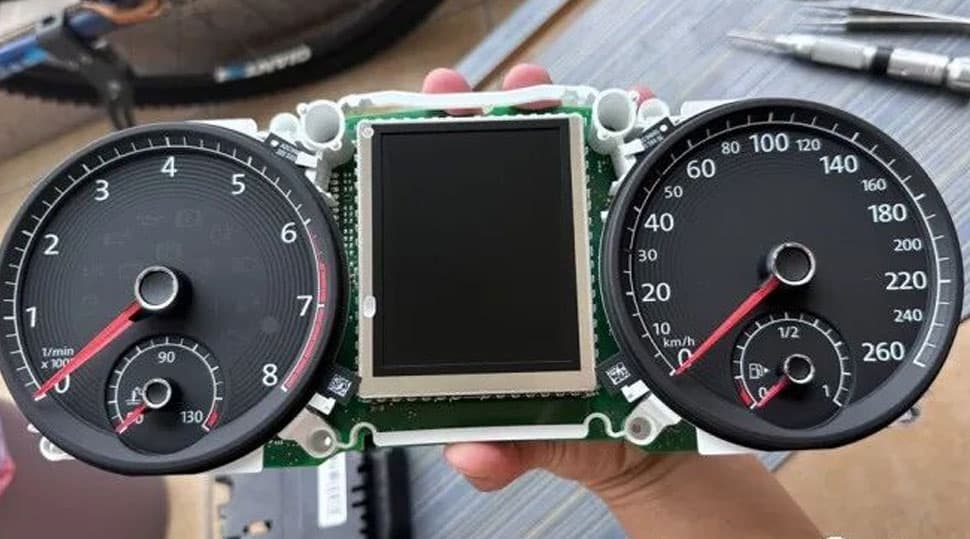
Lepaskan Panel Layar Kecil Asli dengan Hati-hati
Lepaskan empat sekrup di belakang panel layar kecil asli, lalu angkat panel dengan hati-hati tanpa memaksa motherboard di bawahnya.
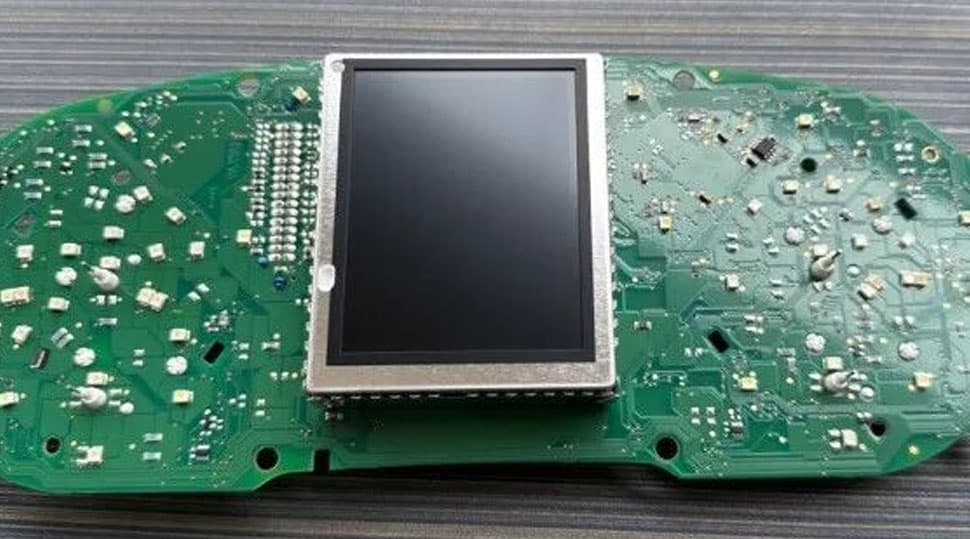
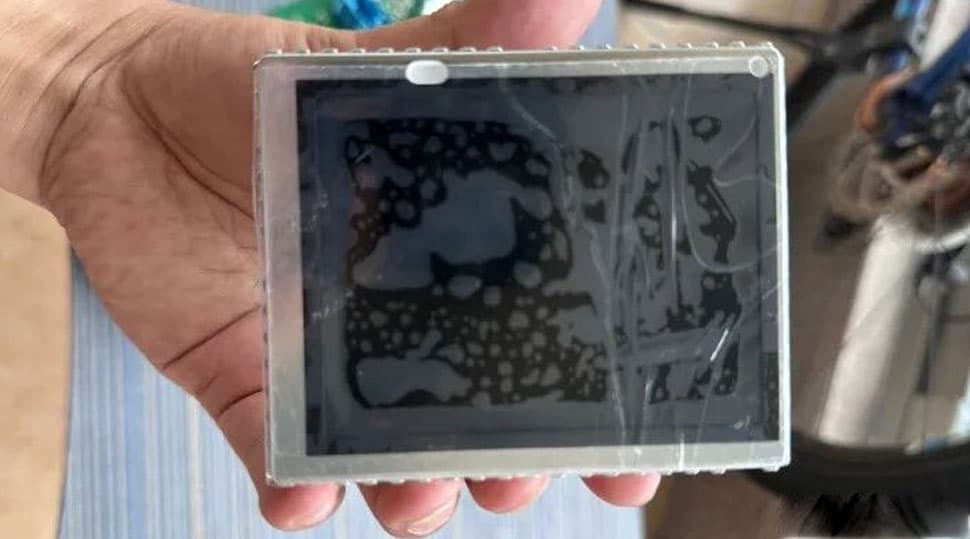
Lindungi dan Simpan Panel Layar Pabrik yang Dilepas
Simpan panel layar pabrik yang dilepas dengan terlindungi selama pemasangan. Jangan membuang komponen asli sebelum cluster digital yang sudah selesai lolos verifikasi akhir.
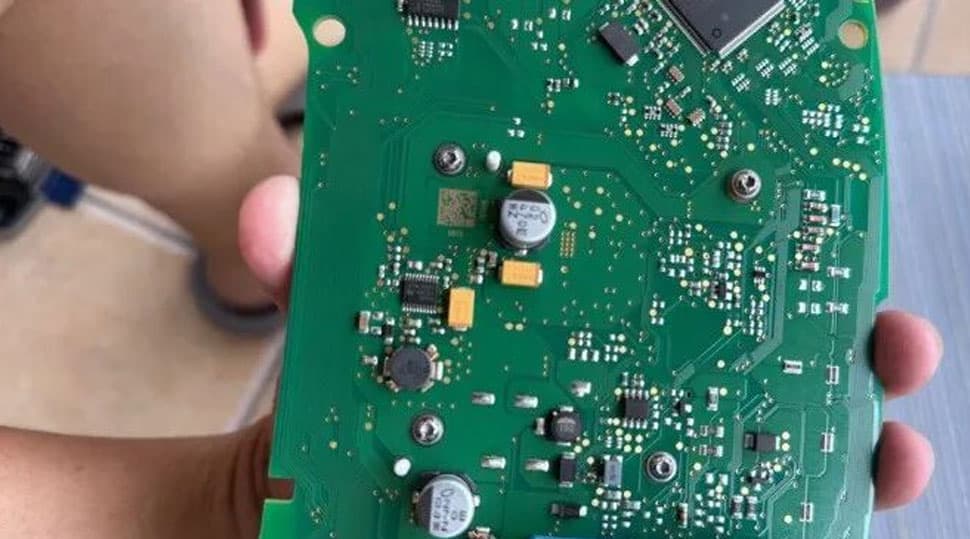
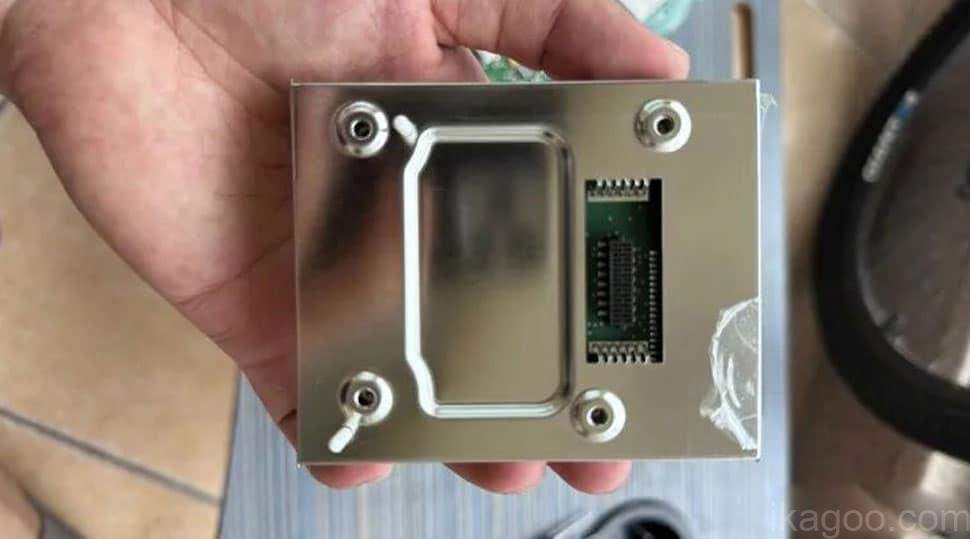
Lepaskan Sensor Jarum tetapi Pertahankan Buzzer Asli
Lepaskan setiap sensor jarum dari titik pemasangannya. Buzzer atau speaker cluster asli di sisi kiri harus tetap terpasang jika diperlukan oleh jalur pemasangan ini.
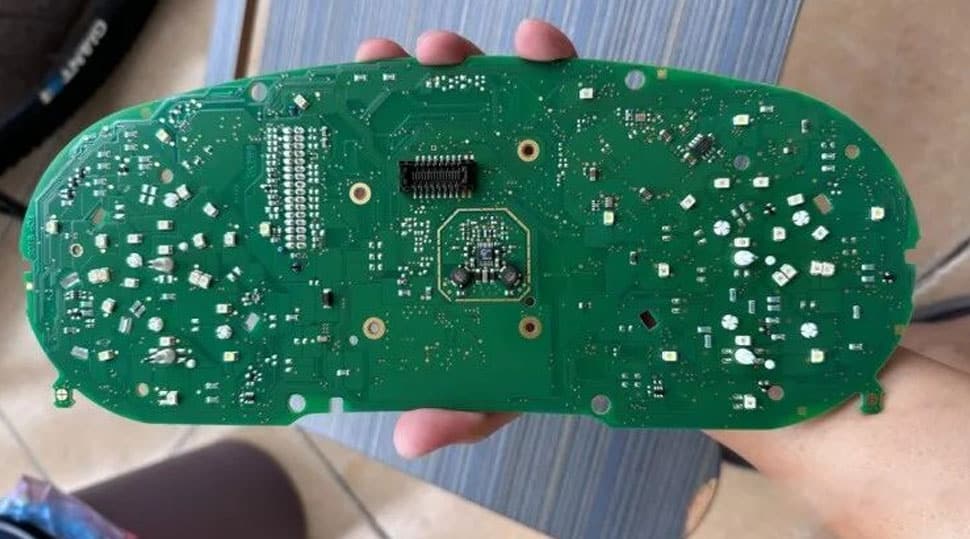
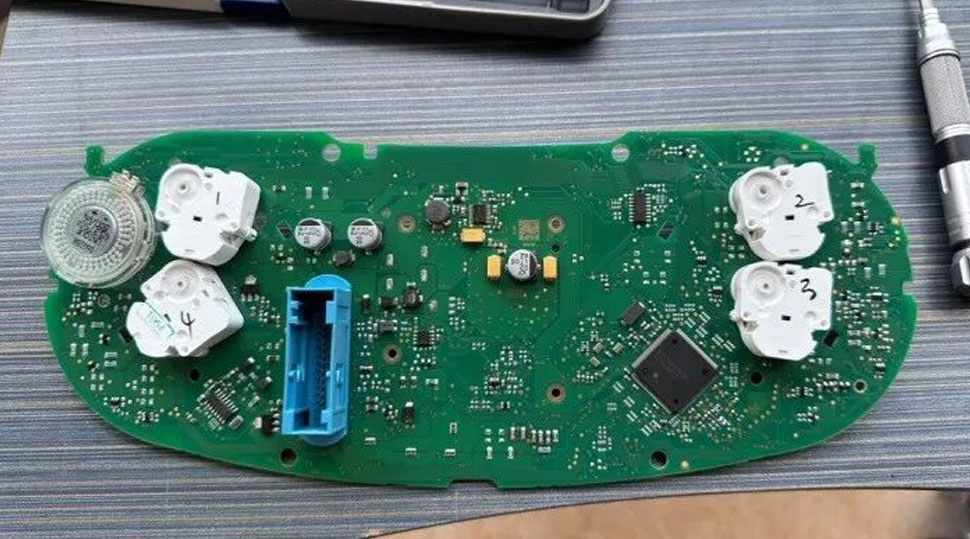
Konfirmasikan Status Motherboard Pabrik yang Telah Disiapkan
Pada tahap ini, motherboard pabrik harus telah disiapkan dalam keadaan yang benar untuk dipasang ke housing cluster digital yang baru.
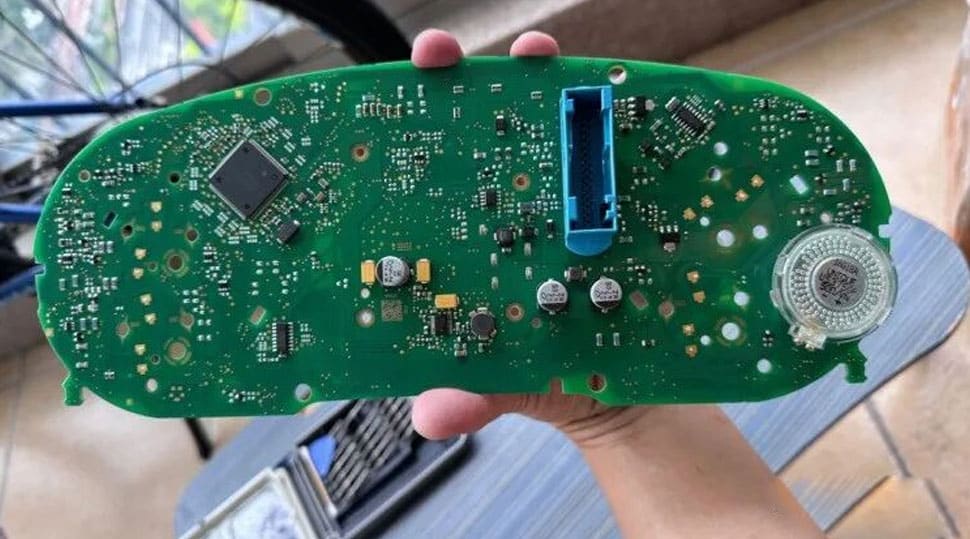
Pasang Motherboard Asli ke Dalam Housing Cluster Digital
Pasang motherboard asli yang telah disiapkan ke housing digital baru dan kencangkan menggunakan titik pemasangan yang diperlukan.
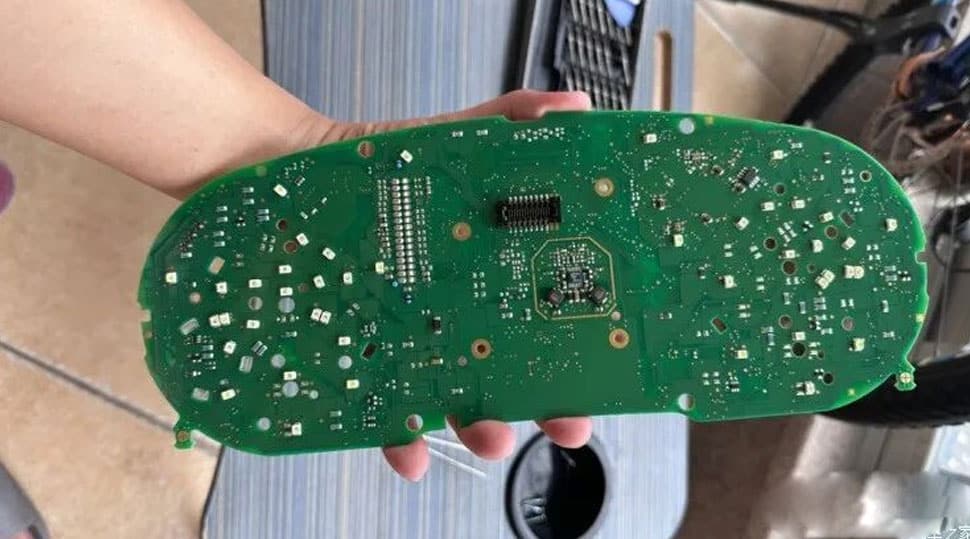
Hubungkan Harness Komunikasi Khusus
Motherboard asli dan rakitan display digital baru berkomunikasi melalui harness khusus yang disediakan untuk rute pemasangan yang telah dikonfirmasi.
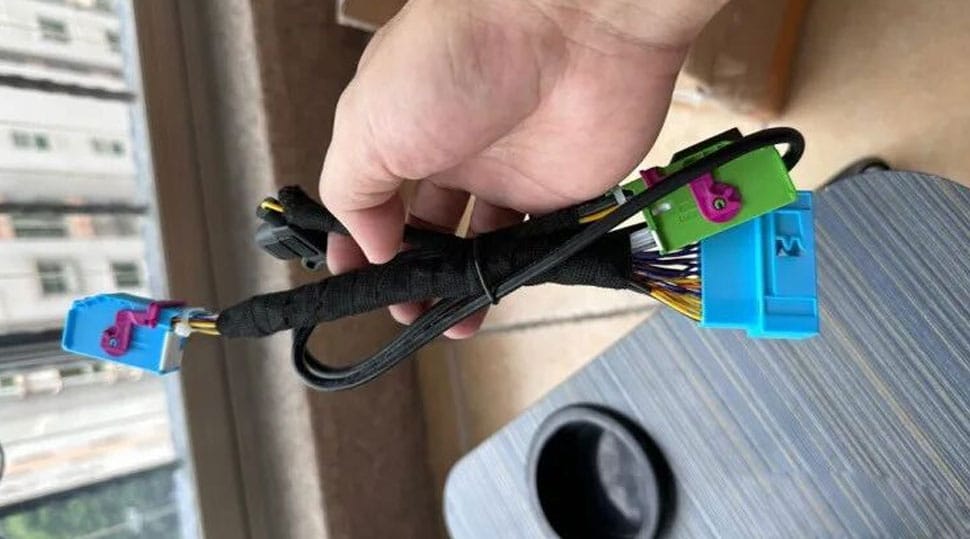
Arahkan Kabel Pembaruan USB Sebelum Perakitan Akhir
Arahkan kabel USB ke posisi yang mudah diakses, seperti area penyimpanan kiri bawah, sehingga tetap tersedia untuk prosedur pembaruan perangkat lunak di masa mendatang yang didukung.
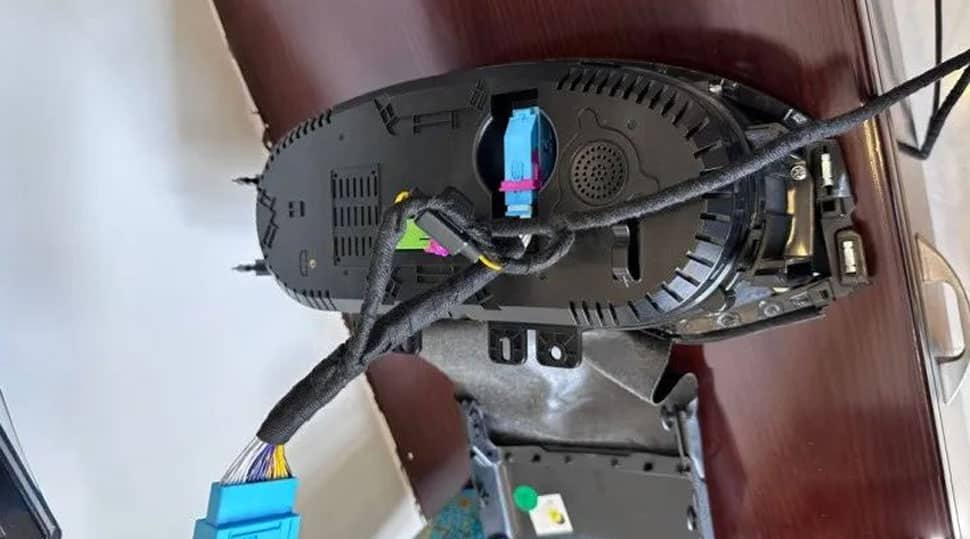
Batas fungsi tampilan: jika kebutuhan pembelian Anda mencakup navigasi, tampilan terkait CarPlay atau proyeksi HDMI di dalam cluster, pastikan rute koneksi yang didukung secara terpisah sebelum memesan. Baca Panduan Rute CarPlay Cluster Digital VW Audi.
Pindahkan Bingkai Trim Dekoratif Asli
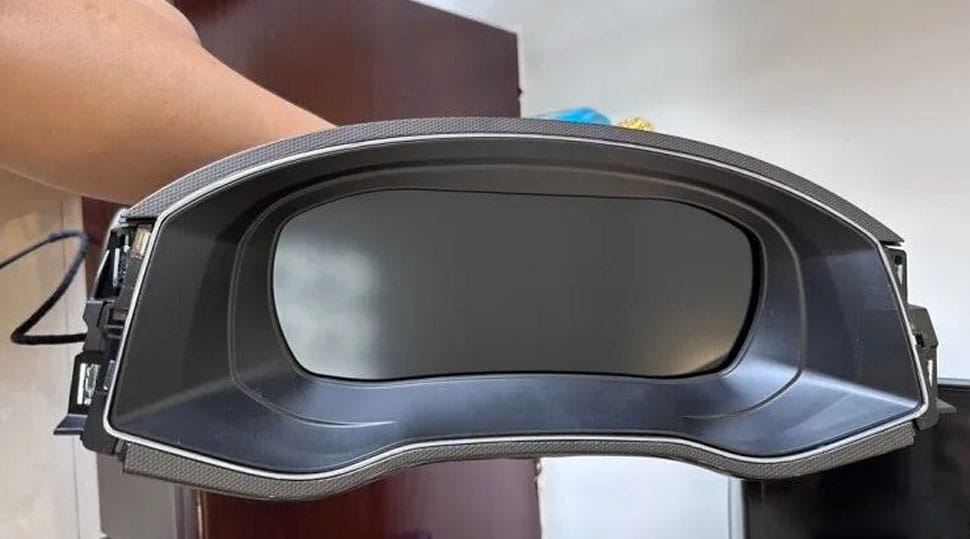
Konversi elektronik hanyalah salah satu bagian dari pemasangan. Untuk mempertahankan hasil dasbor bergaya OEM, bingkai dekoratif asli dipindahkan ke rakitan cluster digital baru.
Lepaskan Bingkai Depan Dekoratif Asli
Pisahkan bingkai depan dekoratif asli dari bodi cluster mekanis agar dapat digunakan kembali pada rakitan cluster digital baru.
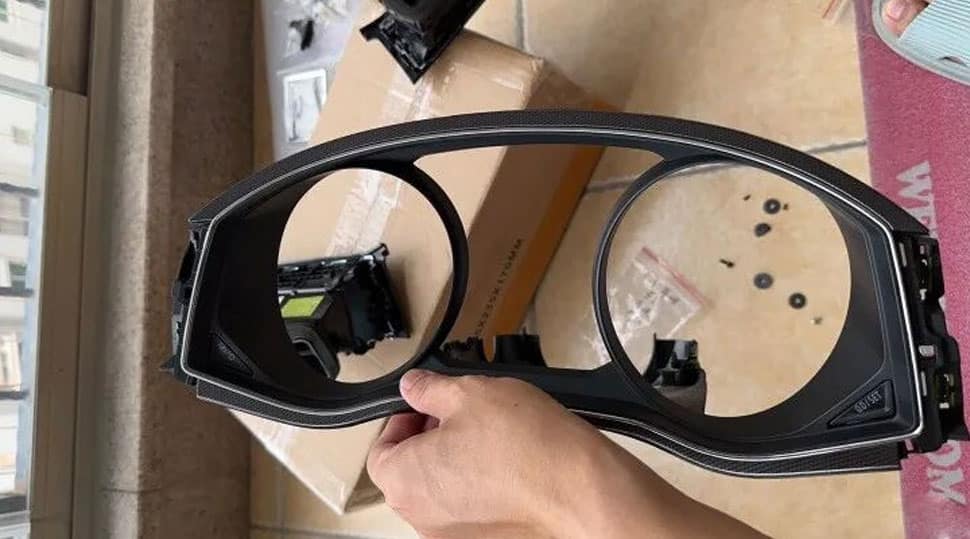
Pisahkan Bingkai dari Dudukan Asli
Setelah dilepas dari bodi kluster asli, tangani bingkai depan secara terpisah dan jaga agar lapisan terlihatnya tetap terlindungi.
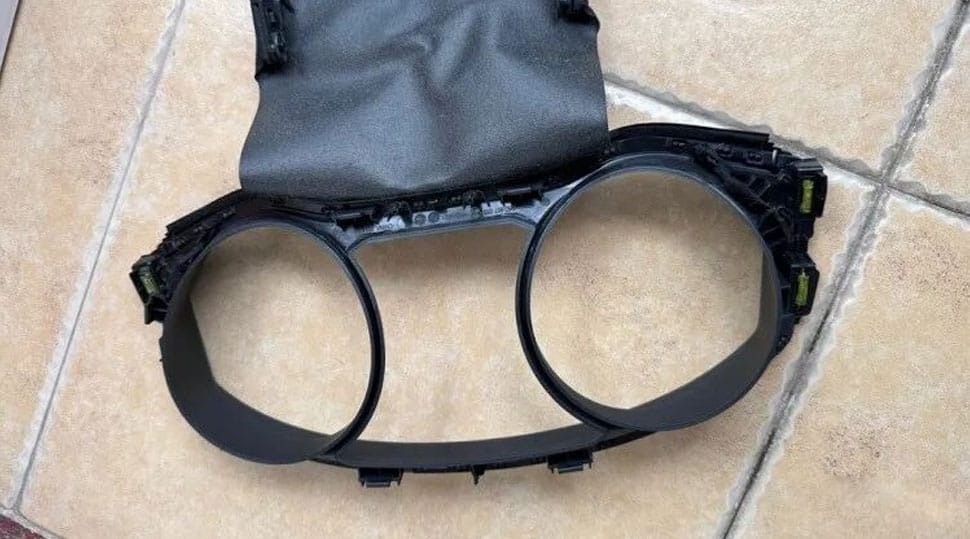
Lepaskan Perekat yang Ada dengan Hati-hati
Gunakan alat yang sesuai untuk melepaskan perekat hot-melt yang ada dengan hati-hati agar bingkai dekoratif asli dapat dipasang dengan rapi pada rakitan baru.
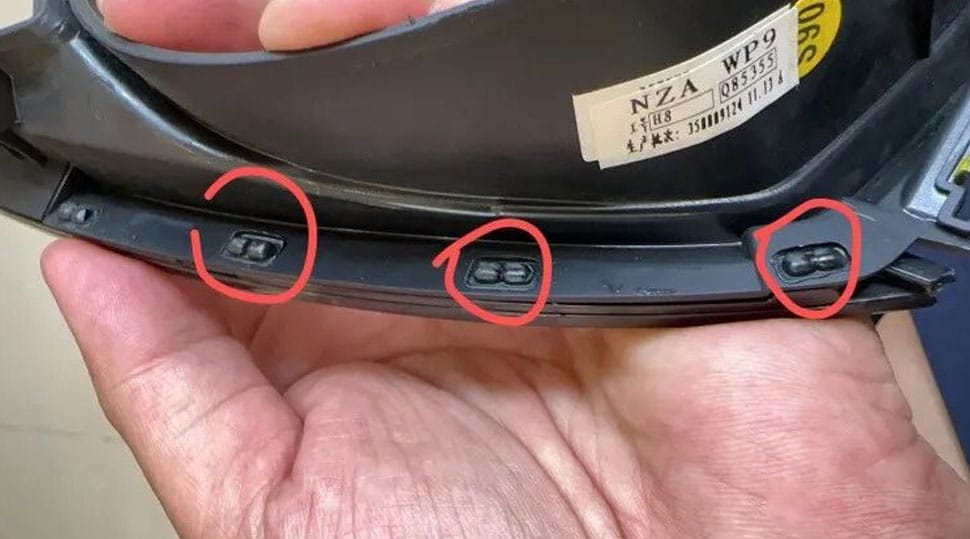
Konfirmasi Bingkai Dekoratif Asli yang Sepenuhnya Terpisah
Bingkai dekoratif asli sekarang harus sudah sepenuhnya terpisah, bersih, dan siap untuk disejajarkan dengan area penyangga kluster digital yang baru.
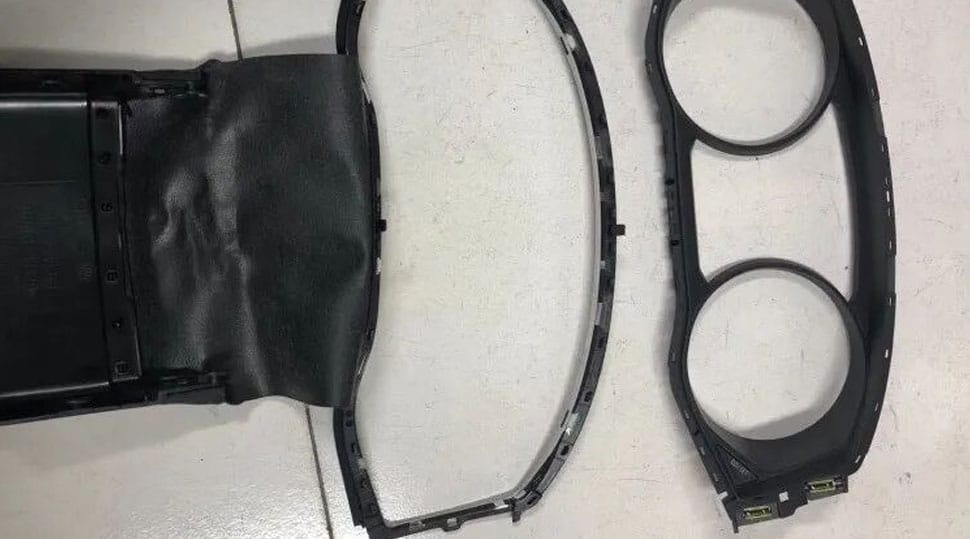
Siapkan Area Penyangga Bingkai Cluster Digital Baru
Periksa area penyangga pada rakitan cluster digital baru sebelum mengaplikasikan perekat dan menyelaraskan bingkai dekoratif yang dipindahkan.
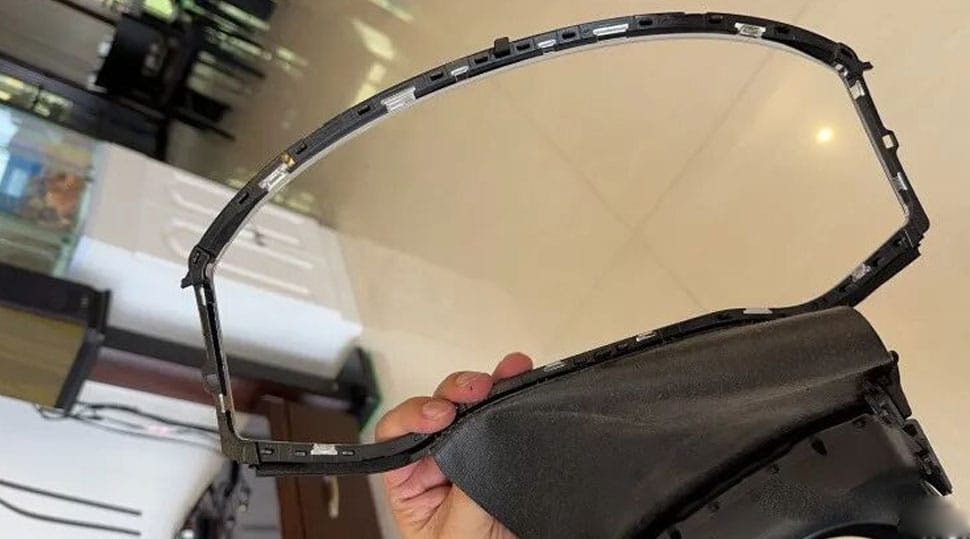
Pasang Bingkai Dekoratif Asli pada Cluster Baru
Aplikasikan perekat yang sesuai dengan hati-hati dan sejajarkan bingkai dengan benar agar tampilan dasbor yang telah selesai tetap rapi dan seperti bawaan pabrik.
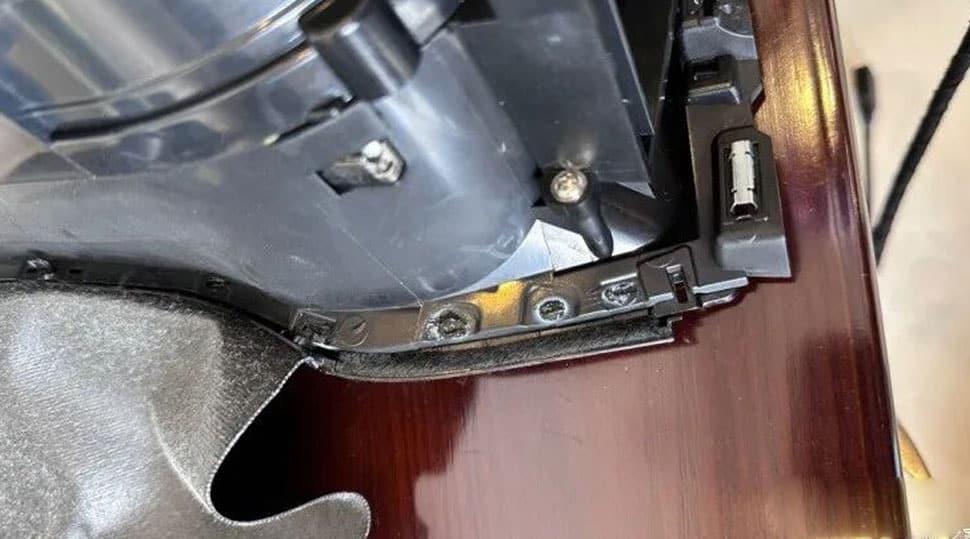
Pasang Kembali Rakitan Cluster Digital yang Telah Selesai
Setelah bingkai terpasang dan cluster digital dirakit sepenuhnya, kembalikan unit yang telah selesai ke dasbor dan selesaikan pemeriksaan pengaturan setelah pemasangan.
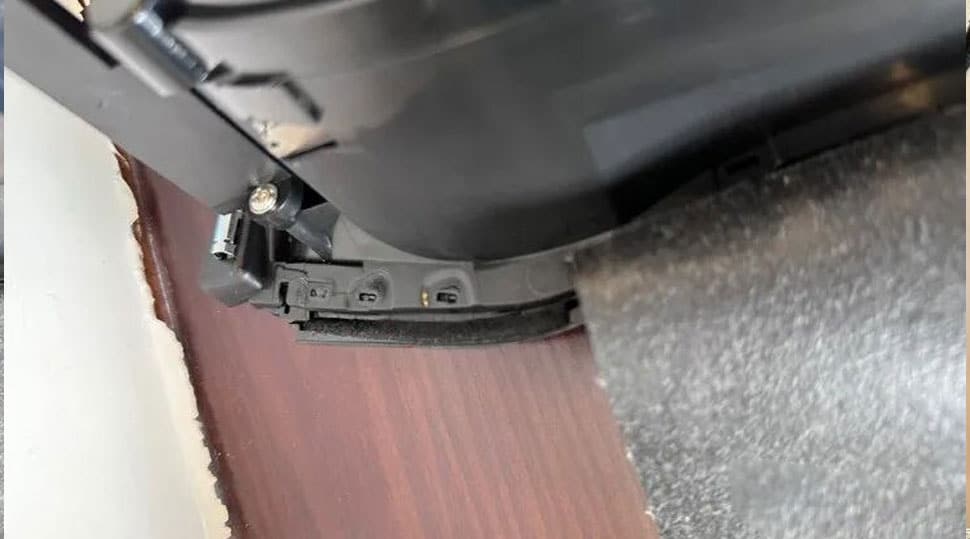
Periksa Papan Tambahan Kecil Asli Sebelum Menutup Kluster
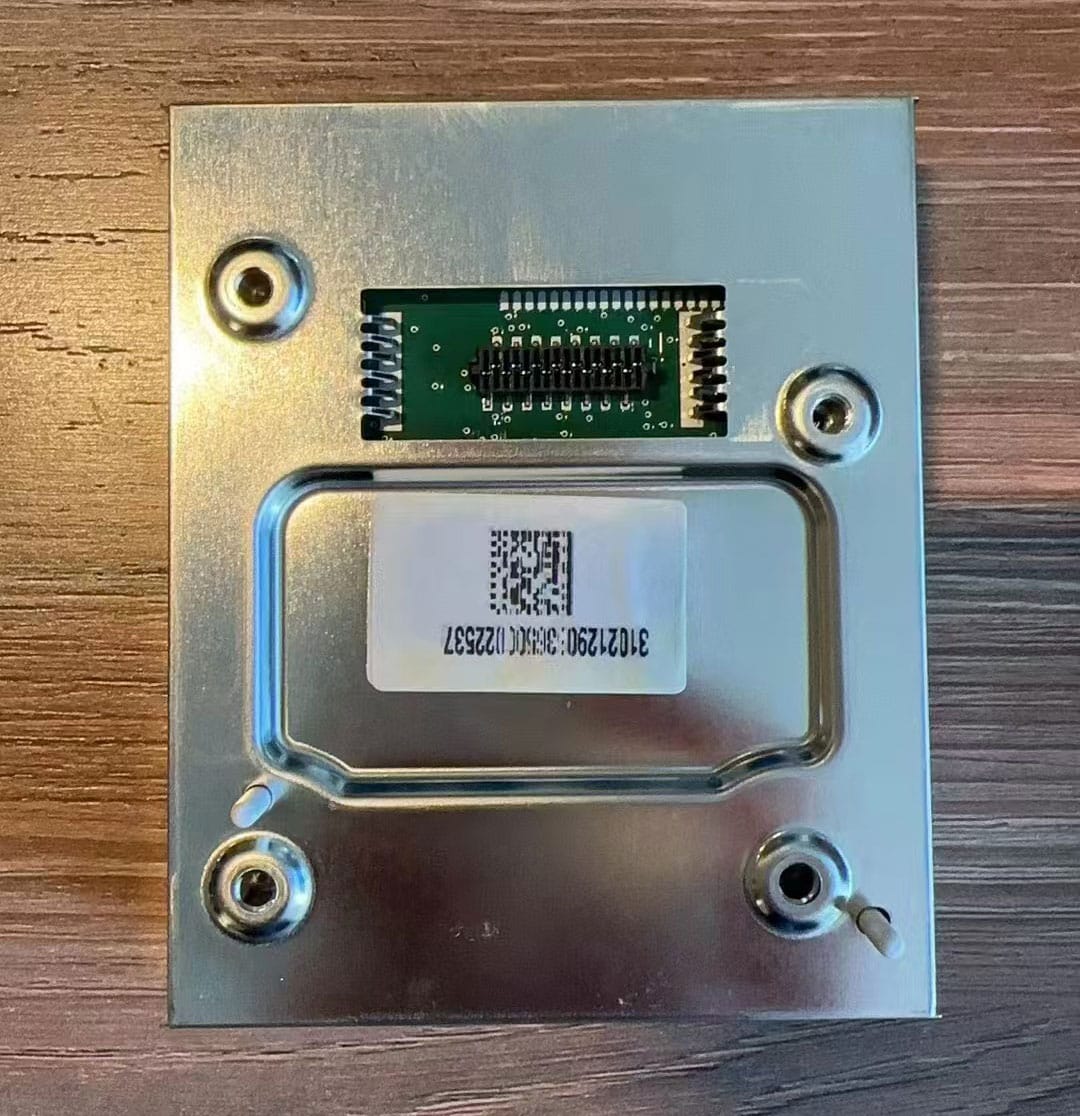
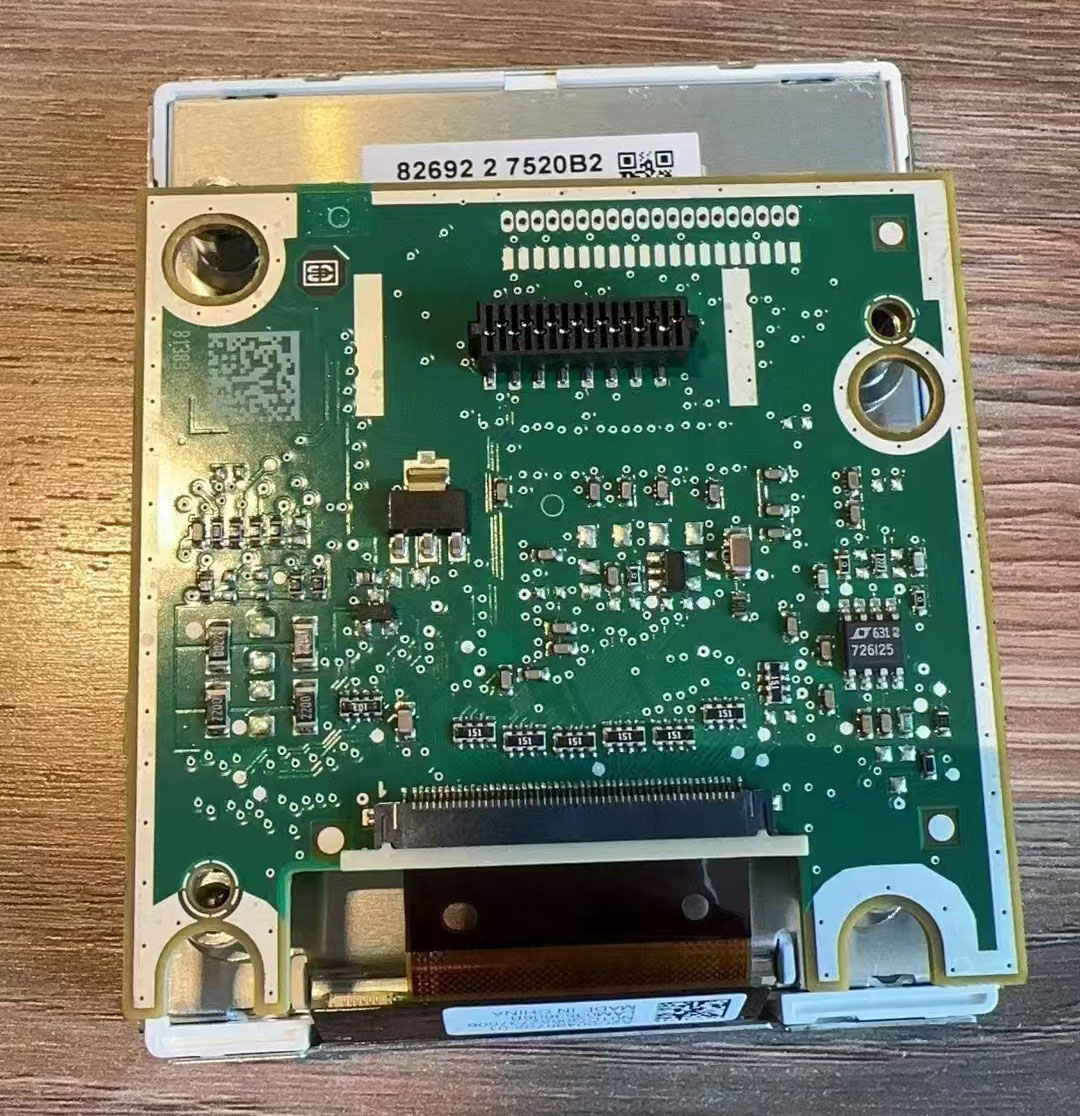
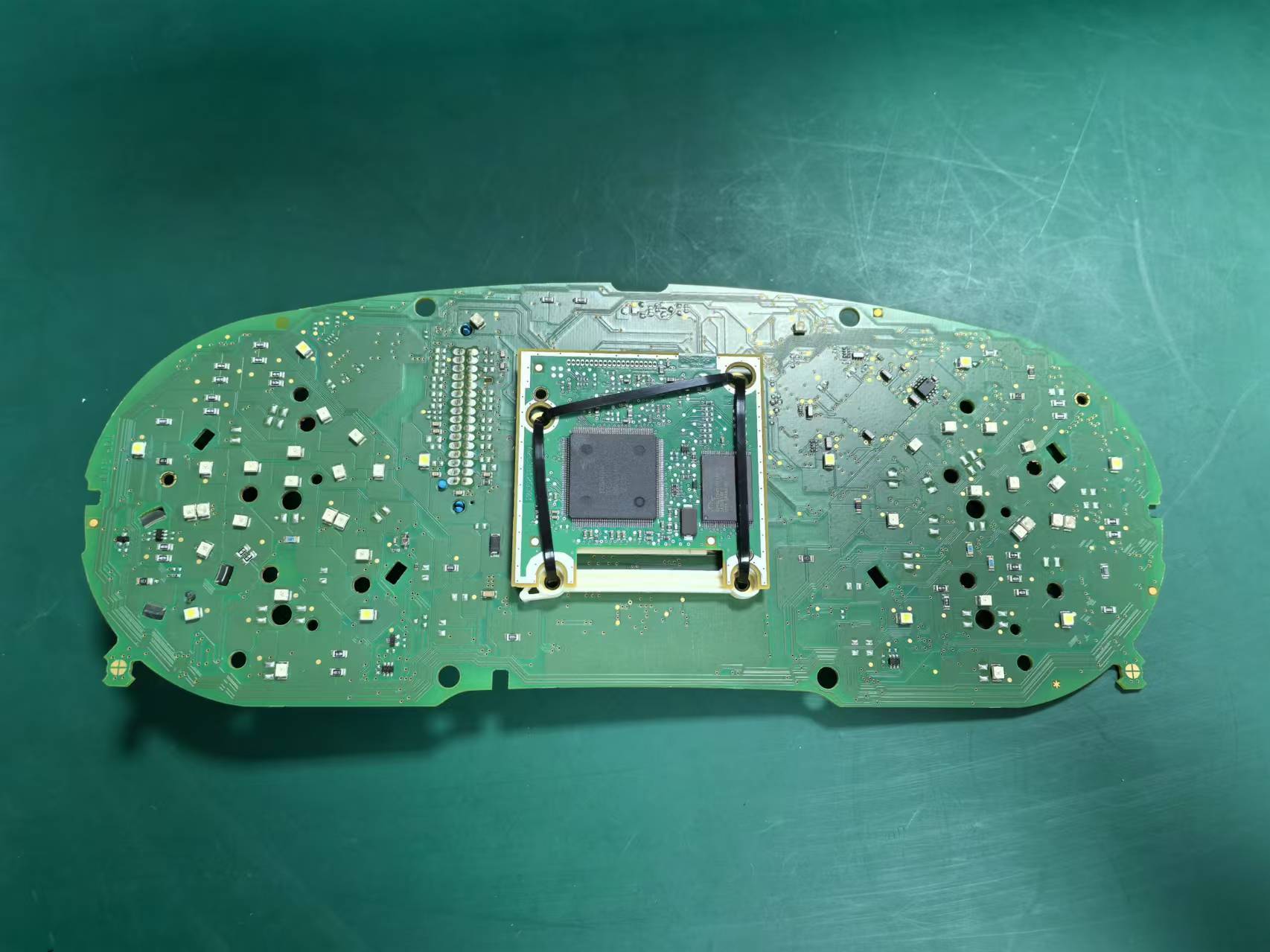
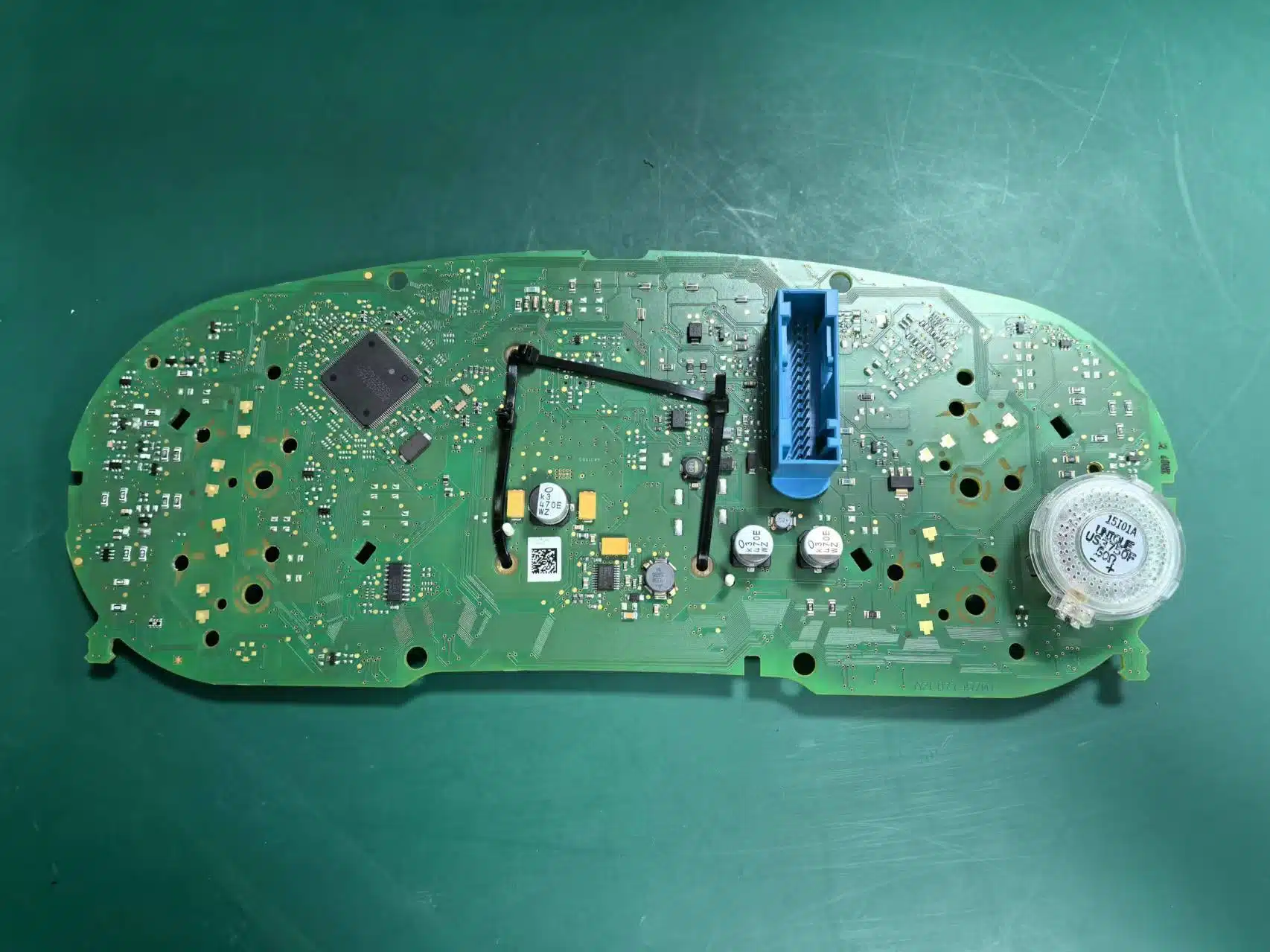
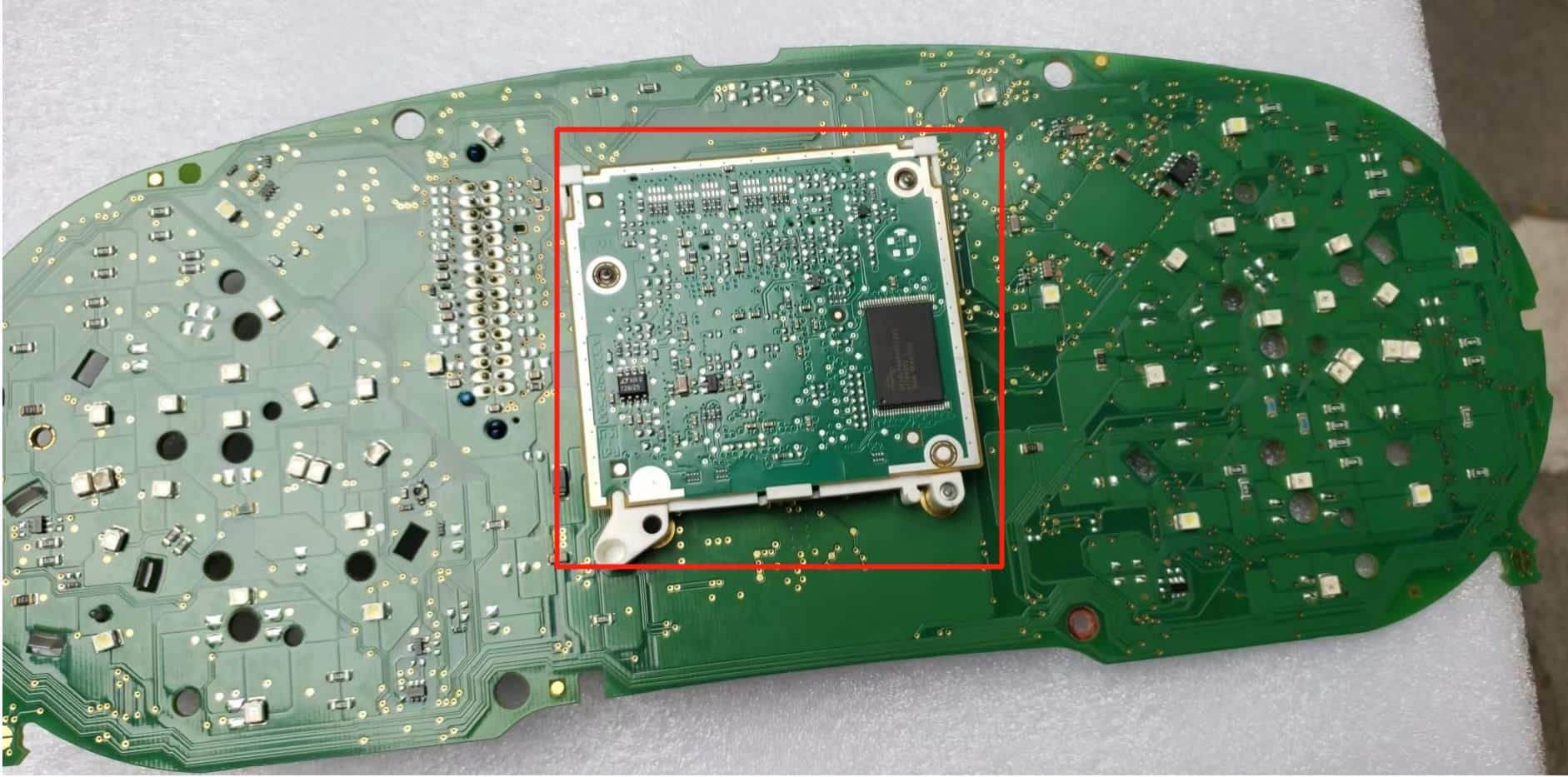
Beberapa kluster mekanis asli dengan spesifikasi lebih tinggi menyertakan papan tambahan kecil di belakang layar pabrik. Jika kluster asli Anda berisi papan ini, papan tersebut harus dipindahkan dan dipasang dengan benar pada rakitan kluster digital baru.
Penting: jika papan tambahan asli diperlukan dan terlupakan atau dipasang dengan tidak benar, akurasi tampilan bahan bakar dapat terpengaruh dan kluster instrumen dapat melaporkan kesalahan. Konfirmasikan komponen ini sebelum perakitan akhir.
Selesaikan Konfigurasi dan Kalibrasi Setelah Pemasangan Fisik
Setelah kluster digital terpasang secara fisik dan menyala dengan benar, selesaikan pemeriksaan pasca-pemasangan yang diperlukan. Ini mencakup pengoperasian menu kontrol, konfirmasi pengaturan peringatan, verifikasi papan tambahan jika berlaku, pekerjaan kalibrasi, dan koreksi lampu fisik untuk rute yang didukung.
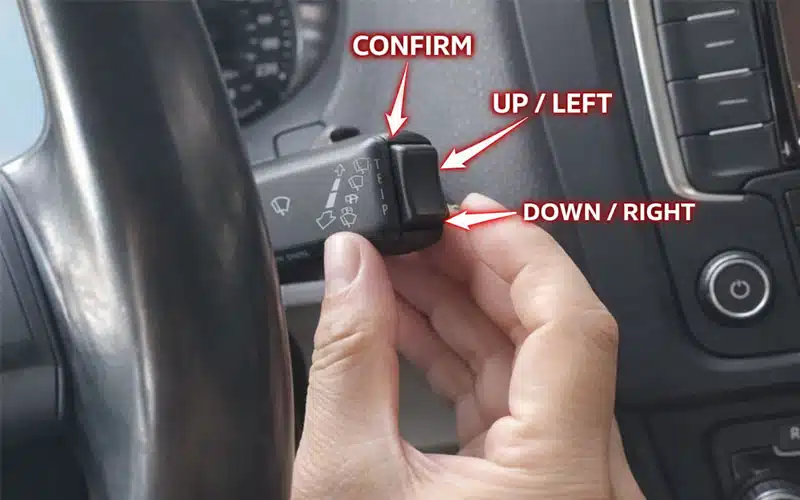
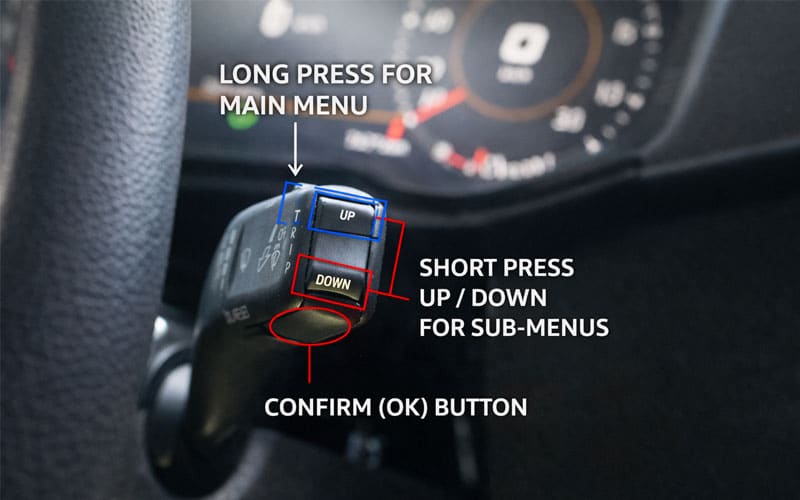
Referensi Kontrol Kolom Kemudi
Tinjau gambar kontrol ini sebelum menggunakan video konfigurasi. Gambar ini menunjukkan operasi kontrol di kolom kemudi yang digunakan untuk masuk ke menu, berpindah melalui pengaturan, dan mengonfirmasi penyesuaian setelah pemasangan.
Video Pengaturan Ban Musim Dingin dan Peringatan Kecepatan
Gunakan ini sebelum melepas cluster asli untuk mengonfirmasi operasi pengaturan peringatan yang diperlukan.
Video Pemasangan Papan Bantu Kecil
Gunakan ini saat cluster asli berisi papan bantu yang dipertahankan seperti yang ditunjukkan dalam panduan ini.
Video Kalibrasi Setelah Pemasangan
Gunakan ini hanya setelah pemasangan fisik selesai dan unit menyala dengan benar.
Koreksi Pengaturan Video Cahaya Fisik
Gunakan referensi ini jika rute yang dipasang memerlukan pemeriksaan atau koreksi perilaku tampilan cahaya fisik.
Video Instalasi Lengkap Volkswagen Passat PQ Digital Cluster
Tonton video lengkap ini sebelum melepas kluster asli. Ini mendukung urutan pembongkaran, transfer motherboard, transfer bingkai dekoratif, dan perakitan kembali yang digunakan dalam artikel ini.
Pemeliharaan perangkat lunak setelah instalasi: jika digital cluster yang terpasang nanti memerlukan pemeliharaan firmware yang didukung, jangan menerapkan paket yang tidak dikenal. Ikuti Panduan Pembaruan Perangkat Lunak Cluster Instrumen Digital VW Audi untuk rute pembaruan Online dan USB.
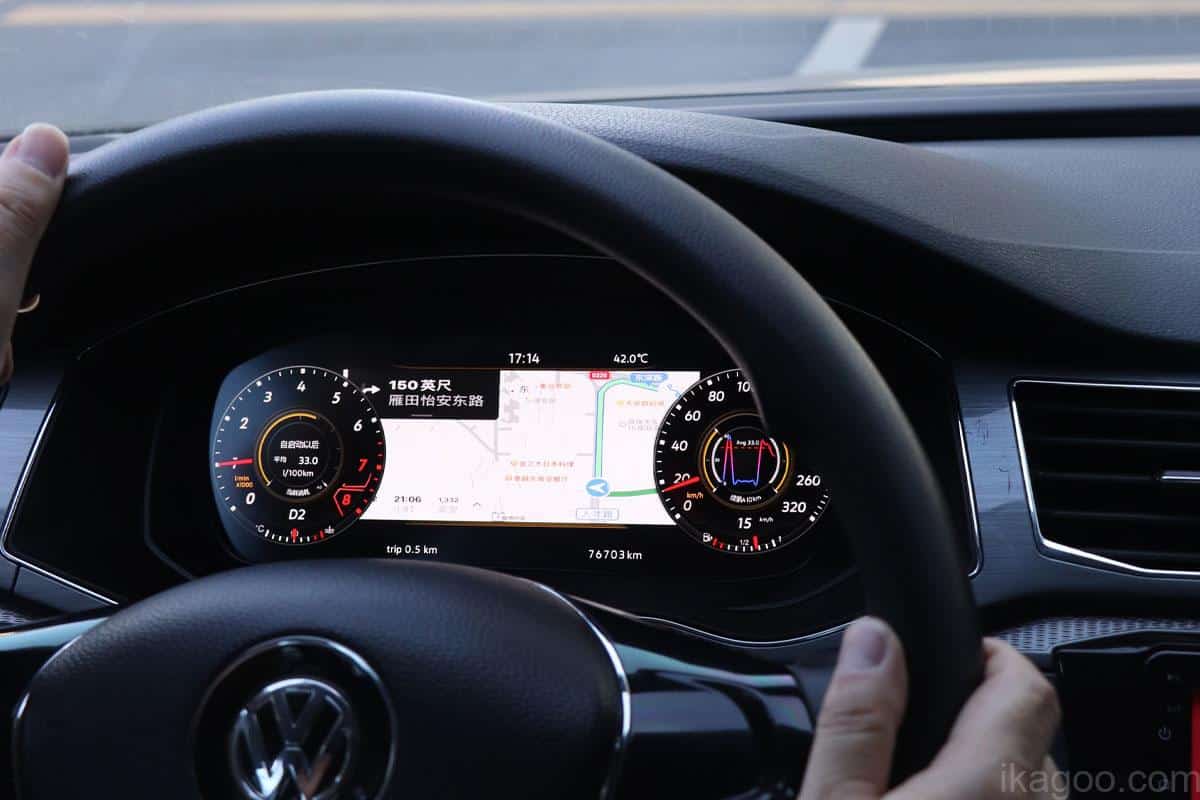
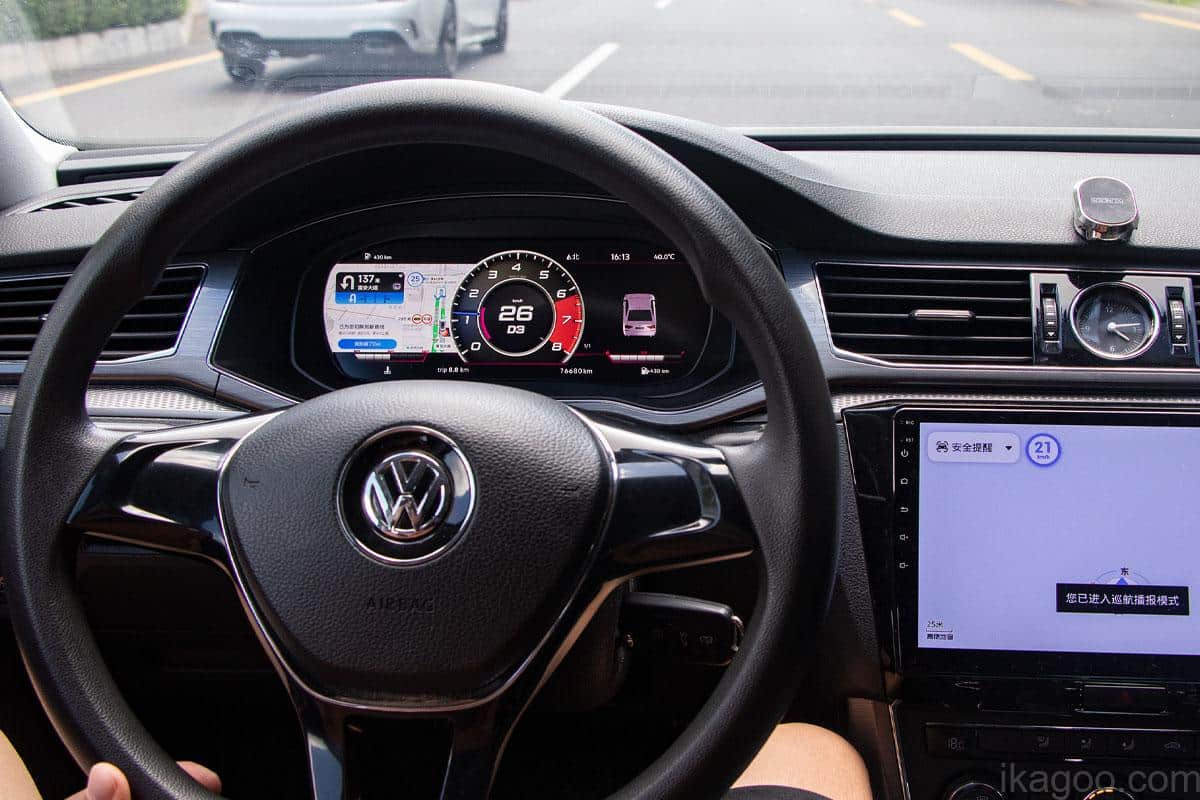
Hasil Upgrade Dashboard LCD Volkswagen Passat yang Selesai
Setelah motherboard asli dipindahkan, bingkai dekoratif dipasang, unit dirakit kembali, dan pemeriksaan setelah pemasangan selesai, Upgrade Dashboard LCD Volkswagen Passat harus terlihat bersih dan terintegrasi dengan desain dashboard asli.
Beli Kluster Instrumen Digital Volkswagen Passat dari iKagoo
Jika kluster mekanis asli Anda, bukaan dashboard, dan jalur komponen yang dipertahankan cocok dengan panduan ini, gunakan halaman produk iKagoo untuk membeli fisik Panel Instrumen Digital Volkswagen Passat.
Panel Instrumen Digital Volkswagen Passat
Jalur hardware untuk pembeli yang mencari sebuah Peningkatan Cluster Instrumen Digital Volkswagen Passat, Pasang Digital Cluster Passat PQ atau Plug-and-Play Kluster Digital Passat konversi menggunakan jalur kabel kendaraan asli tanpa memotong atau menyambung kabel harness pabrik.
Tidak Yakin Kluster Mana yang Cocok?
Jika dasbor asli Anda tidak benar-benar cocok dengan jalur Passat PQ ini, gunakan panduan lengkap pemilihan kluster instrumen digital iKagoo sebelum melakukan pemesanan.
Perlu Dukungan Pembaruan Paket Perangkat Lunak?
Jika kluster instrumen digital Volkswagen Anda sudah terpasang dan Anda memerlukan instruksi pemeliharaan firmware, mulailah dengan Panduan Pembaruan Perangkat Lunak Cluster Instrumen Digital VW Audi.
Jika Anda memerlukan dukungan pembaruan paket perangkat lunak yang kompatibel untuk sistem yang didukung dan memenuhi syarat, gunakan jalur dukungan FixMyDash terpisah.
Batas layanan: FixMyDash menyediakan peninjauan kompatibilitas dan dukungan pembaruan paket yang kompatibel jika tersedia sesuai dengan masa dukungan yang dipilih. Ini bukan layanan perbaikan perangkat keras dan tidak menjamin penyelesaian setiap masalah dasbor, kabel, layar, atau kerusakan kendaraan lain yang tidak terkait.
Pertanyaan yang Sering Diajukan Tentang Pemasangan Kluster Digital Passat PQ
Apa arti plug-and-play untuk kluster digital Volkswagen Passat PQ ini?
Artinya pemasangan yang didukung menggunakan koneksi kabel asli kendaraan tanpa memotong atau menyambung kabel harness pabrik. Pemasangan tetap memerlukan pelepasan kluster asli, pemindahan motherboard, pemindahan bingkai dekoratif, penanganan komponen yang dipertahankan yang berlaku, dan pemeriksaan konfigurasi pasca pemasangan.
Apakah saya bisa memesan kluster digital ini hanya berdasarkan tahun kendaraan?
Tidak. Panduan ini untuk rute Volkswagen Passat PQ 2016–2017 yang telah dikonfirmasi. Konfirmasikan bentuk klaster asli, bukaan dasbor, dan rute komponen sebelum membeli.
Mengapa motherboard asli digunakan kembali?
Karena rute pemasangan ini dirancang dengan memindahkan motherboard klaster asli spesifik kendaraan ke dalam housing digital baru. Ini dimaksudkan untuk mempertahankan hubungan papan asli yang didukung untuk rute yang telah dikonfirmasi, tetapi verifikasi fungsi akhir tetap diperlukan setelah pemasangan.
Apakah buzzer atau speaker cluster asli dapat dilepas?
Tidak, bukan pada bagian yang diharuskan tetap demikian oleh rute yang telah dikonfirmasi. Buzzer atau speaker asli harus dipertahankan seperti yang ditunjukkan, karena melepas komponen yang diperlukan dapat menyebabkan gangguan terkait klaster.
Bagaimana jika klaster asli mencakup papan bantu kecil?
Pindahkan dengan benar sebelum perakitan akhir. Jika papan bantu asli yang diperlukan dihilangkan atau dipasang dengan tidak benar, akurasi tampilan bahan bakar dapat terpengaruh dan klaster dapat melaporkan gangguan.
Apakah panduan ini mengonfirmasi CarPlay atau tampilan navigasi di dalam klaster?
Tidak, tidak hanya melalui pemasangan fisik. Jika Anda memerlukan navigasi, tampilan terkait CarPlay atau proyeksi HDMI di dalam klaster digital, konfirmasikan rute yang didukung secara terpisah melalui the Panduan Rute CarPlay Cluster Digital VW Audi.
Bagaimana kluster harus diperbarui setelah pemasangan?
Gunakan hanya metode pembaruan yang didukung untuk versi kluster digital yang telah dikonfirmasi. Baca Panduan Pembaruan Perangkat Lunak Cluster Instrumen Digital VW Audi sebelum menerapkan paket pembaruan Online atau USB.
Di mana saya membeli kluster digital fisik Volkswagen Passat?
Beli perangkat keras melalui iKagoo setelah memastikan kecocokannya. Buka halaman produk Volkswagen Passat Digital Instrument Cluster saat rute dasbor asli Anda cocok dengan panduan pemasangan ini.
Di mana saya meminta dukungan paket perangkat lunak jika saya sudah memiliki kluster yang didukung?
Gunakan layanan dukungan perangkat lunak FixMyDash terpisah. Itu Paket Peningkatan Klaster Digital Volkswagen / Audi menyediakan dukungan paket pembaruan yang kompatibel jika tersedia berdasarkan ketentuan dukungan yang dipilih.








Add comment