


Cara Memeriksa Kompatibilitas Digital Cluster Sebelum Anda Membeli
Panduan Kompatibilitas Digital Cluster: Cara Memeriksa Sebelum Membeli
Salah satu pertanyaan paling umum dari pemilik Volkswagen dan Audi adalah sederhana: “Apakah digital cluster ini cocok untuk kendaraan saya?”
Jawaban jujurnya adalah bahwa kompatibilitas digital cluster tidak dapat dipastikan hanya berdasarkan tahun kendaraan. Pemeriksaan kecocokan yang benar harus meninjau cluster instrumen asli, bentuk dashboard, platform kendaraan, posisi kemudi, jalur pemasangan, dan apakah pembeli memilih digital cluster bergaya OEM atau Virtual Cockpit OEM bekas.
Panduan ini menjelaskan cara memeriksa kompatibilitas digital cluster sebelum memesan, foto apa yang harus Anda kirim, dan cara mengurangi risiko membeli upgrade dashboard digital yang salah.
Jawaban Langsung: Bagaimana Anda Mengetahui Jika Digital Cluster Kompatibel?
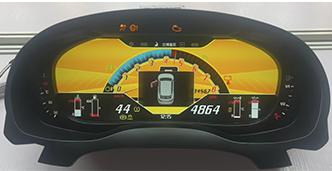
Mengapa Tahun Kendaraan Saja Tidak Cukup
Banyak pembeli bertanya apakah digital cluster akan cocok untuk model year tertentu, seperti Audi A4 2016, Passat B8, Golf, A5, Q5 atau TT. Tahun kendaraan memang berguna, tetapi tidak cukup untuk keputusan kecocokan digital cluster yang andal.
Kendaraan Volkswagen dan Audi dapat memiliki tata letak dashboard, bingkai cluster, bentuk trim, dan konfigurasi platform yang berbeda dalam generasi yang sama. Penggantian digital instrument cluster yang cocok pada satu versi mungkin tidak cocok pada versi lain tanpa konfirmasi.
Bentuk housing, bingkai luar, dan gaya display asli adalah indikator kecocokan utama.
Desain trim, titik pemasangan, dan panel dashboard di sekitarnya dapat memengaruhi instalasi.
Perbedaan platform PQ, MQB, dan Audi mungkin memerlukan jalur upgrade yang berbeda.
Foto yang Harus Dikirim Setiap Pembeli Sebelum Memesan
Cara tercepat untuk memastikan kompatibilitas digital cluster adalah mengirim foto yang jelas sebelum memesan. Ini sangat penting untuk kompatibilitas digital cluster VW, kompatibilitas digital cluster Audi, kecocokan Virtual Cockpit, dan proyek penggantian digital dashboard.
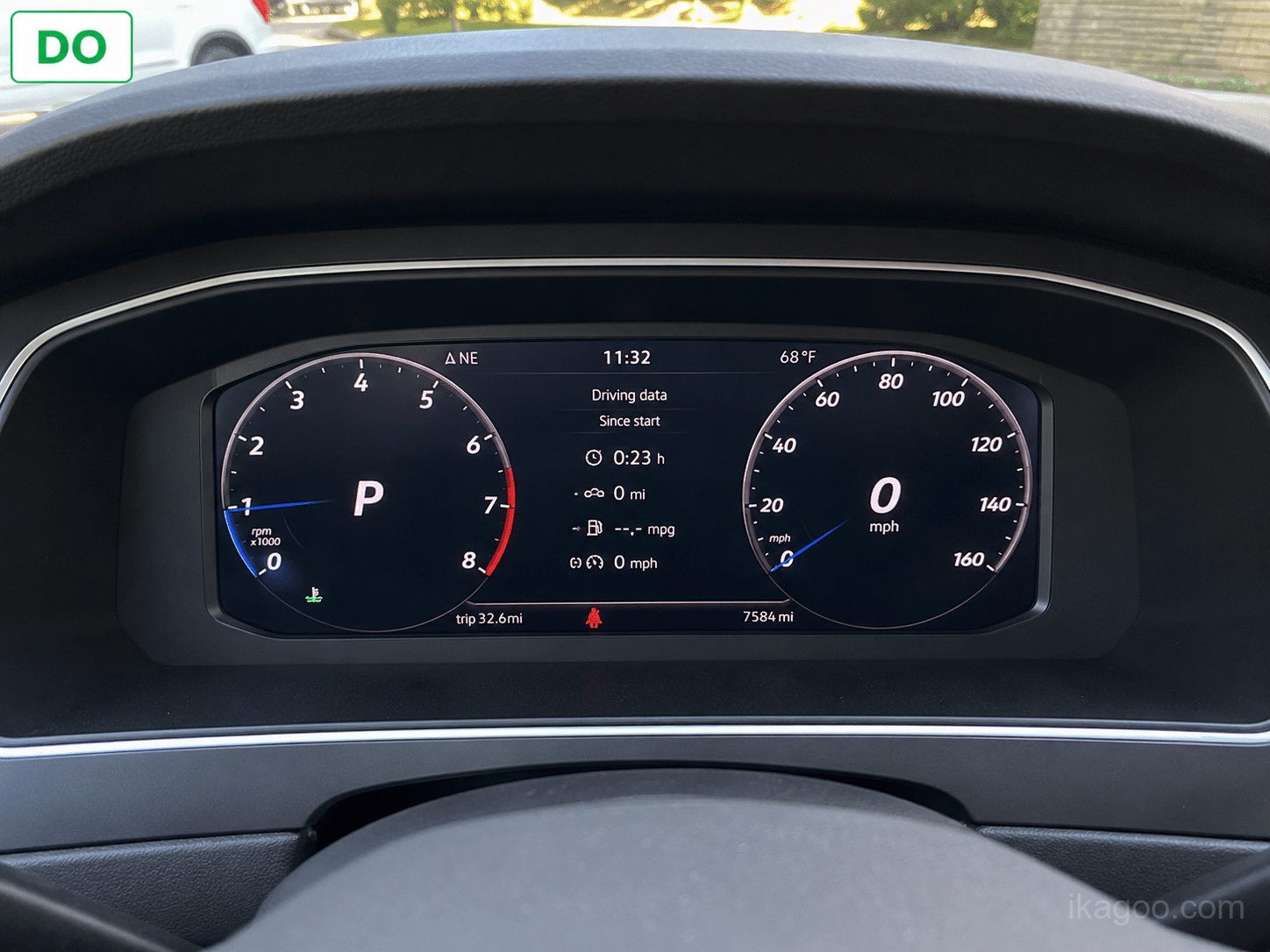
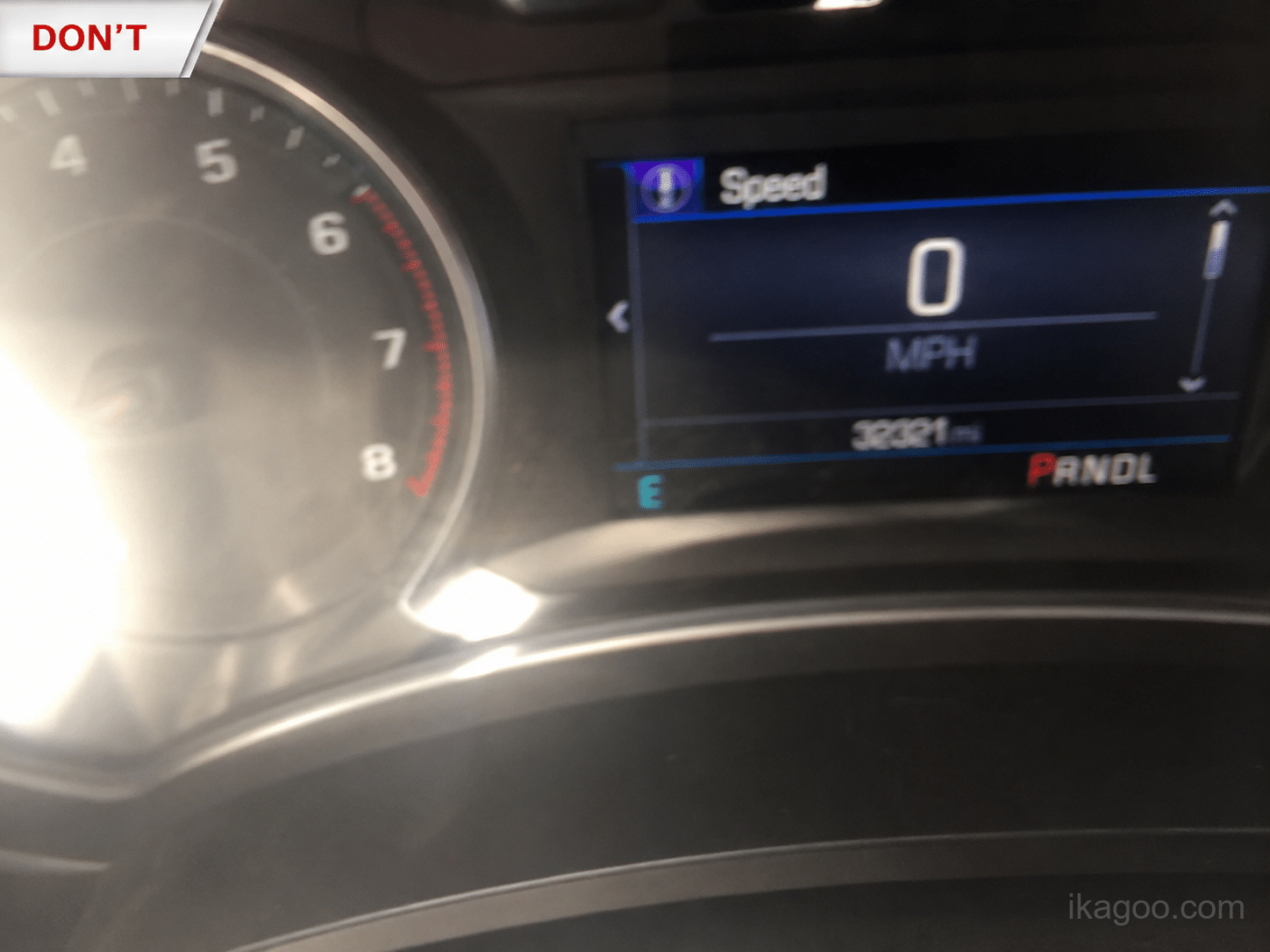
- Model kendaraan dan tahun model
- Foto cluster instrumen asli
- Foto dasbor lengkap
- Foto layar tengah saat ini jika CarPlay, tampilan peta atau proyeksi terlibat
- Informasi setir kiri atau setir kanan
- Modifikasi dashboard atau cluster instrumen sebelumnya
Daftar Periksa Kompatibilitas Digital Cluster
| Item Pemeriksaan | Mengapa Ini Penting | Wajib Sebelum Memesan? |
|---|---|---|
| Model dan Tahun Kendaraan | Membantu mempersempit platform dan kemungkinan jalur cluster. | Ya. |
| Foto Klaster Asli | Menampilkan bentuk klaster, bingkai, dan tata letak layar asli. | Ya. |
| Foto Dashboard | Mengonfirmasi trim sekeliling, area pemasangan, dan struktur dasbor. | Ya. |
| Kemudi kiri atau kemudi kanan | Beberapa jalur upgrade mungkin memerlukan konfirmasi terpisah berdasarkan posisi kemudi. | Ya. |
| Foto Layar Tengah | Penting saat CarPlay, tampilan navigasi, proyeksi HDMI/DP, atau mirroring terlibat. | Disarankan |
Kesalahan Umum Kompatibilitas Klaster Digital
Banyak masalah pemasangan klaster digital dimulai sebelum produk dikirim. Kesalahan paling umum adalah membeli hanya berdasarkan tahun atau nama model.
Tahun model tidak selalu menunjukkan bentuk dasbor, jalur platform, atau desain klaster asli.
Tanpa foto, penjual mungkin tidak melihat detail kecocokan penting yang menentukan apakah cluster akan sesuai.
Unit Virtual Cockpit OEM bekas, kluster digital bergaya OEM, dan kit retrofit khusus kendaraan memiliki persyaratan yang berbeda.
Posisi kemudi harus dikonfirmasi sebelum pembelian, terutama untuk pasar Inggris, Australia, Selandia Baru, dan pasar RHD lainnya.
Kompatibilitas Virtual Cockpit OEM Bekas vs Kompatibilitas Kluster Digital Bergaya OEM
Virtual Cockpit OEM bekas dapat menjadi komponen pabrik asli, tetapi mungkin memerlukan lebih dari sekadar pemasangan fisik. Banyak proyek kluster OEM bekas dapat melibatkan coding, component protection, adaptasi immobilizer, pencocokan kunci, atau pemrograman tingkat dealer.
Upgrade kluster digital bergaya OEM berbeda. Ini bukan bagian pabrik resmi, tetapi proses pembeliannya bisa lebih praktis bagi banyak pemilik karena kompatibilitas dapat diperiksa sebelum pengiriman menggunakan foto dasbor dan informasi kendaraan.
- Perangkat keras donor pabrik
- Mungkin memerlukan coding atau dukungan tingkat ODIS
- Mungkin melibatkan component protection
- Riwayat komponen bekas tidak diketahui
- Perangkat keras retrofit baru
- Tinjauan kompatibilitas sebelum pengiriman
- Jalur upgrade khusus kendaraan
- Jalur dukungan yang lebih dapat diprediksi
Apakah Plug-and-Play Berarti Akan Cocok untuk Setiap Kendaraan?
Tidak. Plug-and-play tidak boleh dipahami sebagai kecocokan universal. Untuk upgrade cluster digital, plug-and-play biasanya berarti menggunakan kabel yang sesuai dan jalur koneksi pabrik tanpa memotong harness asli.
Bagaimana iKAGOO Memastikan Kompatibilitas Cluster Digital
iKAGOO menyarankan agar dilakukan pemeriksaan kompatibilitas sebelum pengiriman untuk peningkatan panel instrumen digital khusus kendaraan. Hal ini membantu mengurangi risiko pengiriman suku cadang yang salah dan memberikan gambaran yang lebih jelas kepada pembeli sebelum melakukan pemesanan.
Kirim model kendaraan, tahun, dan versi pasar.
Kirim foto cluster asli, dashboard, dan layar tengah.
Konfirmasikan kecocokan, posisi mengemudi, dan jalur upgrade sebelum pengiriman.
Kapan Sebaiknya Anda Tidak Memesan Langsung?
- Penjual hanya mengonfirmasi kecocokan berdasarkan tahun kendaraan.
- Bentuk kluster asli Anda tidak sesuai dengan foto produk.
- Anda tidak dapat menyediakan foto dasbor yang jelas.
- Anda membeli kluster OEM bekas tanpa akses ke bengkel coding.
- Anda membutuhkan CarPlay, tampilan navigasi, atau dukungan proyeksi tetapi belum mengonfirmasi jalur yang diperlukan.
Panduan iKAGOO Digital Cluster yang Terkait
Jika Anda ingin memeriksa kompatibilitas kluster digital sebelum membeli, panduan-panduan iKAGOO ini dapat membantu Anda mulai dari meninjau kesesuaian hingga mendapatkan bantuan pemasangan, membandingkan produk, dan memastikan kompatibilitas dengan jenis kendaraan tertentu.
Gunakan manual ini setelah pembelian atau selama pengaturan untuk memahami pengoperasian kluster VW dan Audi, jalur dukungan, dan panduan pembaruan.
Baca Manual Pengguna →Periksa kompatibilitas platform PQ dan MQB untuk Golf, Passat, Tiguan, Jetta, Polo, dan model Volkswagen terkait.
Lihat Panduan Pemasangan Volkswagen →Bandingkan klaster retrofit gaya OEM baru dengan opsi Virtual Cockpit OEM bekas, termasuk pengkodean, biaya, dan risiko kompatibilitas.
Bandingkan Opsi Peningkatan →Tinjau apa saja yang perlu dikonfirmasi sebelum memesan peningkatan klaster instrumen digital, terutama jika Anda masih berada pada tahap riset pembelian.
Baca Panduan Peningkatan →Berguna bagi pembeli Audi yang menginginkan referensi pemasangan khusus kendaraan sebelum memutuskan apakah jalur klaster digital itu realistis.
Lihat Panduan Audi A3 →Tinjau jalur pemasangan MQB Golf dan pahami apa saja yang biasanya terlibat dalam pemasangan setelah kompatibilitas dikonfirmasi.
Lihat Panduan Golf MQB →Gunakan ini sebagai referensi pemasangan Passat B8-specific setelah memastikan kompatibilitas digital cluster.
Lihat Panduan Passat B8 →Setelah memeriksa kompatibilitasnya, telusuri pilihan kluster digital iKAGOO yang tersedia dan pastikan model kendaraan Anda sebelum memesan.
Lihat Opsi Digital Cluster →Rekomendasi Akhir
Kompatibilitas digital cluster harus selalu diperiksa sebelum pembelian. Tinjauan yang paling andal menggabungkan tahun model kendaraan, foto cluster asli, foto dasbor, posisi berkendara, dan rute pemasangan yang diinginkan.
Jika Anda tidak yakin apakah digital cluster VW atau Audi akan cocok untuk kendaraan Anda, jangan menebak hanya dari tahun model. Siapkan foto terlebih dahulu, lalu konfirmasi rutenya sebelum memesan.
Butuh Bantuan Memeriksa Kompatibilitas Digital Cluster?
Telusuri opsi peningkatan digital cluster yang tersedia dan siapkan foto dasbor Anda sebelum memesan.








Add comment