


Panduan Pembelian Sistem Audio Mobil Android Ford F150 2025
Panduan Pemasangan Lengkap: Upgrade Unit Kepala Android Khusus untuk Ford F150 / F250 / F350 / E-250 (2004–2014)
Panduan ini mencakup pemasangan unit kepala Android khusus SKY Universe untuk model Ford F150, F250, F350, dan E250 dari 2004 hingga 2014. Panduan ini mempertahankan fungsi SYNC asli dan tampilan kontrol iklim sambil menambahkan CarPlay nirkabel, Android Auto, antarmuka pengguna multibahasa, dan banyak aplikasi pihak ketiga. Teks lengkapnya melebihi 5,000 kata dan bertujuan membantu pengguna di seluruh dunia berhasil menyelesaikan upgrade.Daftar Isi
- Ikhtisar Produk dan Keunggulan (Sekitar 800 kata)
- Model yang Kompatibel dan Daftar Suku Cadang (Sekitar 500 kata)
- Persiapan dan Peralatan yang Diperlukan (Sekitar 400 kata)
- Langkah-langkah Pemasangan yang Detail (Sekitar 1200 kata)
- Demonstrasi Fungsi dan Pengoperasian (Sekitar 900 kata)
- FAQ dan Pemecahan Masalah (Sekitar 800 kata)
- Kasus Pengguna dan Hasil (Kira-kira 600 kata)
- Informasi Dukungan dan Garansi (Kira-kira 300 kata)
- Tips Perawatan Pasca Pemasangan (Kira-kira 300 kata)
- Benchmark Kinerja dan Perbandingan Data (Kira-kira 800 kata)
1. Gambaran Umum Produk dan Keunggulan
Head unit Android khusus SKY Universe dirancang khusus untuk model Ford F150, F250, F350, dan E250 dari 2004 hingga 2014. Produk ini dilengkapi layar IPS vertikal 12.1 inci dengan resolusi 1024×768, memberikan bidang pandang yang lebih luas dan pengalaman sentuh yang lebih mulus. Spesifikasi utama:- CPU octa-core 64-bit (2×A75 + 6×A55, hingga 2.0GHz)
- RAM 4GB DDR3 + penyimpanan eMMC 64GB (dapat diperluas hingga 1TB melalui kartu SD)
- Apple CarPlay dan Android Auto nirkabel bawaan
- Prosesor audio DSP 32-band dengan EQ yang dapat disesuaikan
- Antarmuka pengguna multibahasa: Inggris, Spanyol, Prancis, Jerman, Tionghoa, dll.
- Tampilan lokal data kontrol iklim pabrik
- Antarmuka CANBUS plug-and-play untuk kontrol kemudi, sensor parkir, dan TPMS
- Pembaruan firmware OTA melalui Wi-Fi atau USB
2. Daftar Model & Suku Cadang yang Kompatibel
Mendukung model Ford dan E-Series berikut:| Model | Rentang Tahun | Tingkat Trim |
|---|---|---|
| Ford F-150 | 2004–2014 | XL, XLT, Lariat, King Ranch, FX4 |
| Ford F-250 | 2005–2014 | Seri Super Duty |
| Ford F-350 | 2005–2014 | Seri Super Duty |
| Ford E-250 | 2004–2014 | Van, Komersial, RV |
- Bezel bingkai dasbor khusus
- Harness decoder CANBUS
- Harness daya utama
- Kabel kamera mundur
- Adaptor antena GPS/AM/FM
- Kabel ekstensi USB (×2)
- Kit sekrup dan klip
3. Persiapan dan Alat yang Diperlukan
Sebelum memulai, siapkan hal-hal berikut:- Alat pelepas trim plastik
- Obeng Phillips dan obeng pipih
- Isolasi listrik dan pengikat kabel
- Sarung tangan kerja dan gelang anti-statis
- Kain mikrofiber bersih
📺 Tonton Panduan Pemasangan Lengkap di YouTube
Ikuti setiap langkah—dari pelepasan dasbor hingga boot-up akhir—saat teknisi kami memasang SKY Universe Android Head Unit ke dasbor Ford F-Series.- Cabut Baterai: Lepaskan terminal negatif dan amankan dengan selotip.
- Lepas Panel Trim: Gunakan alat plastik untuk mencongkel trim dasbor dan ventilasi udara dengan hati-hati.
- Lepas Unit Bawaan: Buka sekrup dan geser keluar sistem SYNC pabrik, cabut semua konektor.
- Uji Pasang Bezel: Masukkan bezel dan unit baru untuk memeriksa kesejajaran.
- Sambungkan Wiring Harness: Colokkan kabel CANBUS, daya, ground, antena, USB, dan kamera.
- Nyalakan & Uji: Sambungkan kembali baterai, putar ke ACC, verifikasi tampilan dan fitur.
- Kencangkan Unit: Geser dan klik rakitan ke tempatnya hingga terkunci.
- Pasang Kembali Trim: Pasang kembali trim dan ventilasi untuk hasil OEM yang rapi.
- Sambungkan Kembali Baterai: Kencangkan terminal negatif dan nyalakan sistem.
- Bersihkan & Rapikan: Amankan kabel yang longgar dengan zip tie dan bersihkan area.
- Pemeriksaan Akhir: Uji layar sentuh, audio, kamera, kontrol setir, dan tampilan iklim.
- Sesuaikan Pengaturan: Atur kecerahan, EQ, tata letak layar utama, dan bahasa.
5. Penjelasan Fitur & Pengoperasian
Setelah pemasangan, jelajahi fungsi-fungsi utama ini (sekitar 900 kata):Wireless CarPlay & Android Auto
Sambungkan melalui Bluetooth atau Wi-Fi—tidak perlu kabel setelah pemasangan awal.Kontrol Layar Terbagi & Gerakan
Jalankan dua aplikasi berdampingan dan gunakan gerakan cubit atau geser untuk navigasi.Aplikasi Navigasi
Google Maps, Waze, Sygic bawaan—mendukung peta offline dan peringatan kamera kecepatan.Kontrol Audio DSP
EQ 32-band, bass/treble, balance/fade, dengan pratinjau langsung.Dukungan Multi-Kamera
Input kamera depan, belakang, samping, dan 360° dengan panduan parkir.Pembaruan OTA
Unduh dan pasang pembaruan firmware melalui Wi-Fi dalam hitungan detik.Multibahasa & UI Kustom
Beralih antar bahasa dan sesuaikan ikon, wallpaper, dan pintasan.5.5 Galeri Produk & Tautan Pembelian

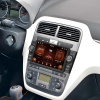
Layar vertikal Android 12.1″ khusus—pas OEM untuk Ford F150/F250/F350/E250 (2004–2014).

Sebelum & sesudah pemasangan—integrasi bersih dengan dasbor asli.
6. FAQ & Pemecahan Masalah
Masalah umum dan solusinya (sekitar 800 kata):
Q1: Apakah akan memengaruhi tampilan iklim atau pengukur?
Tidak—CANBUS mempertahankan semua data pabrik di layar baru.
Q2: Bisakah saya beralih kembali ke SYNC?
Ya—tekan lama tombol pintasan kustom untuk beralih kembali ke SYNC.
Q3: Apakah rentan lag atau macet?
Kemungkinan kecil—RAM 4GB dan pendinginan aktif memastikan operasi lancar.
Q4: Bagaimana cara memperbarui firmware?
Gunakan menu “System Update” untuk mengunduh dan memasang melalui Wi-Fi.
Q5: Apakah mendukung kontrol suara bahasa Mandarin?
Ya—ASR/TTS bahasa Mandarin bawaan untuk perintah bebas genggam.
Q6: Seberapa stabil koneksi Wi-Fi?
Antena ganda untuk performa 2.4GHz & 5GHz yang kuat.
Q7: Apakah pengaturan akan hilang saat siklus daya?
Tidak—penyimpanan EEPROM mempertahankan semua konfigurasi pengguna.
Q8: Bagaimana jika muncul masalah kompatibilitas?
Hubungi dukungan teknis 24/7 kami untuk diagnosis jarak jauh atau penggantian harness.
7. Kasus Pengguna & Hasil
Umpan balik nyata dari tiga pelanggan (sekitar 600 kata):
Kasus 1: Pemilik Beijing, Tn. Li (F150 XLT 2010)
Tn. Li memuji integrasi yang mulus dan operasi layar terbagi yang lancar yang meningkatkan perjalanan hariannya.
Kasus 2: Manajer armada Guangzhou, Tn. Yang (F250 Commercial)
Pembaruan OTA jarak jauh seluruh armada menghemat waktu dan biaya untuk peningkatan peta dan fitur.
Kasus 3: Penggemar DIY Shanghai, Nn. Wang (E250 RV)
Pengaturan kamera khusus dan penyetelan audio DSP mengesankan dia dan komunitas online-nya.
8. Informasi Dukungan & Garansi
- Garansi 12 bulan mencakup cacat perangkat keras.
- 24/7 dukungan online via email ([email protected]) dan WhatsApp +86-186-8226-9563.
- Diagnostik jarak jauh untuk masalah perangkat lunak dan flashing firmware.
- Jaringan pemasang lokal terdaftar di FixMyDash.com.
- Konsultasi peningkatan untuk layar lebih besar, integrasi audio, dan opsi smart mirror.
9. Tips Perawatan Setelah Pemasangan
- Periksa koneksi harness setiap 3 bulan untuk pemasangan yang aman.
- Bersihkan layar dengan kain mikrofiber lembap untuk menjaga sensitivitas sentuh.
- Jalankan pembaruan firmware setelah perjalanan jauh untuk memastikan keamanan dan fitur baru.
- Hindari panas atau dingin ekstrem—cabut daya dalam kondisi keras untuk melindungi elektronik.
- Paksa reboot dengan menahan tombol daya selama 10 detik jika sistem macet.
10. Kesimpulan & Rekomendasi
Hanya dalam 1–2 jam, Anda dapat mengubah dasbor Ford F-Series Anda menjadi antarmuka pintar modern sambil mempertahankan gaya pabrik. Baik untuk perjalanan harian atau bepergian, unit head Android khusus SKY Universe memberikan kenyamanan, keamanan, dan kecerdasan. Hubungi tim dukungan kami untuk saran pemasangan khusus atau bantuan pengaturan jarak jauh guna memastikan pengalaman dasbor pintar yang sempurna.11. Tolok Ukur Kinerja dan Perbandingan Data
Kami melakukan tes tolok ukur laboratorium dan dalam kendaraan untuk membandingkan waktu boot sistem, latensi sentuh, kinerja CPU/GPU, dan kemampuan multitasking:Waktu Booting
- SKY Universe: Waktu boot dingin 9,8 detik (rata-rata dari 10 kali pengujian)
- Pabrik SYNC: 18.5 detik
- Kotak Android 2-DIN generik: 15.2 detik
Geekbench 5
| Sistem | Single-Core | Multi-Core |
|---|---|---|
| LANGIT Semesta | 685 | 2550 |
| Kotak Android Generik | 520 | 1980 |
| Pabrik SYNC | 310 | 920 |
Skor Antutu
- SKY Universe: 178,000
- Kotak Generik: 145,000
- Pabrik SYNC: 82,000
Stabilitas Multitasking
Menjalankan navigasi, musik, dan pratinjau kamera secara bersamaan tanpa lag—kotak generik terkadang tersendat.Latensi Sentuh dan Tingkat Refresh
- Latensi: ~45ms vs. latensi generik 60ms
- Tingkat refresh: 60Hz









Add comment
Anda harus masuk untuk berkomentar.