


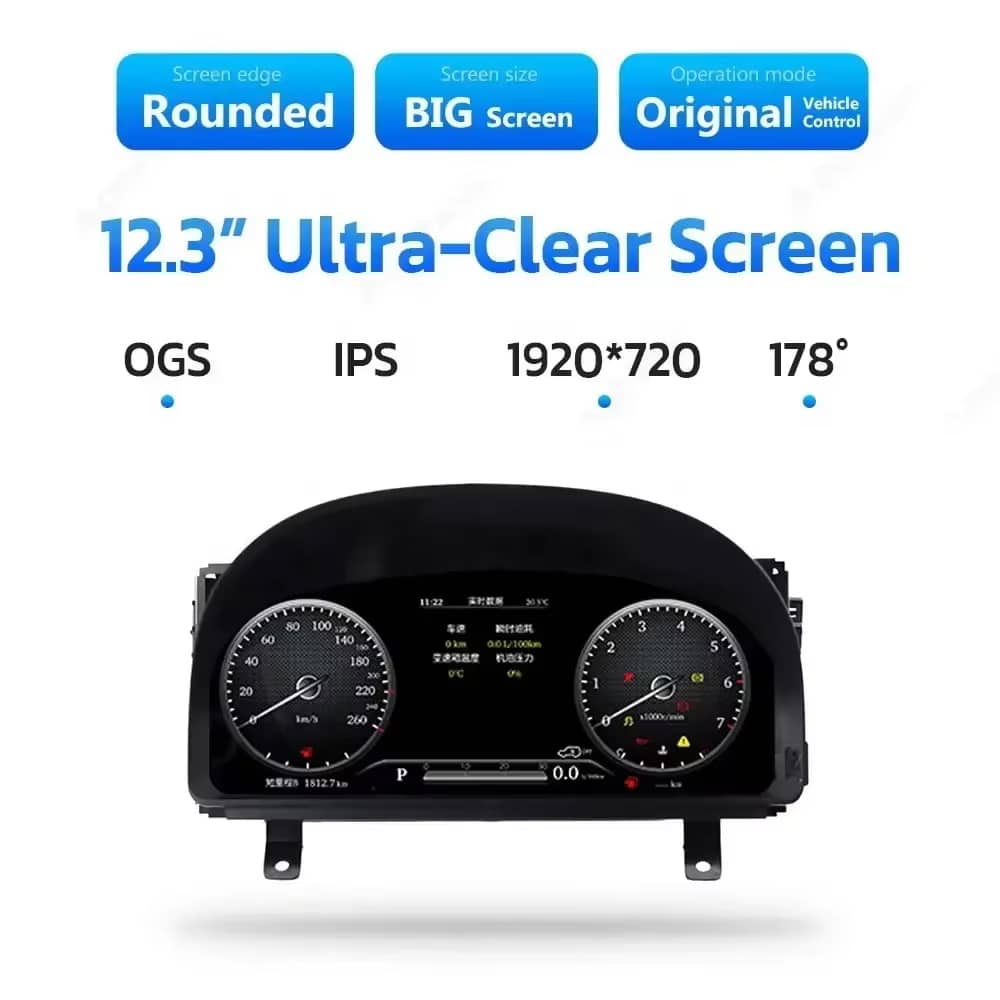
Layar 12.3 Inci yang Jelas
Layar lebar 1920×720 membuat kecepatan, RPM, gigi, dan informasi kendaraan lebih mudah dilihat dari posisi pengemudi.

| Berat | 6 kg |
|---|---|
| Dimensi | 48 × 38 × 28 cm |
| Mobil Pendukung | Alphard Seri 20 (2008–2019) |
| Kompatibilitas produk | Plug and play |
| Asal produk | Bukan produk asli |


$995.00 Harga aslinya adalah: $995.00.$785.00Harga saat ini adalah: $785.00.

Kami menangani PPN dan bea masuk yang berlaku untuk pesanan dari Uni Eropa dan Amerika Serikat yang memenuhi syarat. Perkiraan penghematan: $120-$280 .
Biaya pengiriman ditagih terpisah. Biaya pengiriman yang tepat dihitung berdasarkan tujuan dan ditampilkan di keranjang belanja Anda sebelum melakukan pembayaran.
Pengiriman final dikonfirmasi dari alamat pengiriman Anda saat checkout.
Penilaian kompatibilitas, perlindungan kompatibilitas penuh, garansi perangkat keras selama 12 bulan, serta dukungan berkelanjutan setelah pemasangan.
 Perlindungan Pengembalian Dana Penuh
Jaminan Kompatibilitas
Sudah dipastikan tidak kompatibel dengan kendaraan Anda? Anda akan mendapatkan pengembalian dana penuh.
→
Perlindungan Pengembalian Dana Penuh
Jaminan Kompatibilitas
Sudah dipastikan tidak kompatibel dengan kendaraan Anda? Anda akan mendapatkan pengembalian dana penuh.
→
 12-Month Garansi Perangkat Keras
Garansi perangkat keras berlaku selama 12 bulan pertama.
→
Dukungan Purna Jual Jangka Panjang
Panduan perangkat lunak, dukungan suku cadang, dan koordinasi perbaikan tetap terhubung dengan pesanan awal Anda.
→
12-Month Garansi Perangkat Keras
Garansi perangkat keras berlaku selama 12 bulan pertama.
→
Dukungan Purna Jual Jangka Panjang
Panduan perangkat lunak, dukungan suku cadang, dan koordinasi perbaikan tetap terhubung dengan pesanan awal Anda.
→
Tujuan kami adalah memastikan pesanan Anda benar sebelum dikirim. Kami memverifikasi kompatibilitas, menyiapkan pengaturan yang benar, dan menghubungi Anda hanya jika ada yang perlu konfirmasi.
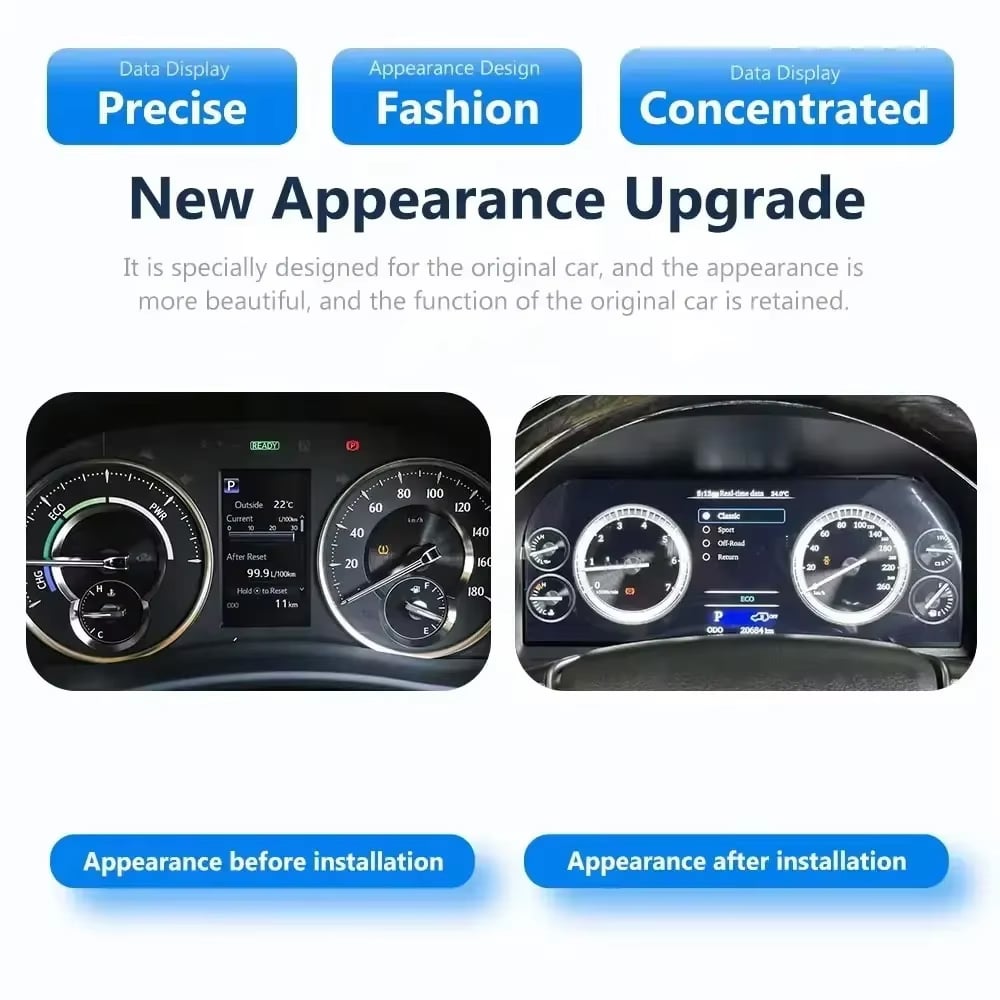
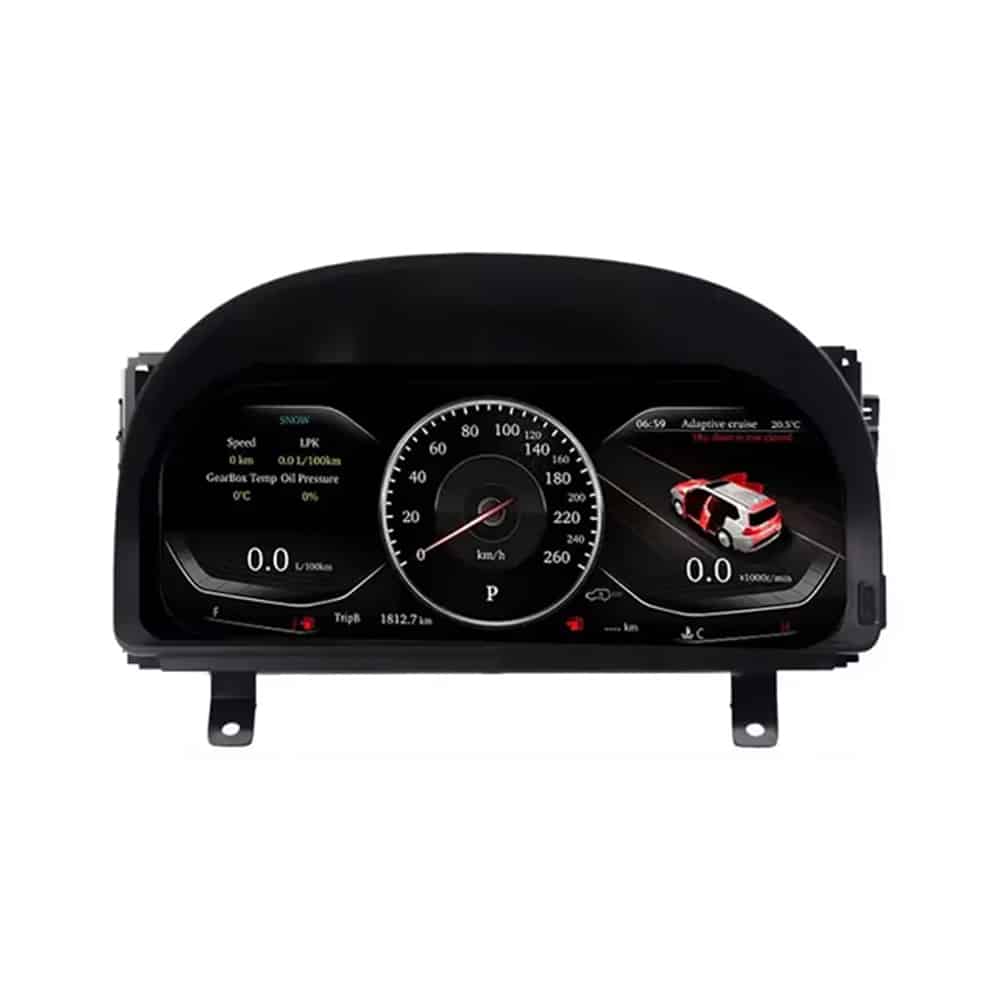
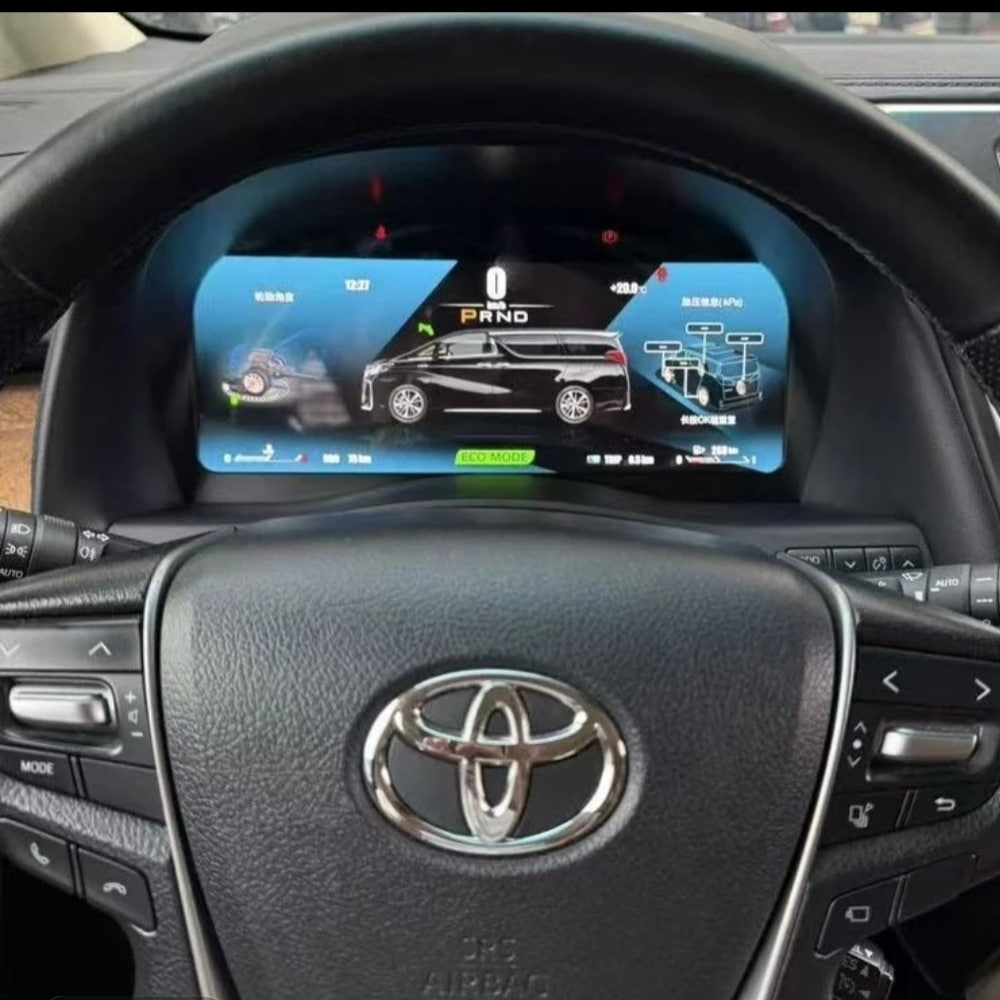
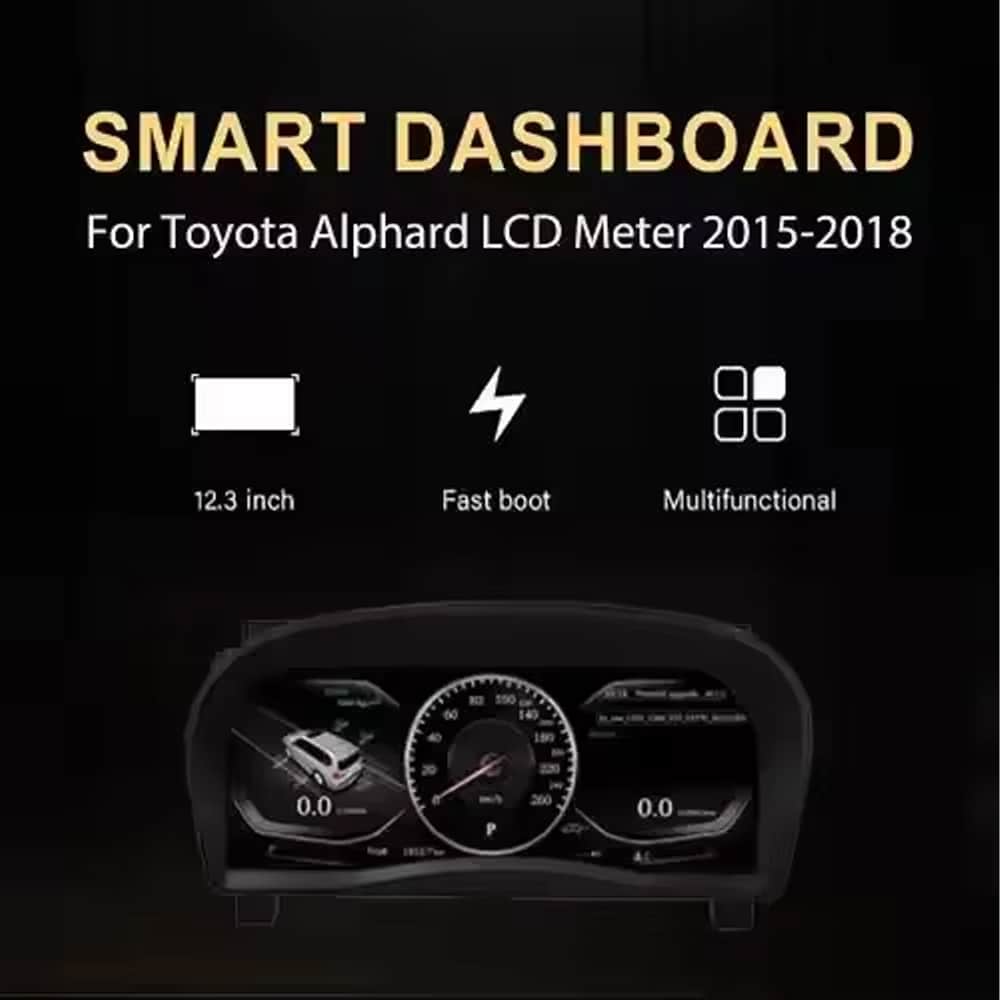
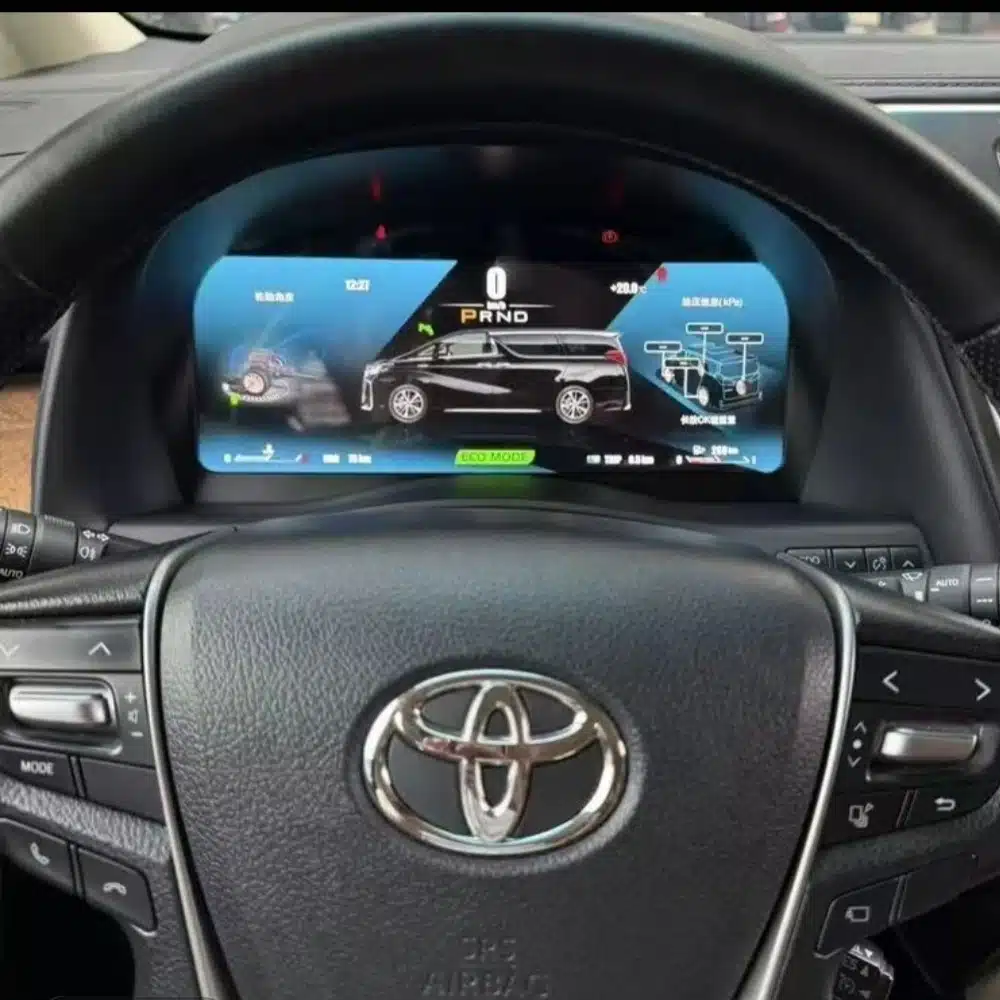
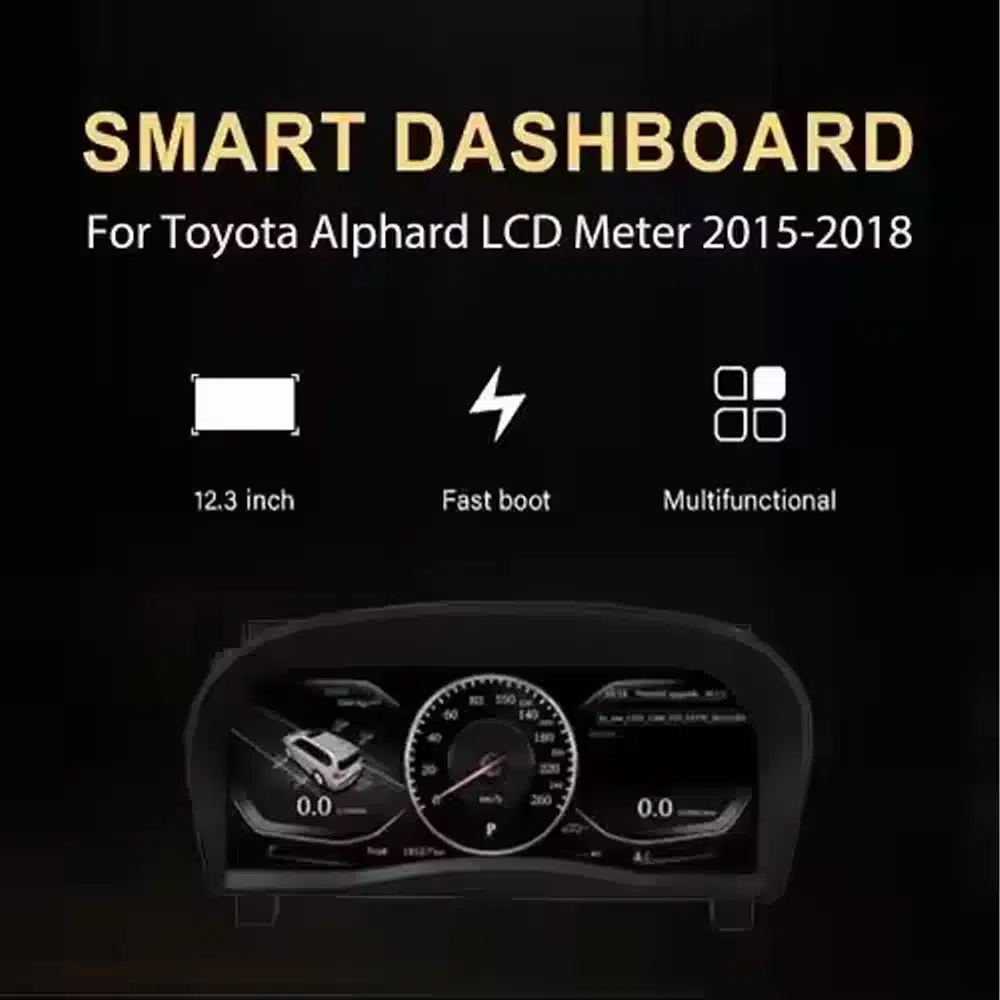
Itu Cluster digital Toyota Alphard Seri 20 menggantikan rakitan pengukur asli dengan layar LCD Linux 12.3 inci, 1920×720. Memberikan tampilan digital yang lebih jelas untuk kecepatan, RPM, posisi gigi, informasi bahan bakar, suhu, jarak tempuh, dan peringatan kendaraan yang didukung sambil menjaga tata letak dasbor tetap terintegrasi dengan kendaraan.
Ini adalah peningkatan cluster instrumen yang lengkap, bukan radio Android atau modul khusus CarPlay. iKAGOO memeriksa tahun kendaraan Anda, foto dasbor, spesifikasi pasar, posisi kemudi, dan konfigurasi konektor asli sebelum pengiriman sehingga cluster yang benar dan kabel yang cocok dapat disiapkan untuk pesanan Anda.
Produk ini adalah cluster instrumen LCD penuh khusus kendaraan untuk Toyota Alphard Seri 20, umumnya dikaitkan dengan dasbor generasi kedua yang diperkenalkan dari 2008 hingga transisi model 2015. Produk ini menggantikan rakitan instrumen asli dan menampilkan informasi mengemudi dan kendaraan yang didukung melalui tata letak digital modern.
Tahun registrasi bisa tumpang tindih antar pasar. Kirim iKAGOO foto yang jelas dari kluster instrumen dan dasbor Anda saat ini sebelum pengiriman. Pelanggan dengan dasbor 2015–2019 generasi terbaru harus menggunakan versi kluster generasi berikutnya yang terpisah yang ditampilkan lebih jauh di halaman ini.
Nilainya tidak terbatas pada layar yang lebih besar. Peningkatan ini mengubah informasi yang Anda lihat setiap kali berkendara dan memberikan tampilan digital yang lebih bersih pada kokpit Alphard yang lebih lama.
Layar lebar 1920×720 membuat kecepatan, RPM, gigi, dan informasi kendaraan lebih mudah dilihat dari posisi pengemudi.
Pilih dari berbagai tema dan tata letak instrumen. Set tema yang tepat bergantung pada versi kluster yang disiapkan untuk kendaraan Anda.
Kluster menggunakan sistem instrumen Linux khusus yang dirancang untuk penyalaan cepat dan akses langsung ke informasi berkendara.
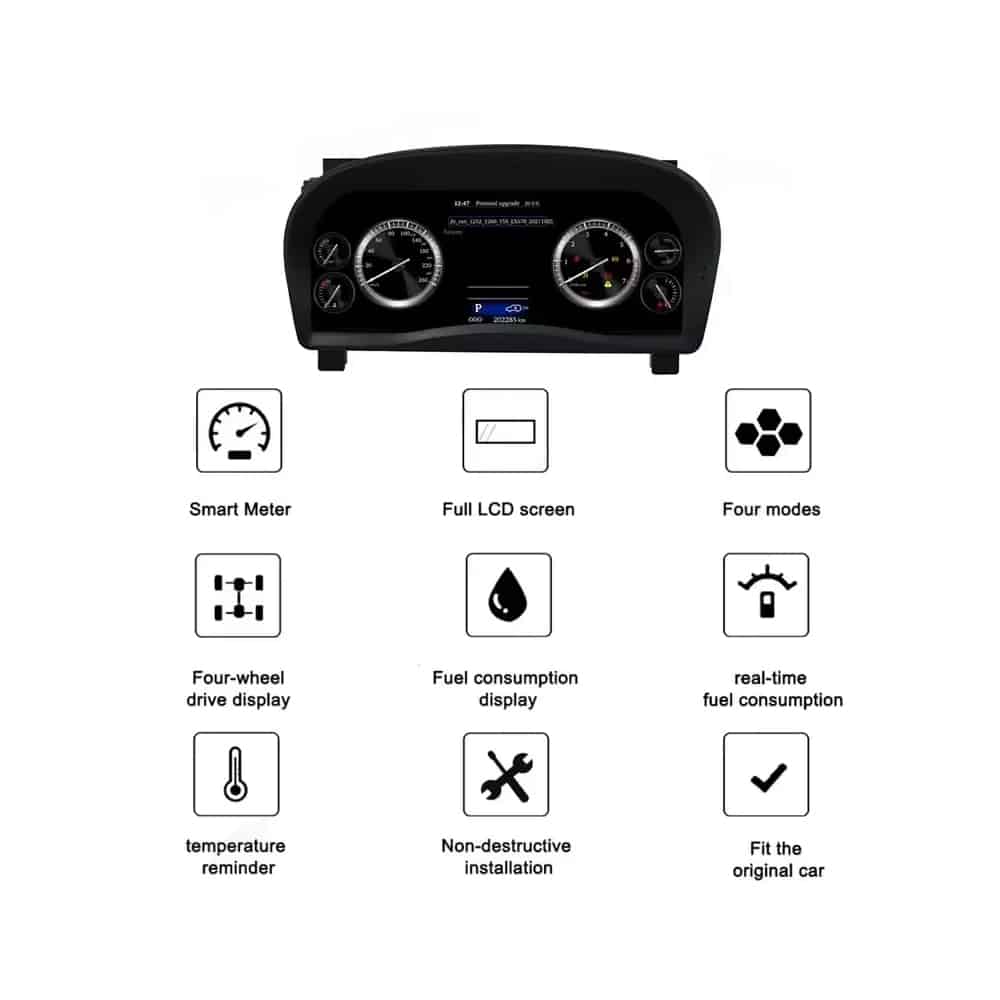
Informasi yang didukung berupa kecepatan, RPM, gigi, bahan bakar, suhu, jarak tempuh, konsumsi, dan peringatan terus ditampilkan.
MPH atau KM/H, bahasa antarmuka, dan detail kendaraan regional dapat diperiksa sebagai bagian dari persiapan pesanan Anda.
iKAGOO menyiapkan cluster dan susunan kabel yang sesuai berdasarkan informasi kendaraan yang Anda berikan.
Dengan versi Alphard yang benar, kabel yang cocok, dan pemasangan yang tepat, cluster dirancang untuk terus menampilkan informasi mengemudi asli yang Anda andalkan.
Informasi kecepatan kendaraan asli dan kecepatan mesin didukung.
Informasi posisi gigi yang didukung terus ditampilkan pada layar digital.
Level bahan bakar, suhu cairan pendingin, dan informasi kendaraan terkait tetap tersedia.
Informasi odometer dan perjalanan didukung melalui konfigurasi cluster yang disiapkan.
Indikator peringatan yang didukung dan informasi status kendaraan terus ditampilkan.
Halaman konsumsi bahan bakar dan informasi berkendara yang didukung tetap tersedia.
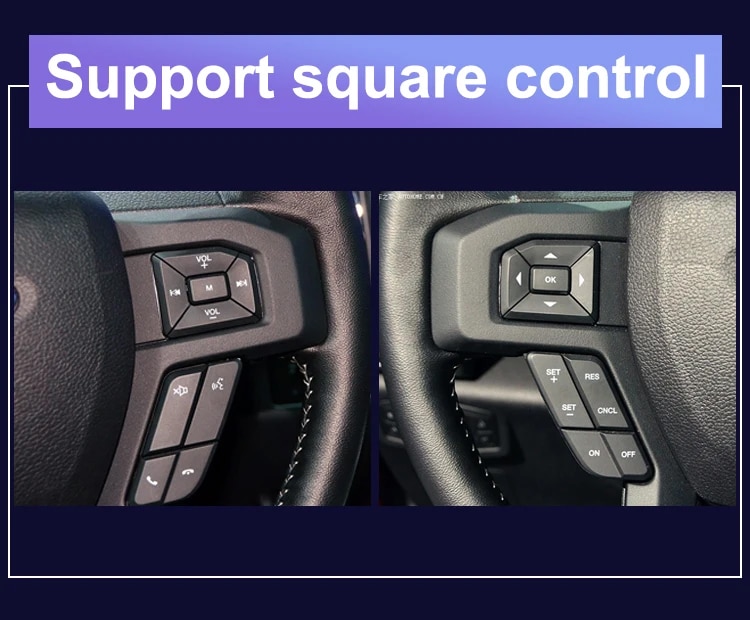
Kontrol instrumen pada roda kemudi asli tetap didukung jika dilengkapi.
Informasi energi hybrid atau penggerak empat roda yang berlaku didukung jika tersedia dari konfigurasi kendaraan asli.
Harness yang sesuai dirancang untuk terhubung tanpa memotong kabel utama pabrik yang didukung.
Gambar-gambar ini menunjukkan perakitan cluster fisik, rumah belakang, struktur layar, dan perangkat keras koneksi yang disediakan untuk peningkatan.
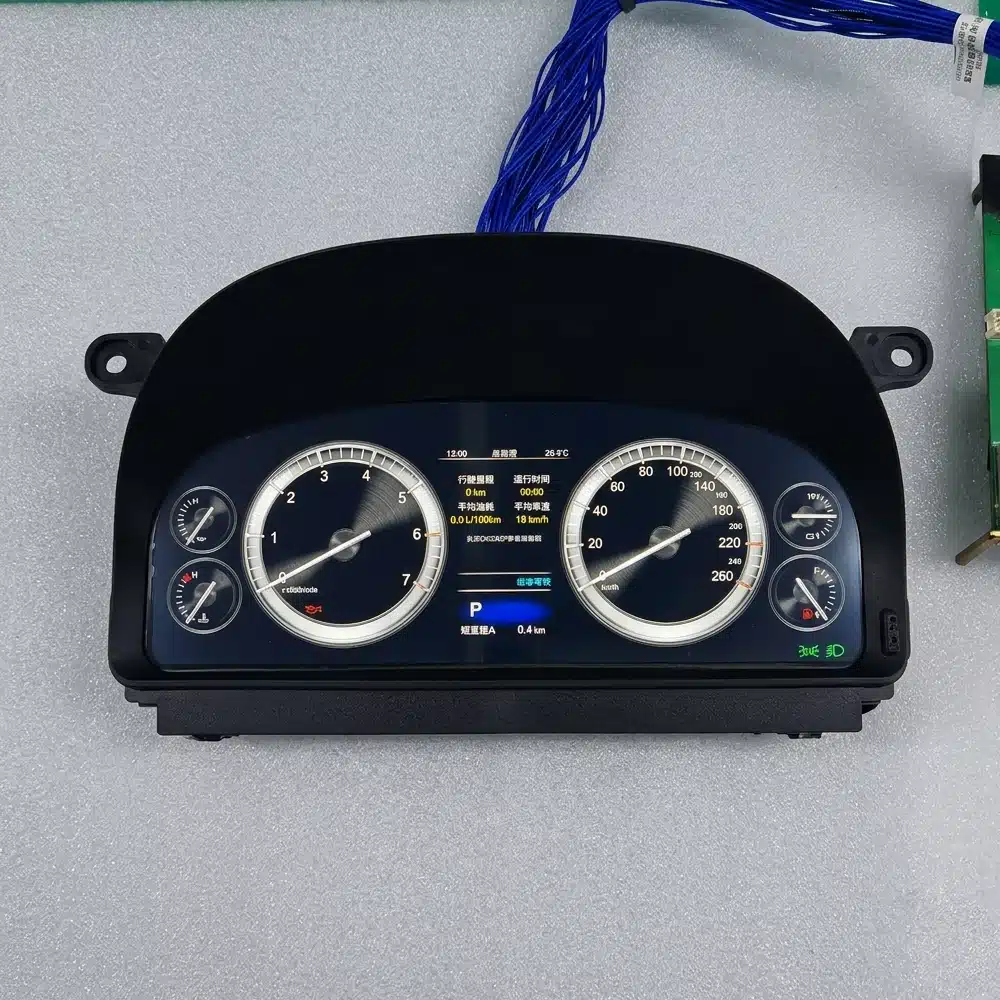
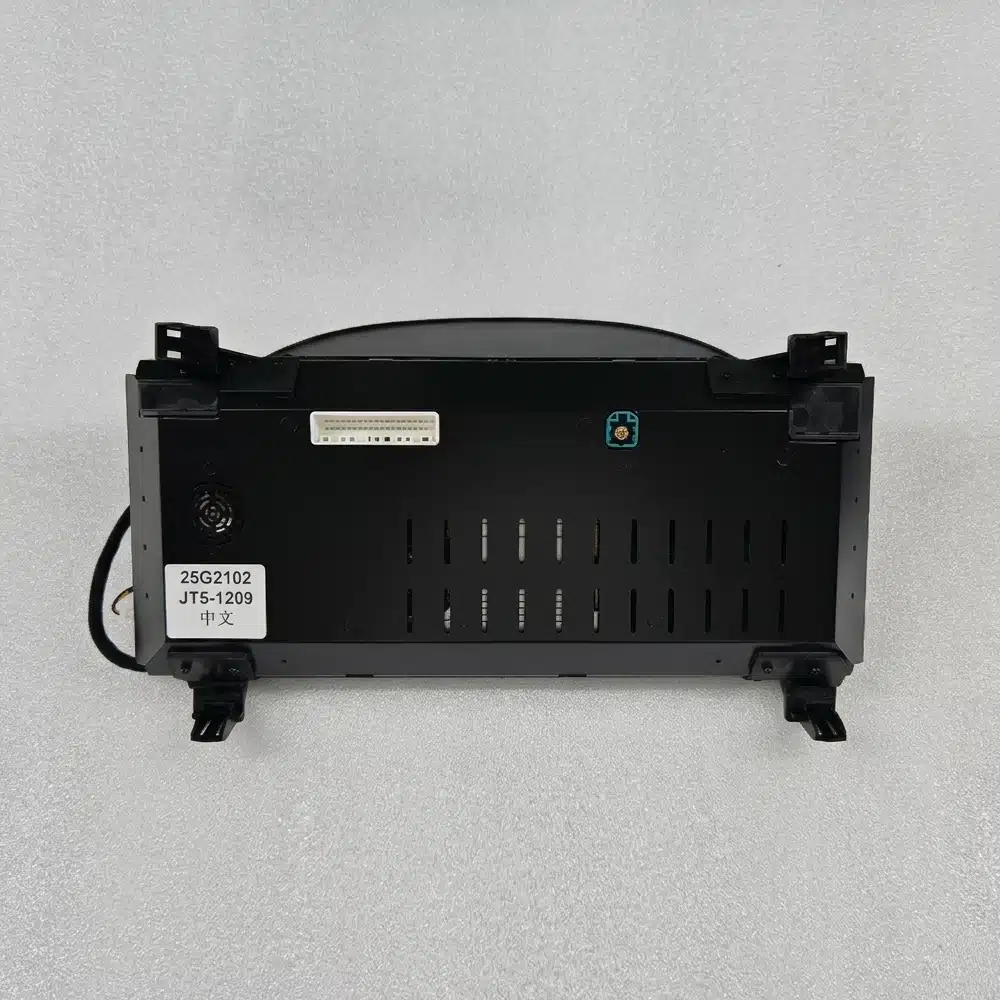
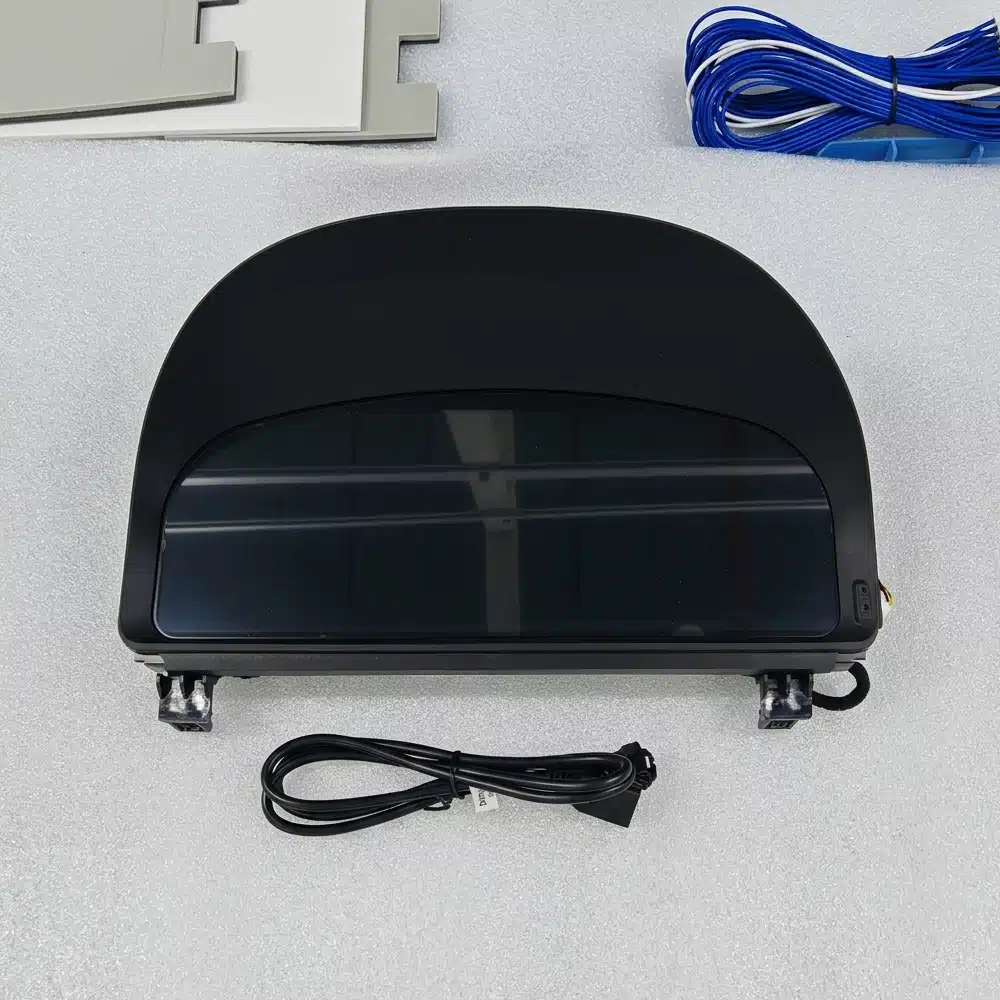
Cluster instrumen dibangun di sekitar sistem Linux khusus daripada platform hiburan Android serba guna. Ini menjaga fokus pada data berkendara, tata letak instrumen, dan akses cepat ke informasi penting.
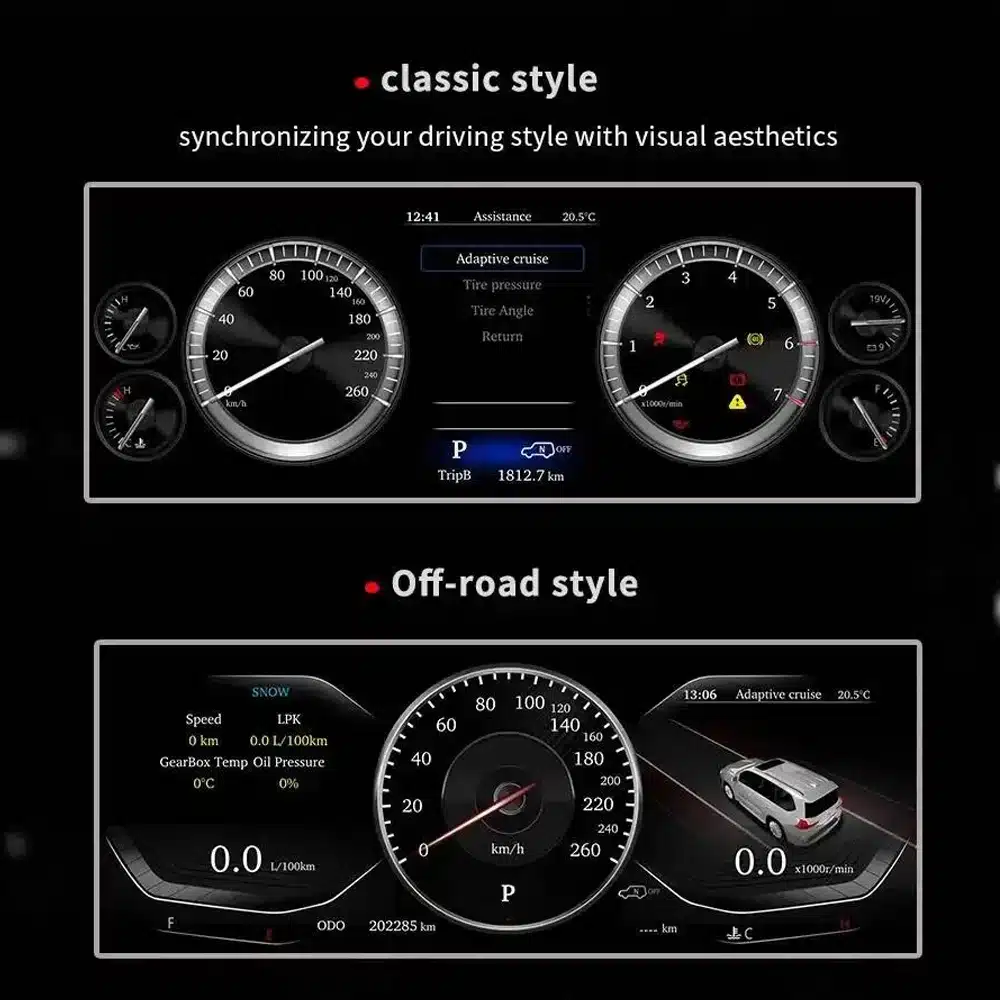
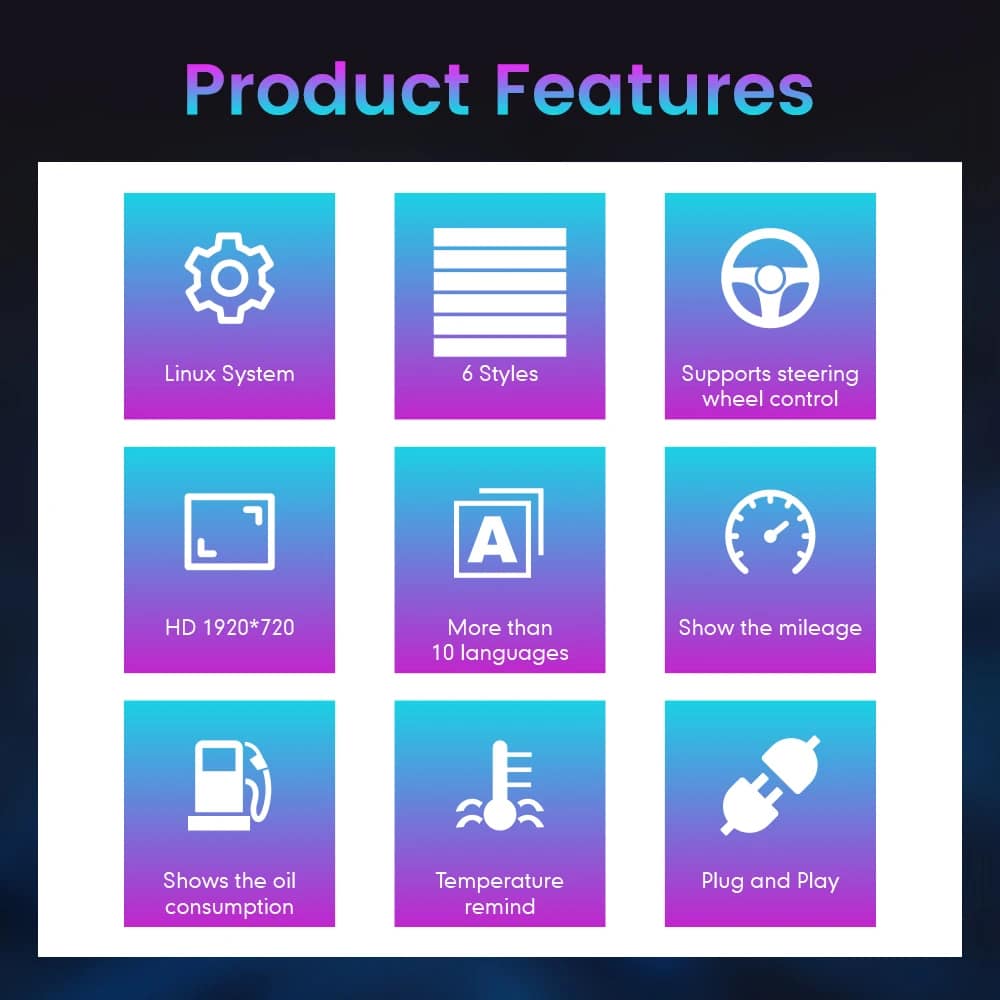
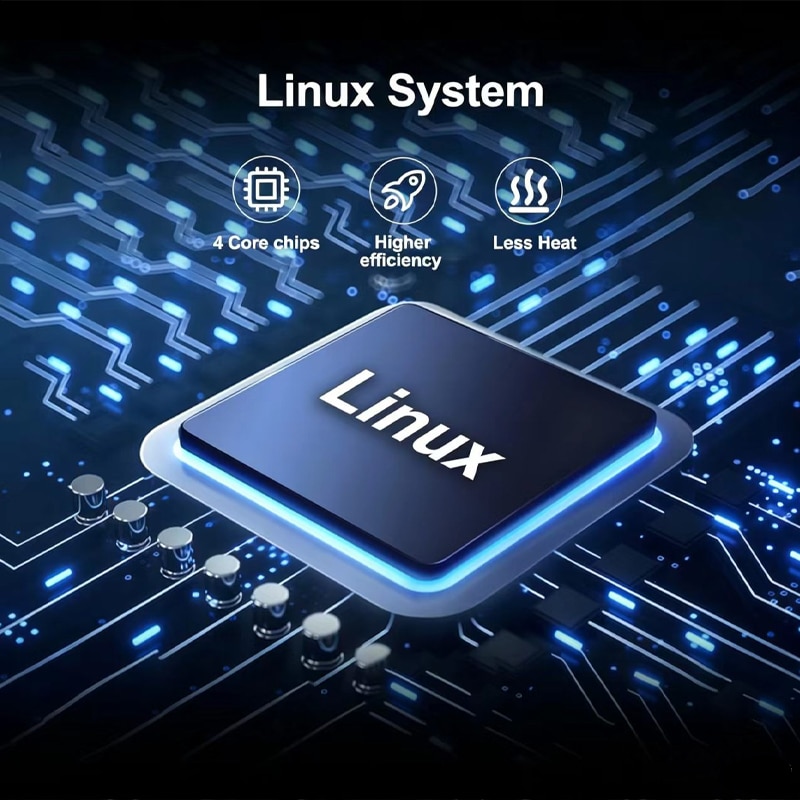
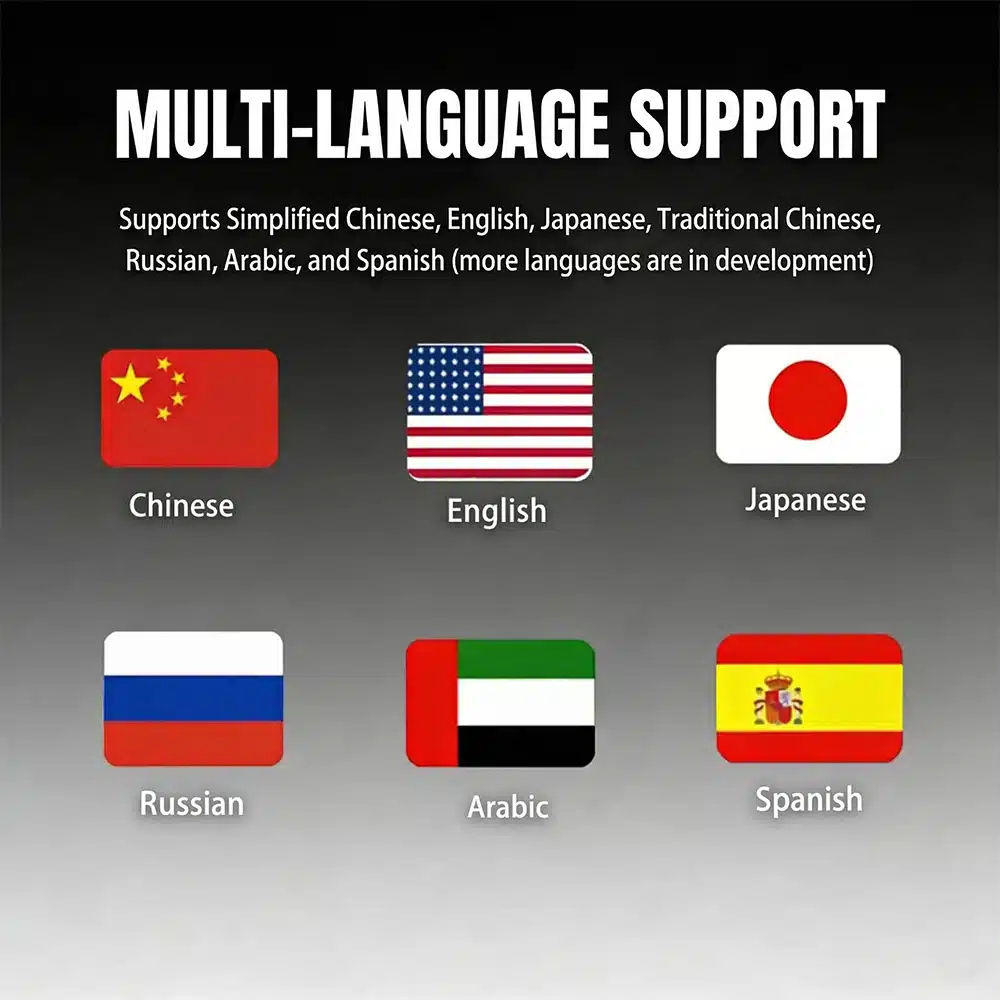
Kluster instrumen berada tepat di depan Anda setiap kali Anda berkendara. Layar yang lebih lebar dan tata letak yang diperbarui terlihat di setiap perjalanan, bukan hanya saat menggunakan aplikasi tertentu.
Untuk kendaraan impor, konverter MPH kecil mungkin menyelesaikan satu masalah. Kluster digital penuh dapat menggabungkan persiapan unit dengan peningkatan visual dan informasi yang lebih luas.
Memperbaiki kluster asli mengembalikan pengalaman asli. Produk ini untuk pemilik yang juga menginginkan tampilan pengemudi modern dan tata letak yang dapat dipilih.
Jika Anda berencana mempertahankan Alphard Anda, meningkatkan antarmuka pengemudi dapat membuat kendaraan terasa lebih modern tanpa mengubah kenyamanan dan ruang yang sudah Anda hargai.
Penilaian ini membantu Anda memahami nilai praktis, integrasi kendaraan, dan pekerjaan pemasangan sebelum memesan.
Ini adalah peningkatan yang kuat bagi pemilik yang menginginkan tampilan pengemudi yang lebih modern, informasi harian yang lebih jelas, dan penampilan dasbor digital yang lengkap.
Ketika versi Seri 20 yang sesuai telah disiapkan, cluster dirancang untuk mengintegrasikan informasi kecepatan, RPM, gigi, bahan bakar, suhu, jarak tempuh, konsumsi, peringatan, dan kontrol kemudi yang didukung ke dalam tampilan digital baru.
Instalasi memerlukan pelepasan rakitan instrumen asli secara hati-hati, identifikasi kabel yang benar, pengujian data kendaraan, serta verifikasi jarak tempuh, indikator peringatan, dan perilaku daya.
Tingkat pemasangan yang lebih tinggi mencerminkan seberapa besar pekerjaan profesional yang diperlukan. Hal ini tidak berarti kualitas produk lebih rendah, kompatibilitas lebih rendah, atau nilai peningkatan lebih rendah.
Tahun registrasi Alphard dapat tumpang tindih antar wilayah. Bentuk dasbor dan rakitan instrumen asli lebih andal daripada tahun registrasi saja.
Halaman ini ditujukan untuk dasbor Alphard generasi kedua yang umumnya terkait dengan kendaraan sekitar 2008–2015. Berikan foto depan yang jelas dari kluster asli dan dasbor Anda agar iKAGOO dapat mengonfirmasi versi housing dan koneksi yang benar.
Kendaraan yang menggunakan dasbor generasi ketiga yang lebih baru memerlukan produk kluster 2015–2019 yang terpisah. Jangan memilih hanya berdasarkan tahun registrasi.

| Jenis Produk | Kluster instrumen digital LCD penuh |
|---|---|
| Aplikasi Kendaraan Utama | Toyota Alphard Seri 20 \/ AH20, tergantung konfirmasi dasbor dan konektor |
| Periode Model Umum | Sekitar 2008–2015 dasbor generasi kedua; tahun registrasi dapat bervariasi menurut pasar |
| Ukuran Layar | 12,3 inci |
| Resolusi | 1920 × 720 |
| Konstruksi Layar | OGS IPS |
| Sudut Pandang | Hingga 178° referensi |
| Sistem Operasi | Sistem instrumen Linux khusus |
| Platform Pemrosesan | Platform empat inti |
| Tema Tampilan | Berbagai tema dan tata letak; set yang tepat bergantung pada versi yang disiapkan |
| Informasi Berkendara | Kecepatan, RPM, gigi, bahan bakar, suhu, jarak tempuh, trip dan data konsumsi yang didukung |
| Status Kendaraan | Indikator peringatan yang didukung dan informasi status kendaraan |
| Satuan | Persiapan/konfigurasi MPH atau KM/H bergantung pada versi kendaraan |
| Bahasa | Antarmuka multibahasa; konfirmasi bahasa yang diperlukan sebelum pengiriman |
| Interaksi Roda Kemudi | Tombol kontrol instrumen asli yang didukung jika tersedia |
| Perkabelan | Susunan kabel plug-in yang cocok disiapkan untuk versi kendaraan yang dikonfirmasi |
| SKU | FD-132 |
| Berat Produk Terdaftar | 6 kg |
| Dimensi Kemasan yang Tercantum | 48 × 38 × 28 cm |
Area pembelian saat ini menggunakan satu jalur pemesanan. Kluster fisik dan susunan koneksi disiapkan sesuai informasi kendaraan yang Anda berikan, bukan dengan membuat variasi online yang tidak didukung.
| Pilihan | Kelebihannya | Hal-hal yang Perlu Dipertimbangkan |
|---|---|---|
| Perbaiki panel instrumen aslinya | Mengembalikan tampilan asli dan penampilan pabrik. | Ini tidak menyediakan antarmuka digital yang lebih luas atau tata letak modern yang dapat dipilih. |
| Kluster asli bekas | Mempertahankan desain Toyota asli. | Versi, jarak tempuh, pengkodean, usia dan data kendaraan sebelumnya mungkin perlu diperhatikan. |
| Konverter MPH kecil atau HUD | Solusi yang lebih sederhana ketika satu-satunya tujuan adalah melihat MPH. | Ini tetap menjadi tampilan tambahan dan tidak memodernisasi seluruh area instrumen. |
| Modul khusus CarPlay | Menambahkan navigasi ponsel, musik dan panggilan ke sistem hiburan. | Ini tidak menggantikan kluster instrumen pengemudi. |
| Cluster digital iKAGOO | Meningkatkan tampilan pengemudi secara lengkap dengan tata letak LCD lebar dan informasi kendaraan asli yang didukung. | Pemilihan generasi yang tepat dan pemasangan profesional diperlukan. |
Berdasarkan perangkat keras produk yang ditampilkan di halaman ini, pesanan berpusat pada rakitan kluster instrumen lengkap dan perangkat keras koneksi yang berlaku. Isi paket yang tepat dikonfirmasi untuk versi kendaraan yang disiapkan untuk pengiriman.
Rakitan layar dan rumah lengkap yang disiapkan untuk versi dasbor yang telah dikonfirmasi.
Koneksi daya, data, dan antarmuka kendaraan yang berlaku dipilih untuk konfigurasi yang telah dikonfirmasi.
Versi, persyaratan tampilan regional, dan detail kendaraan yang diberikan diperiksa sebelum pengiriman.
Gunakan pemasang yang berpengalaman dengan kluster instrumen, sistem data kendaraan, dan trim interior. Catat jarak tempuh asli dan foto semua pengaturan asli sebelum melepas kluster pabrik.
Bandingkan kendaraan, dasbor asli, bentuk kluster, posisi kemudi, dan konektor dengan informasi pesanan.
Foto odometer saat ini, status lampu peringatan, satuan, dan operasi instrumen asli sebelum pembongkaran.
Lindungi dasbor dan trim, lepaskan baterai kendaraan sesuai kebutuhan, dan lepaskan rakitan asli dengan hati-hati.
Jangan menghubungkan dengan paksa. Pastikan bentuk konektor, susunan pin, label antarmuka, dan pengkabelan sesuai dengan instruksi yang telah disiapkan.
Pasang pengkabelan yang sesuai, nyalakan kluster, dan terapkan pengaturan kendaraan, bahasa, dan satuan yang berlaku.
Periksa kecepatan, RPM, gigi, bahan bakar, suhu, jarak tempuh, kontrol kemudi, dan indikator peringatan sebelum memasang kembali semua trim.
Matikan kendaraan, konfirmasi matinya kluster secara normal, dan verifikasi bahwa kendaraan memasuki status tidur normalnya.
Pasang kembali semua trim hanya setelah tampilan, data, peringatan, kontrol, dan perilaku daya telah berhasil diperiksa.
Pausing at this stage protects the vehicle and the product. Send clear connector photos and a short video to iKAGOO so the correct connection guidance can be provided.
iKAGOO checks the supplied model, year, dashboard, instrument and regional information before shipment.
Orders are shipped with tracking. Processing begins after payment and the required vehicle information are received.
Eligible hardware faults are handled under the current iKAGOO warranty terms from the confirmed delivery date.
Connection, configuration and troubleshooting support is available when the installer provides clear photos and test information.
iKAGOO assists with reasonable setup and function checks according to the confirmed vehicle configuration.
If iKAGOO confirmed compatibility from accurate information and no reasonable installation solution is available after troubleshooting, the current refund policy applies.
This page is intended for the Alphard 20 Series dashboard. Registration years can overlap with later models, so iKAGOO checks your current cluster photo, dashboard, steering position, drivetrain and connector configuration before shipment.
Provide the model, registration year, clear front photo of the original cluster, wide dashboard photo, LHD/RHD, petrol or hybrid configuration, required MPH/KM/H, language and a photo of the current odometer.
It is a complete full-LCD instrument-cluster replacement. It is not an Android head unit, car radio or CarPlay-only module.
MPH or KM/H requirements can be checked during order preparation. Tell iKAGOO which unit you need and provide your vehicle’s market specification.
Photograph and record the original odometer before removing the factory cluster. Mileage handling can depend on the vehicle and cluster version, so confirm the required process with iKAGOO and your installer before installation. The owner and installer remain responsible for complying with local mileage-disclosure laws.
Supported original steering-wheel instrument controls continue to work through the prepared vehicle interface where the vehicle is equipped with those controls.
Supported warning indicators and vehicle-status information continue to be displayed after correct connection and configuration. The installer should test every warning state before completing the dashboard reassembly.
Applicable hybrid-energy and four-wheel-drive information can be displayed when the original vehicle provides the required data and the correct version is prepared. Include the drivetrain information with your order.
The matched harness is designed to connect without intentionally cutting the supported factory main wiring. Stop installation and contact iKAGOO if cutting or forcing an incompatible connector appears necessary.
Professional installation is recommended. The work involves instrument removal, trim protection, connector verification, data testing, mileage handling and vehicle sleep testing.
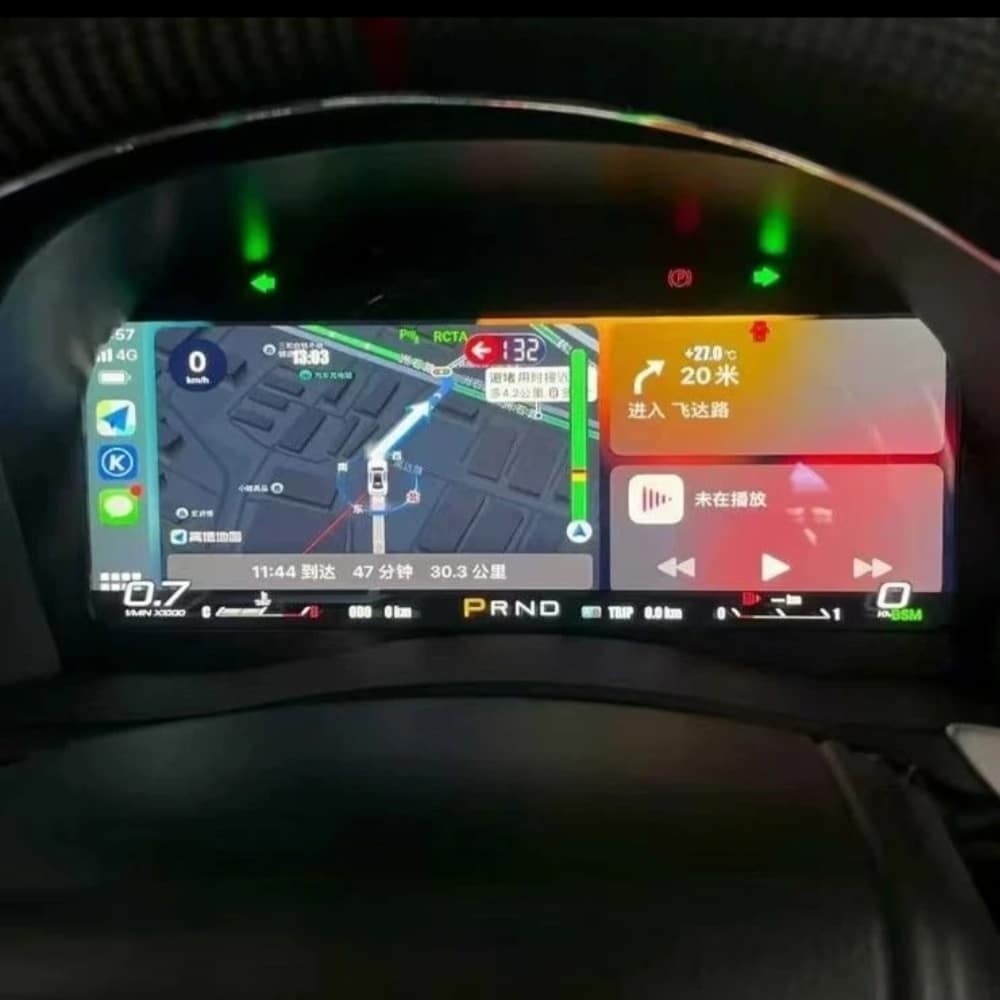
The product supports multiple themes and layouts. Media from different prepared versions shows different theme counts, so the exact theme set is confirmed according to the software version supplied with your order.
The standard product described here is a dedicated Linux instrument cluster, not a general Android entertainment device. Any navigation, media or phone-projection display shown in reference media depends on the specific external source and prepared interface and should be confirmed before ordering.
The package is centered on the LCD instrument-cluster assembly and the applicable connection hardware prepared for the confirmed vehicle version. Exact supplied items are confirmed with the order.
The product is covered by the current iKAGOO 12-month hardware warranty from the confirmed delivery date. Eligibility, return shipping, repair and replacement handling follow the current published warranty policy.
Provide accurate vehicle information before purchase and cooperate with installation troubleshooting. If iKAGOO confirmed compatibility from accurate information and no reasonable installation solution remains after troubleshooting, the case is handled under the current iKAGOO refund policy. Incorrect information, undisclosed modifications and vehicle-specific limitations are not promoted as unconditional return-and-refund cases.
Choose the current purchase option, provide your vehicle and dashboard information, and let iKAGOO prepare the applicable cluster, display configuration and connection arrangement for your order.

Informasi jelas tentang kompatibilitas kendaraan, persiapan pesanan, pengiriman internasional, garansi, retur, dan dukungan purna jual.
Elektronik khusus kendaraan memerlukan versi yang tepat, kabel, dan konfigurasi. Proses kami dirancang untuk mengurangi masalah kompatibilitas dan pemasangan yang dapat dihindari.
Model kendaraan, tahun, sistem asli, dan informasi konfigurasi terkait dapat ditinjau sebelum pembelian untuk mengurangi risiko memilih versi yang salah.
Sebelum pengiriman, pesanan diperiksa berdasarkan informasi kendaraan yang telah dikonfirmasi sehingga versi, konfigurasi, dan komponen khusus kendaraan yang diperlukan dapat disiapkan.
Tujuan kami adalah memastikan pesanan Anda benar sebelum dikirim. Kami memverifikasi kompatibilitas, menyiapkan pengaturan yang tepat, dan menghubungi Anda hanya jika masih ada yang perlu konfirmasi.
Ringkasan praktis dari ketentuan utama yang berlaku untuk pesanan iKAGOO khusus kendaraan.
Sebagian besar pesanan iKAGOO dikirim dari lokasi pemenuhan kami di China setelah konfigurasi produk dan informasi kendaraan telah diperiksa.
Pemrosesan pesanan normal memakan waktu sekitar 1-3 hari kerja. Estimasi pengiriman setelah barang dikirim umumnya:
Pengurusan bea cukai, hari libur, cuaca, keterlambatan kurir, dan pengiriman ke area terpencil dapat memengaruhi perkiraan ini.
Pengiriman internasional standar biasanya tidak termasuk PPN negara tujuan, bea masuk, biaya perantara, atau biaya pengurusan bea cukai.
Untuk destinasi Uni Eropa yang memenuhi syarat, pengiriman DDP mungkin tersedia. Biaya terkait impor hanya termasuk saat DDP dipilih saat checkout atau dikonfirmasi oleh iKAGOO secara tertulis sebelum pengiriman.
Saat DDP tidak dipilih, biaya yang dikenakan oleh bea cukai setempat atau kurir pengiriman biasanya menjadi tanggung jawab penerima.
Pengiriman ekspres atau dipercepat mungkin tersedia untuk produk dan destinasi tertentu. Ketersediaan, kurir, dan biaya tambahan apa pun dikonfirmasi sebelum pengiriman.
Tergantung pada rute dan jenis produk, iKAGOO dapat menggunakan DHL, FedEx, UPS, EMS, 4PX atau penyedia logistik terlacak lainnya.
Setelah pengiriman, nomor pelacakan atau tautan pelacakan biasanya dikirim ke alamat email yang digunakan untuk pesanan. Pembaruan pelacakan mungkin memerlukan beberapa hari kerja untuk muncul selama transfer kurir internasional.
Kelayakan pengembalian tergantung pada alasan pengembalian, kondisi produk, status pemasangan, bukti pendukung, dan apakah pengembalian telah disetujui oleh iKAGOO.
Untuk pengembalian non-cacat yang disetujui, produk biasanya harus tetap tidak digunakan, tidak terpasang, lengkap, dan layak untuk dijual kembali. Pelanggan umumnya bertanggung jawab atas biaya pengiriman pengembalian yang disetujui.
Biaya pengiriman asli, DDP, PPN, bea cukai, dan biaya logistik lainnya umumnya tidak dapat dikembalikan kecuali diwajibkan oleh hukum atau dikonfirmasi sebaliknya oleh iKAGOO.
Jangan mengirim produk kembali sebelum menerima alamat pengembalian yang disetujui dan instruksi pengembalian dari iKAGOO.
Perlindungan tambahan dapat berlaku jika iKAGOO telah meninjau kompatibilitas kendaraan, pelanggan memberikan informasi kendaraan yang akurat, dan langkah-langkah pemasangan serta diagnostik yang wajar telah diselesaikan.
Jika iKAGOO mengonfirmasi bahwa tidak ada solusi teknis yang wajar tersedia dan masalah dilaporkan dalam 7 hari kalender setelah pengiriman, pelanggan mungkin memenuhi syarat untuk pengembalian dana sebesar harga produk tanpa diwajibkan untuk mengembalikan produk tersebut.
Biaya pengiriman asli, DDP, PPN, bea cukai, dan biaya pihak ketiga lainnya tidak termasuk dalam pengembalian dana harga produk ini.
Produk yang memenuhi syarat mencakup sebuah Garansi perangkat keras terbatas selama 12 bulan mencakup cacat produksi yang terverifikasi dan kegagalan perangkat keras yang memenuhi syarat dalam penggunaan normal.
Tergantung pada masalah yang terverifikasi, dukungan dapat mencakup diagnosis jarak jauh, bantuan konfigurasi, suku cadang pengganti, perbaikan, penggantian, pengembalian dana sebagian, atau pengembalian dana penuh.
Inspeksi atau pemeriksaan pihak ketiga tidak secara otomatis membatalkan seluruh garansi. Namun, kerusakan yang disebabkan oleh perbaikan tidak sah, modifikasi yang salah, sirkuit rusak, perakitan ulang yang tidak benar, perkabelan yang salah, benturan, masuknya air, atau penyalahgunaan biasanya tidak ditanggung.
Hubungi iKAGOO sebelum membongkar, memodifikasi, atau memperbaiki produk agar prosedur diagnostik yang benar dapat diberikan.
Hubungi iKAGOO dalam waktu 7 hari kalender setelah pengiriman dan simpan kemasan asli, label pengiriman, aksesori dan produk.
Mohon berikan foto atau video yang jelas yang memperlihatkan:
Setelah verifikasi, iKAGOO dapat mengatur pengiriman bagian yang hilang, penggantian, perbaikan, pengembalian dana, atau solusi wajar lainnya.
Hubungi iKAGOO sesegera mungkin dan sebelum pemasangan. Untuk perubahan alamat, konfigurasi kendaraan, atau produk, hubungi kami sebaiknya dalam 12 jam setelah melakukan pemesanan.
Penukaran atau pengembalian dapat disetujui apabila produk yang salah dipilih masih belum digunakan, belum terpasang, lengkap, dan layak untuk dijual kembali. Pelanggan biasanya bertanggung jawab atas biaya pengiriman dan selisih harga yang relevan.
Produk khusus kendaraan dapat memasuki proses pengadaan, pemrograman, pengujian, atau konfigurasi segera setelah pembayaran. Setelah persiapan atau pengiriman dimulai, pembatalan mungkin tidak dapat dilakukan lagi, atau biaya wajar yang telah dikeluarkan dapat dipotong.
Isi paket bervariasi tergantung produk, model kendaraan, sistem pabrik dan konfigurasi yang dipilih.
Tergantung pada produk, paket dapat mencakup perangkat utama, kabel harness khusus kendaraan, antarmuka CANBUS, adaptor, kabel USB, antena, mikrofon, perangkat pemasangan, atau aksesori instalasi lain yang diperlukan.
Lihat foto produk, spesifikasi, dan konfirmasi pesanan yang relevan untuk mengetahui isi pesanan Anda secara pasti.
Anda dapat menghubungi iKAGOO melalui formulir kontak di situs web, WhatsApp, atau saluran dukungan lain yang tersedia. Waktu respons umumnya dalam 24 jam kerja.
Untuk diagnosis teknis yang lebih cepat, sertakan nomor pesanan, model dan tahun kendaraan, foto sistem pabrik yang relevan, foto produk, dan video jelas yang menunjukkan masalahnya.
Pembayaran diproses melalui metode pembayaran aman yang ditampilkan saat checkout.
Opsi kartu, dompet, dan cicilan yang tersedia dapat bervariasi menurut negara, mata uang, penyedia pembayaran, dan kelayakan pelanggan.
Layanan cicilan, termasuk opsi yang ditawarkan oleh PayPal atau penyedia pembayaran lain, tetap tunduk pada ketersediaan regional dan persyaratan persetujuan penyedia tersebut.
Bagian ini adalah panduan pelanggan yang disederhanakan. Halaman kebijakan yang diterbitkan lengkap, konfirmasi pesanan, dan hukum konsumen yang berlaku akan diutamakan jika ada perbedaan kata-kata.
$995.00 Harga aslinya adalah: $995.00.$785.00Harga saat ini adalah: $785.00.
Pengiriman final dikonfirmasi dari alamat pengiriman Anda saat checkout.

Pilih apa yang ingin Anda beli. Kami hanya menampilkan detail yang diperlukan untuk produk tersebut.
Kami akan meninjau detailnya dan mengirimkan rekomendasi versi produk yang direkomendasikan ke email Anda.
Kami menggunakan cookie penting untuk menjaga situs tetap aman dan berfungsi dengan baik. Dengan persetujuan Anda, kami juga dapat menggunakan cookie analitik untuk meningkatkan pengalaman menjelajah. Lihat Kebijakan Privasi.





Daniel Navarro -
Dipasang di Alphard saya dari 2010. Bahan bakar, jarak tempuh, dan peringatan terlihat jelas.