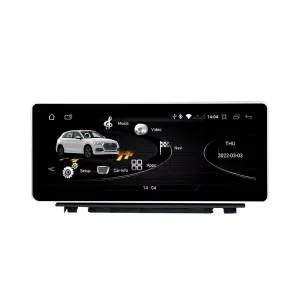
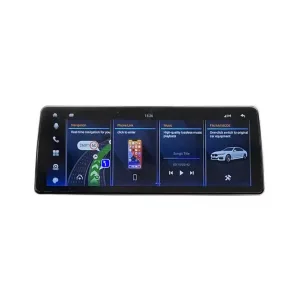
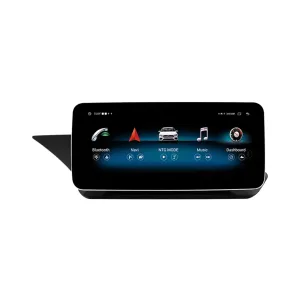
Tingkatkan Audi Q7 4L Anda dengan rute layar Android khusus kendaraan berukuran 10.25 inci yang menambahkan CarPlay nirkabel, Android Auto, navigasi GPS, audio DSP, WiFi/4G, dan peralihan sistem Audi yang didukung tanpa menjadikan kabin sebagai instalasi tablet generik.
Sebelum pengiriman, iKAGOO memeriksa tahun model, rangka dasbor, panel CD/MMI, posisi kemudi, amplifier pabrik, rute serat optik MOST, sistem kamera, dan foto konektor untuk menyiapkan layar, kabel, dan antarmuka kendaraan yang sesuai untuk pesanan Anda.
Audi Q7 10.25 Upgrade Layar Android 2006–2015
Upgrade iKAGOO ini merupakan upgrade layar Android 10.25 khusus kendaraan untuk Audi Q7 4L terpilih dari tahun 2006 hingga 2015. Upgrade ini meningkatkan pengalaman tampilan pabrik lama dengan layar sentuh Android yang lebih lebar, CarPlay nirkabel, Android Auto, navigasi GPS, Bluetooth, WiFi/4G, dan audio DSP pada versi perangkat keras yang didukung. Fungsi Audi yang didukung seperti perpindahan sistem asli, kontrol setir, jalur kamera asli, keluaran speaker asli, dan informasi kendaraan dapat terus berfungsi setelah bingkai, CANBUS, adaptor audio, dan jalur dekoder yang benar disiapkan. Sebelum pengiriman, iKAGOO memeriksa tahun kendaraan Anda, posisi LHD/RHD, panel MMI/CD, kebutuhan Bose atau serat optik MOST, dan foto konektor. Ini cocok untuk pemilik Q7 yang menginginkan upgrade layar modern daripada hanya memperbaiki atau mempertahankan layar MMI lama.
Mengapa Upgrade Layar Android 10.25 Ini Cocok untuk Audi Q7 4L
Layar modern tanpa tampilan tablet murahan
Dasbor Q7 memiliki area layar pabrik yang lebar. Solusi 10.25 inci ini menggunakan bentuk bingkai khusus kendaraan sehingga upgrade terlihat menyatu dengan trim asli.
CarPlay dan Android Auto untuk penggunaan sehari-hari
Gunakan peta, panggilan, musik, pesan, dan fungsi suara yang kompatibel dari ponsel pada layar dasbor yang lebih besar, alih-alih hanya mengandalkan antarmuka MMI lama.
MMI, Bose, dan MOST diperiksa sebelum pengiriman
Peningkatan layar Audi Q7 gagal ketika rute audio ditebak. iKAGOO memeriksa panel MMI, amplifier, dan rute fiber-optik sebelum menyiapkan pesanan.
Fungsi Asli Audi Didukung Setelah Pencocokan yang Benar
Fungsi-fungsi ini bergantung pada sistem kendaraan yang dikonfirmasi, harness yang benar, decoder CAN, rute kamera, adaptor audio, dan konfigurasi pemasangan.
- Akses menu Audi asli
Peralihan sistem asli yang didukung dapat dipertahankan melalui jalur integrasi yang sesuai. - Kontrol setir
Tombol roda kemudi yang didukung dapat terus berfungsi melalui decoder CAN yang sesuai. - Jalur kamera asli
Jalur kamera belakang AHD/CVBS dan jalur kamera 360 harus dikonfirmasi sebelum pengiriman. - Jalur audio Bose / amplifier
Output speaker pabrik dapat berfungsi ketika jalur amplifier atau decoder serat optik MOST yang benar disiapkan. - Informasi kendaraan asli
Data kendaraan yang didukung dapat terus ditampilkan melalui jalur peralihan sistem dan CANBUS yang benar. - Perlindungan instalasi listrik di pabrik
Kabel penghubung yang sesuai dirancang untuk koneksi yang bersih tanpa sengaja memotong kabel utama pabrik yang didukung.
Konfirmasi Audi Q7 4L Anda Sebelum Kami Menyiapkan Layar
Informasi Kendaraan yang Diperlukan Sebelum Pengiriman
- Tahun dan wilayah pasar Audi Q7 yang tepat.
- Setir kiri atau setir kanan.
- Foto dasbor dan layar asli.
- Foto panel kontrol CD / MMI asli.
- Sistem audio pabrik: Bose, amplifier eksternal, atau audio standar.
- Foto konektor asli jika diminta.
- Apakah Q7 Anda memiliki MOST fiber optik, kamera belakang asli, atau kamera 360.
- Versi perangkat keras yang diinginkan: 4GB+64GB atau 8GB+256GB.
Why these details matter
The Audi Q7 4L can use different dashboard frames, CD panels, MMI systems, Bose amplifiers, MOST fiber-optic audio routes, camera systems and LHD/RHD interiors. These details help iKAGOO prepare the correct 10.25 Android screen, wiring harness, CAN decoder, audio adapter, fiber-optic decoder and camera route.
This reduces wrong-order risk such as no sound, wrong frame, no original menu switching, camera mismatch or unsupported steering control behavior after installation.
Spesifikasi Utama Produk
| Jenis Produk | Audi Q7 10.25 Android screen upgrade / Android stereo / vehicle-specific Android head unit route. |
|---|---|
| Pemasangan Utama | Selected Audi Q7 4L vehicles in the 2006–2015 range. Some 2005 market-year vehicles may match the same route after dashboard and CD/MMI panel photo confirmation. |
| Ukuran Layar | 10.25-inch vehicle-specific display. |
| Sistem | Android 13 system shown in current product attributes. |
| CPU | 8-core CPU route according to selected motherboard. |
| Motherboard | TSK / TSK8259 / TSK8667 according to selected hardware route. |
| Checkout Memory Options | 4GB+64GB 8-core and 8GB+256GB 8-core options shown on the current purchase area. |
| Audio | DSP 32-band EQ support where selected hardware and audio route support it. |
| Bluetooth | BT 4.0 / BT 5.0 depending on selected hardware version. |
| Navigasi | GPS / Glonass support for compatible online or offline navigation apps. |
| Jaringan | WiFi / 4G support where selected hardware and local service allow it. |
| DVR | USB front / rear 1080P DVR route where compatible accessories are used. |
| Radio | FM / AM / RDS atau FM / RDS tergantung pada rute perangkat keras yang dipilih. |
| Rute Kamera | Rear view camera AHD, rear view camera CVBS and 360 panorama routes require vehicle and version confirmation. |
| Posisi kemudi | Left-hand drive and right-hand drive routes must be confirmed before shipment. |
| Data Paket | Listed weight: 3.5 kg. Listed dimensions: 85 × 35 × 25 cm. |
Choose the Right Hardware Version
4GB + 64GB 8-core
A practical choice for buyers who mainly want CarPlay, Android Auto, Bluetooth, navigation and daily media use without choosing the highest storage option.
- Good daily usability
- Better than basic memory routes
- Suitable for normal app and navigation use
8GB + 256GB 8-core
The stronger option for owners keeping the Q7 long term and wanting smoother Android operation, more storage and better multitasking space.
- Highest listed storage route
- Better for heavier app use
- Recommended for long-term ownership
iKAGOO Purchase Assessment for This Q7 Screen Upgrade
Kebutuhan Pembaruan iKAGOO
89/100Strong Upgrade Case. The first-generation Audi Q7 interior benefits clearly from a modern 10.25-inch Android screen, wireless smartphone integration, navigation and improved media usability.
Lihat Standar Kebutuhan PeningkatanKompatibilitas Kendaraan iKAGOO Original
84/100Good compatibility route when the correct dashboard frame, MMI route, CAN decoder, amplifier adapter and fiber-optic requirement are checked before shipment.
A score of 84/100 does not mean that 16% of factory functions are lost. It means this product requires stricter checking because Audi Q7 4L audio and MMI configurations vary.
Lihat Standar KompatibilitasTingkat Kesulitan Pemasangan iKAGOO
Tingkat 3Advanced DIY. Suitable for experienced DIY installers or an automotive electronics technician. Q7 MMI, MOST fiber optic, amplifier, camera and CANBUS routes must be checked carefully before final reassembly.
Lihat Panduan Tingkat Kesulitan PemasanganWhy Owners Choose iKAGOO for This Audi Q7 Screen Upgrade
Persiapan khusus untuk kendaraan
iKAGOO checks your Q7 year, dashboard photos, MMI panel, steering side and audio system before shipment so the correct version can be prepared.
Pencocokan layar, harness, dan antarmuka
The correct CAN decoder, amplifier route and fiber-optic requirement matter more than buying a screen by size alone.
Integrasi fungsi asli
The upgrade is prepared to retain supported original menus, steering-wheel controls, camera display and vehicle information where the matched route allows it.
Perlindungan instalasi listrik di pabrik
The matched wiring harness is designed to avoid unnecessary cutting of the original main wiring when the vehicle and harness match.
Dukungan pemasangan dan konfigurasi
If your installer needs help identifying the MMI type, fiber-optic route or function test result, iKAGOO can provide order-based support.
12-month garansi perangkat keras
Masalah perangkat keras yang memenuhi syarat ditangani berdasarkan garansi terbatas iKAGOO selama 12 bulan, disertai dengan layanan purna jual untuk diagnosis dan solusi yang sesuai.
Keep the Old MMI, Add a Box, or Upgrade with iKAGOO?
Factory MMI Only
Best only if you are satisfied with the old screen size, old interface and limited smartphone integration.
- Tidak ada biaya upgrade
- Old interface remains
- Limited app experience
Modul Khusus CarPlay
Useful if you only need phone projection, but it does not give the Q7 a new Android display or modern screen layout.
- Limited visual change
- Tidak ada sistem Android penuh
- Tergantung kondisi layar asli
Universal Android Screen
May be cheaper, but Audi Q7 dashboard frame, MMI, Bose, MOST fiber and camera integration can become the real risk.
- Ketidakpastian pemasangan
- Mungkin terlihat aftermarket
- Higher audio risk
iKAGOO 10.25 Q7 Screen Upgrade
Best for owners who want a vehicle-specific 10.25-inch screen, CarPlay, Android Auto, navigation, DSP and Q7 configuration review before shipment.
- 10.25-inch Q7-specific frame
- CarPlay Nirkabel dan Android Auto
- Original-system switching route
- Fiber-optic decoder check
- Persiapan khusus untuk kendaraan
Ringkasan Pembelian
If you want your Audi Q7 4L to feel modern without making the dashboard look cheap or creating MMI/audio problems, this iKAGOO 10.25 Android screen upgrade is the stronger route than a generic screen or a small add-on box.
Foto Produk dan Bagaimana Foto-Foto Tersebut Membantu Anda dalam Mengambil Keputusan
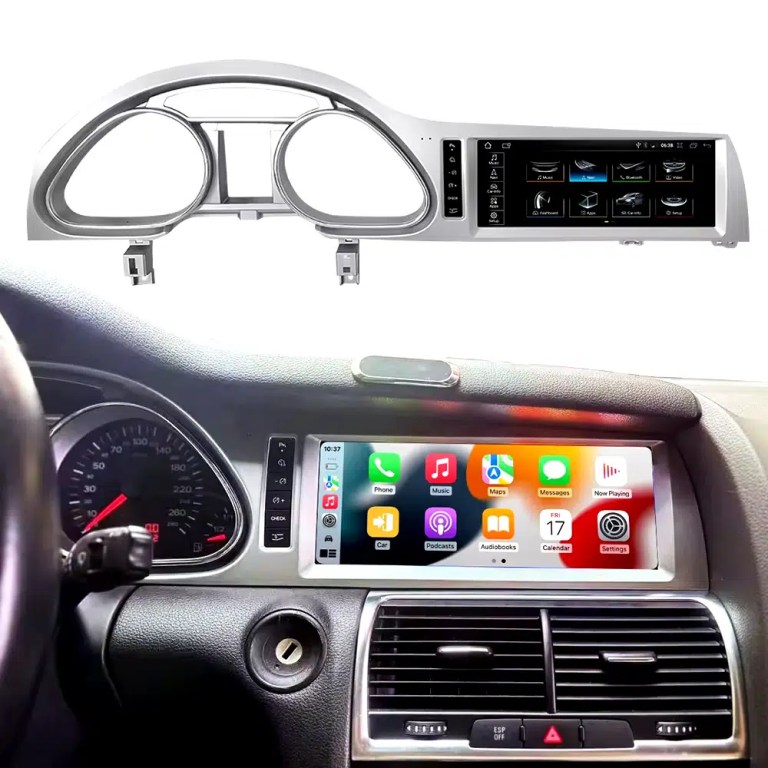
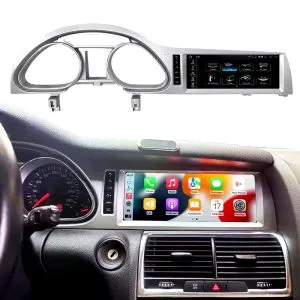
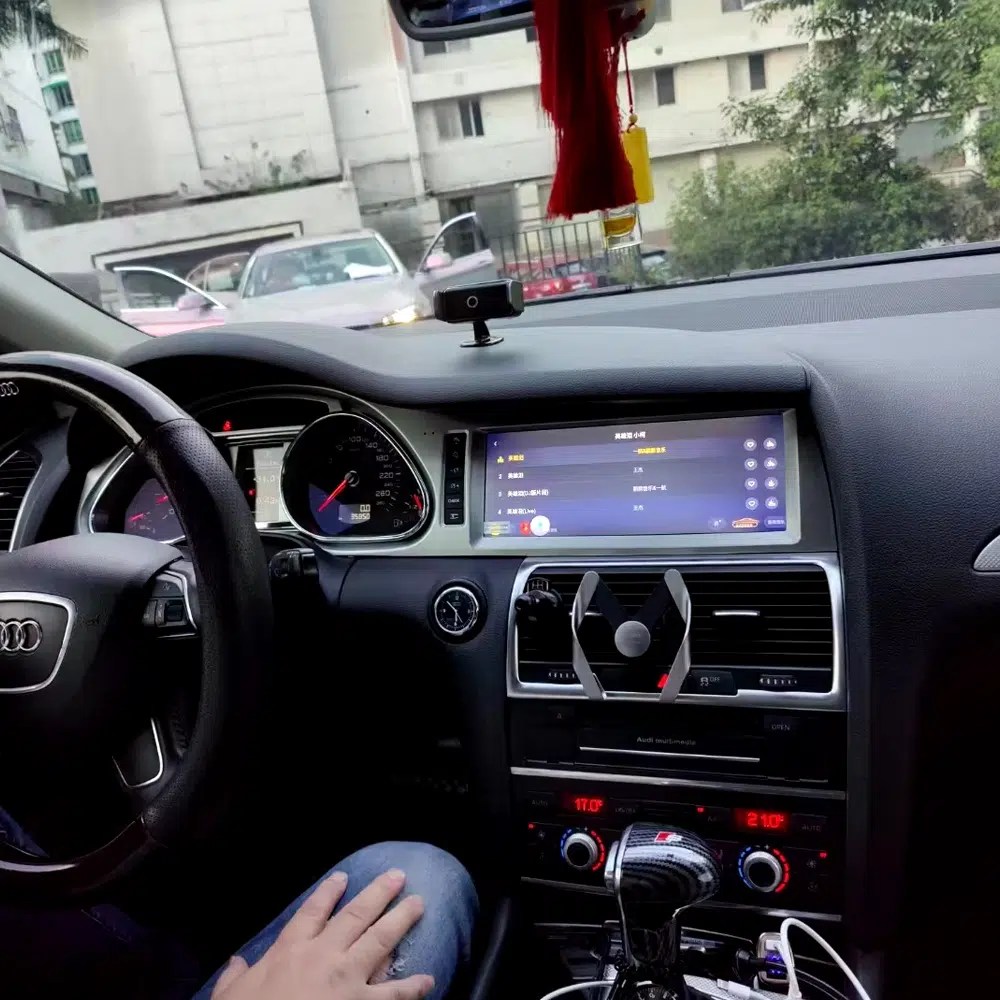
See the installed result inside the Audi Q7 dashboard
This cockpit view helps you judge the final screen position, dashboard balance and CarPlay-style daily-use interface before ordering.
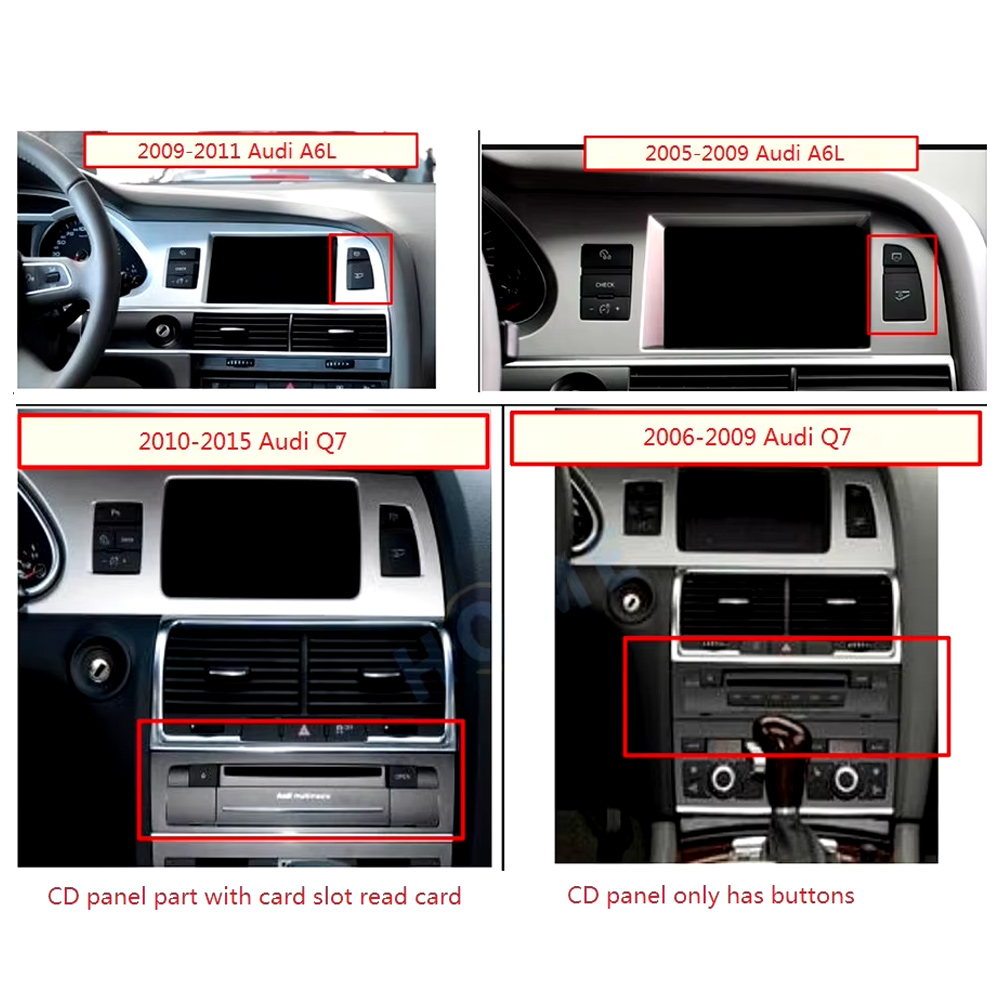
Check the original dashboard and CD/MMI panel before ordering
The correct Audi Q7 Android screen route depends on the original screen area, button layout, CD panel and model-year dashboard structure.
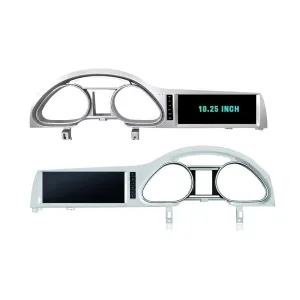
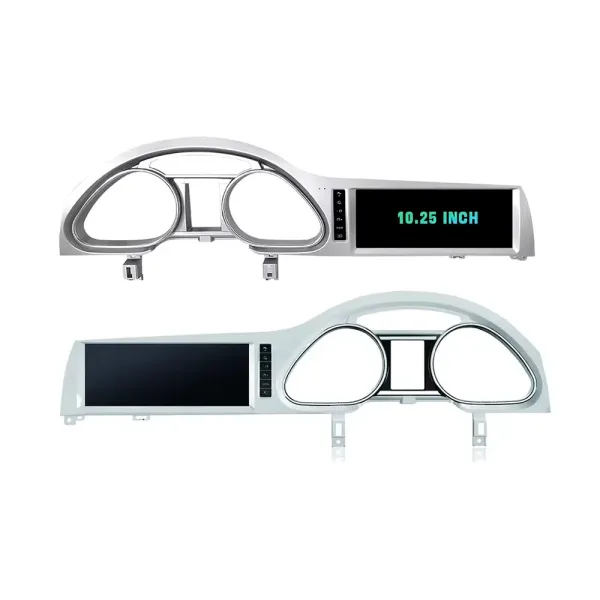
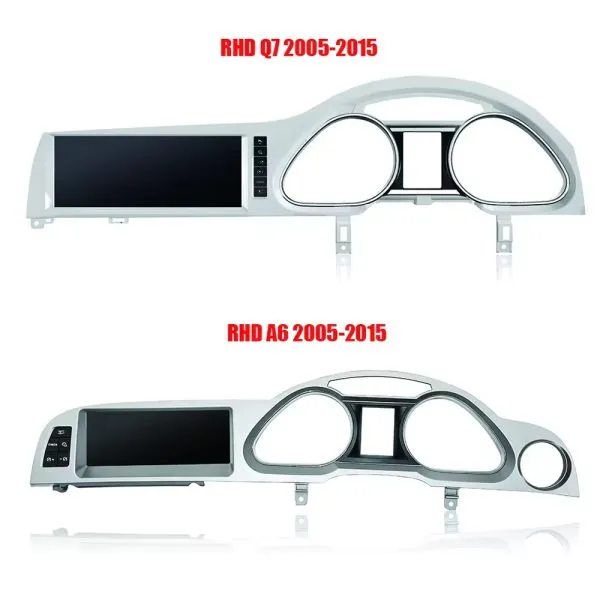
Confirm the 10.25-inch screen frame shape
The product frame view helps you compare steering-side layout and screen position so iKAGOO can prepare the correct Q7-specific frame.
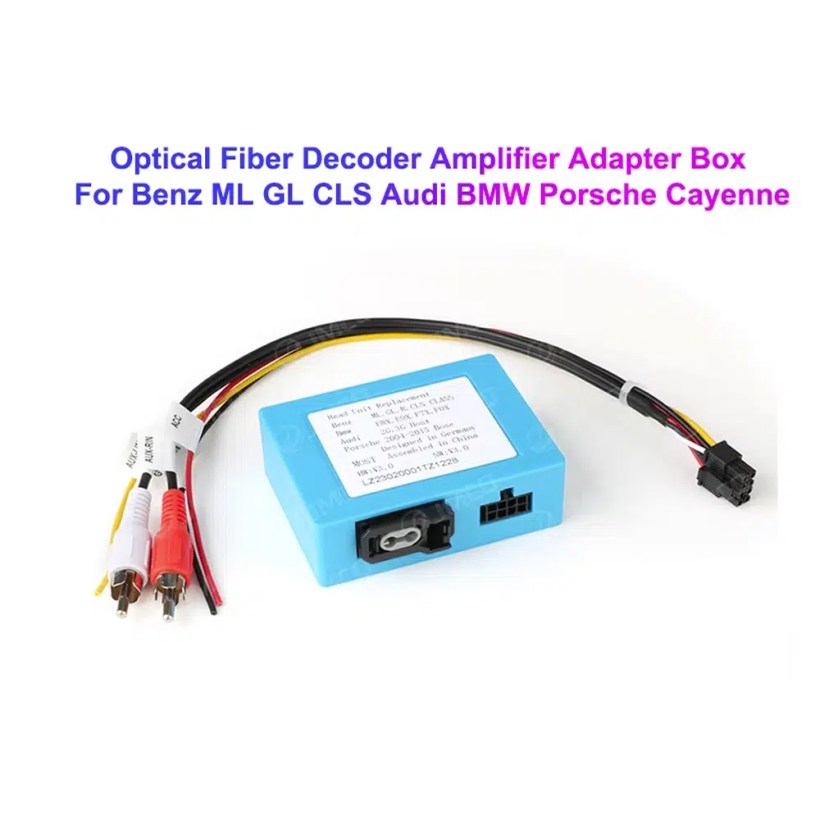
Understand the Bose and MOST fiber-optic decoder route
Many Q7 audio issues come from the amplifier and fiber-optic route. The required decoder must match the original Audi audio system and connector layout.
Compare Q7 and A6 frame routes carefully
This product reference makes one point clear: similar Audi frames are not automatically interchangeable. Your dashboard photo must be checked before shipment.
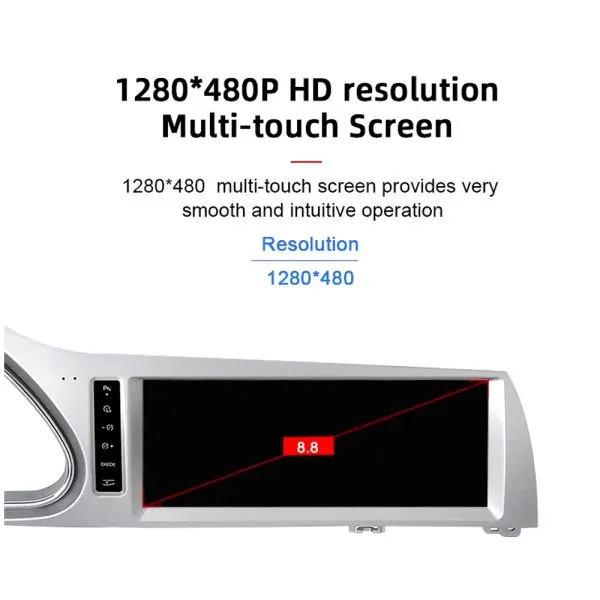
Review the 1280×480 screen reference
The wide display format is designed for the Q7 screen area and gives a cleaner navigation and media layout than the older factory display experience.
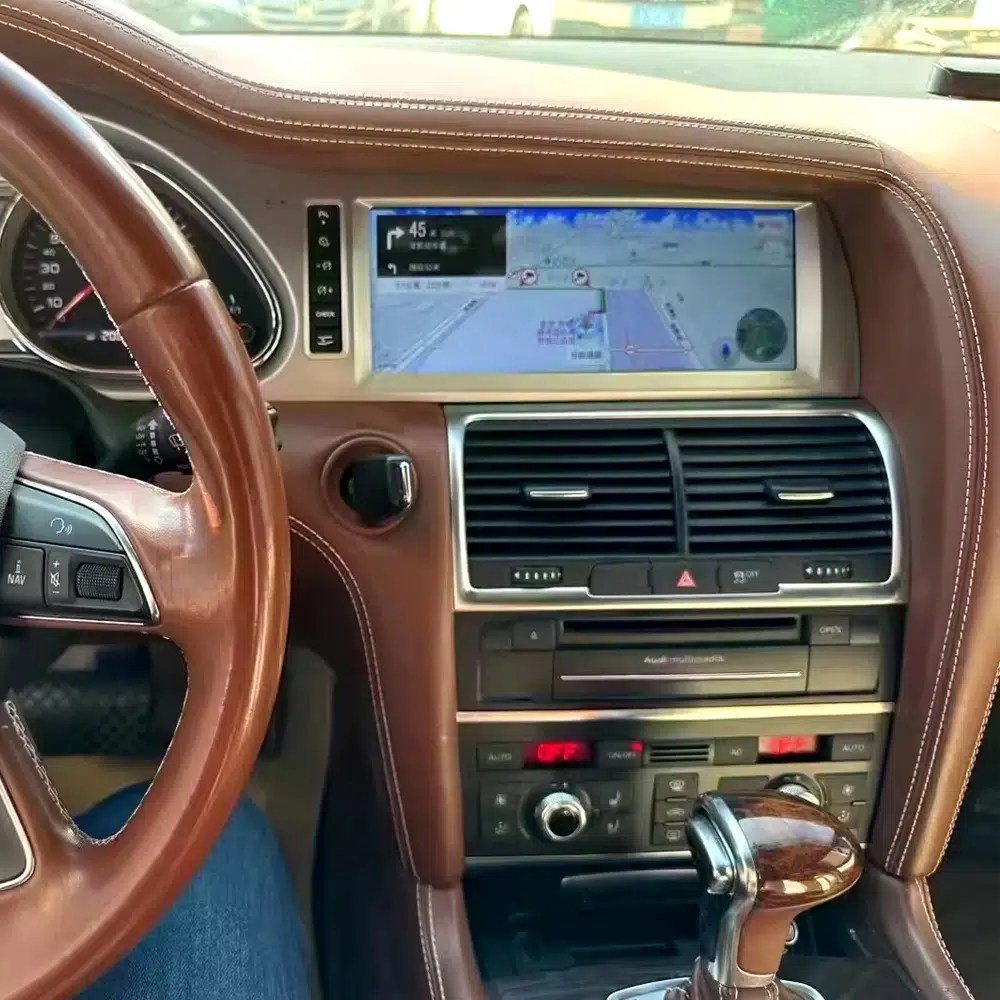
See navigation running inside a real Audi Q7 interior
The installed navigation view helps you judge driver visibility, screen angle and how the 10.25 Android display sits inside the used Q7 cabin.
Check another real installation interface
This cabin view gives another practical reference for screen readability, dashboard integration and menu position after installation.
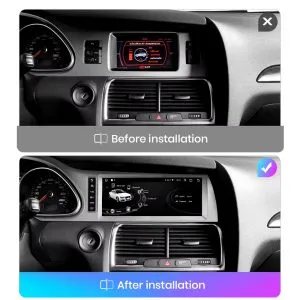
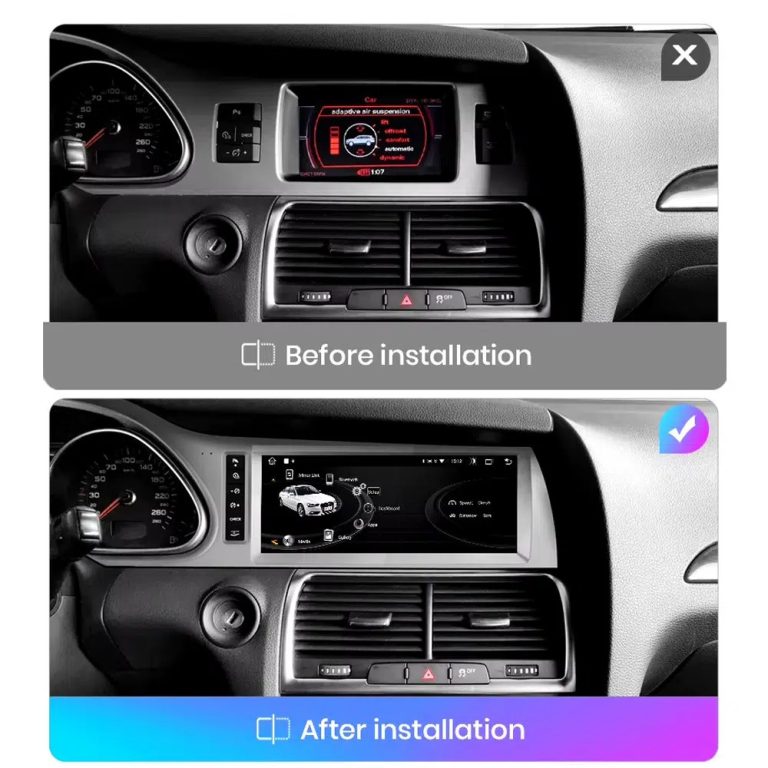
Compare the old display with the upgraded Android display
The before-and-after view shows the main visual change: the old screen area becomes a wider Android interface with a more modern layout.
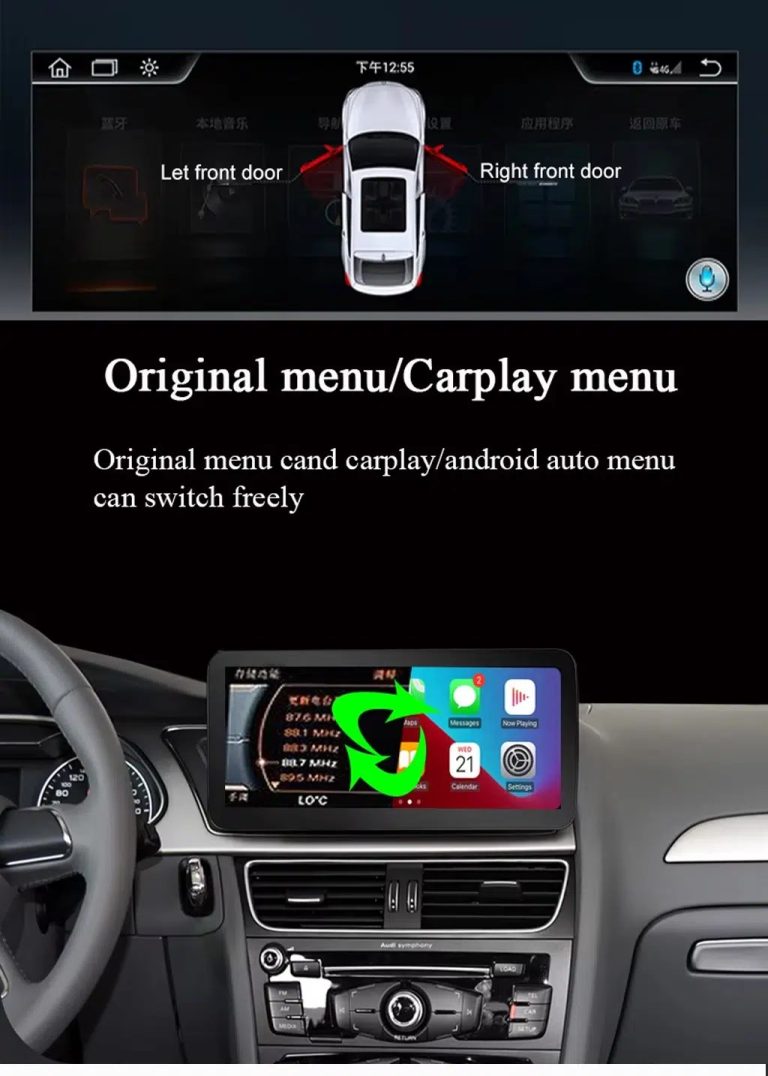
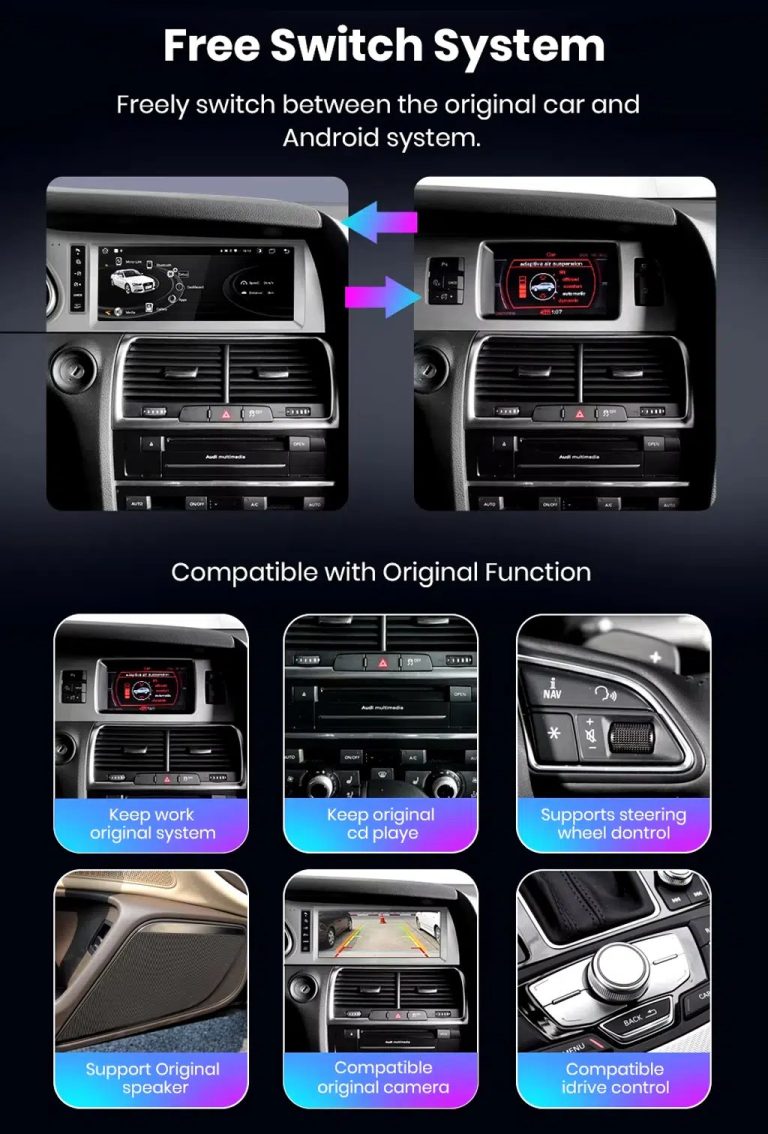
Switch between Android and supported original Audi systems
System switching matters for Q7 owners because it helps keep supported Audi menus available while adding Android, CarPlay and Android Auto functions.
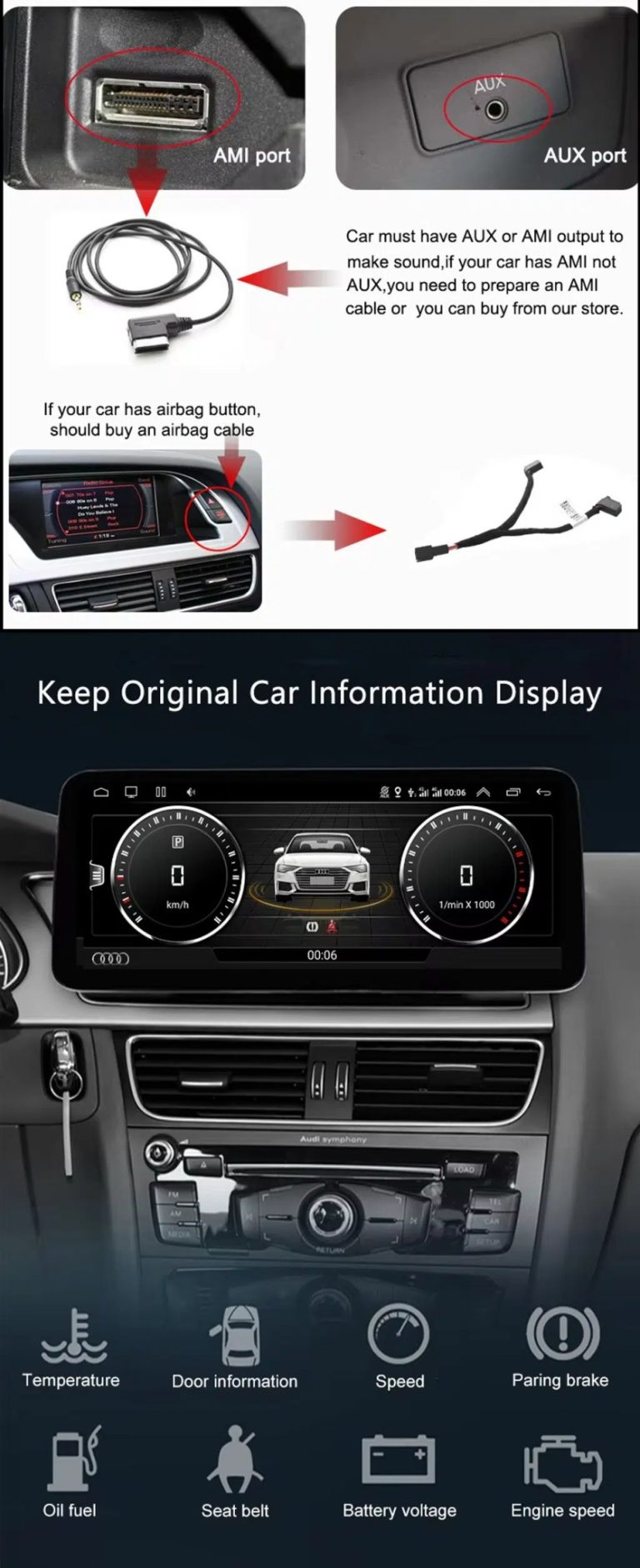
Check AUX, AMI and original vehicle information routes
Some Q7 configurations need the correct AUX, AMI or adapter route for sound and original data display. This should be checked before installation.
Use original menu and CarPlay menu switching
This interface direction shows how the owner can move between the supported original Audi interface and modern CarPlay or Android Auto style display.
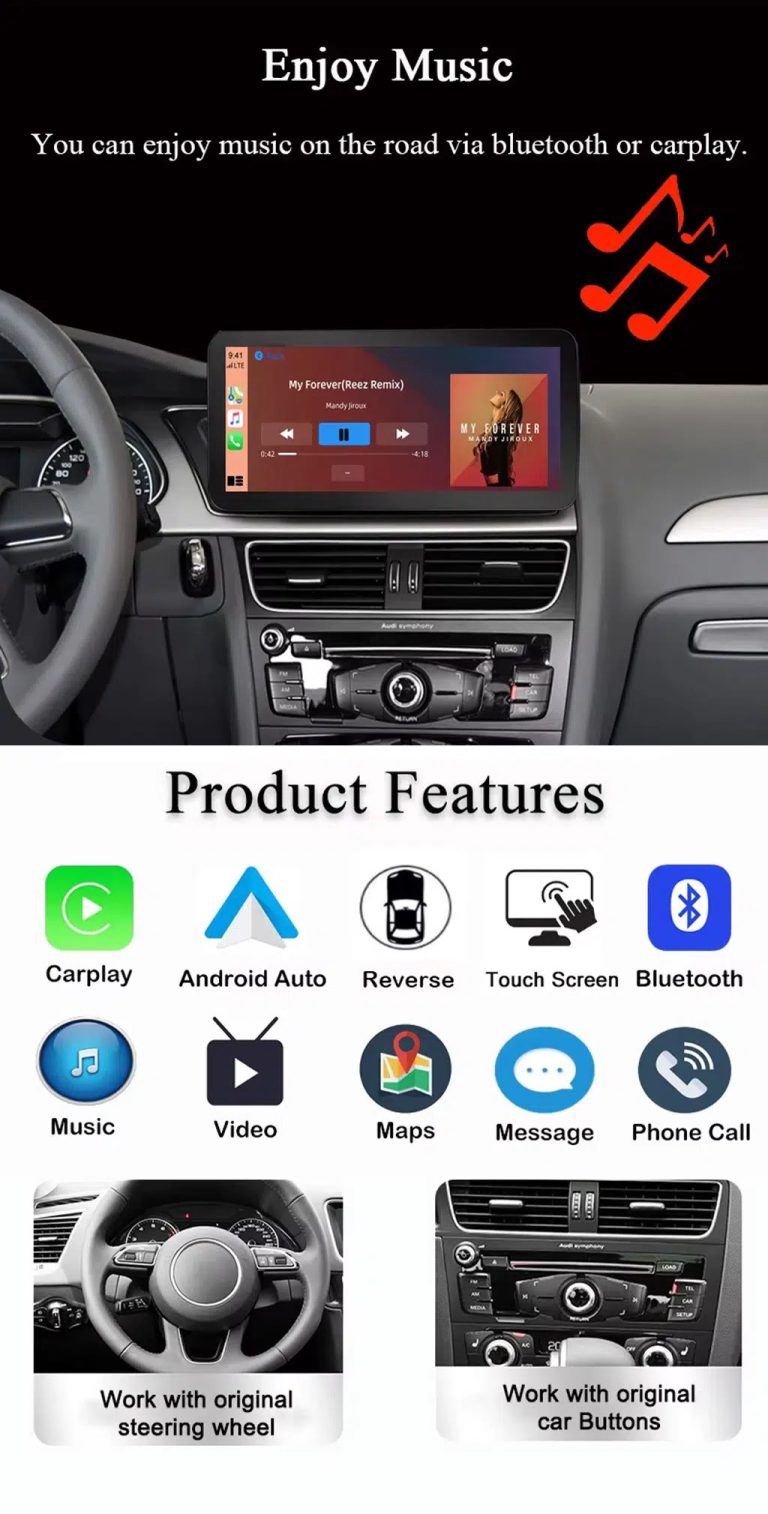
Use music, maps, calls and steering-wheel controls every day
The function overview explains the daily value of the upgrade: music, video, maps, messages, calls, touch operation and supported steering-wheel control.
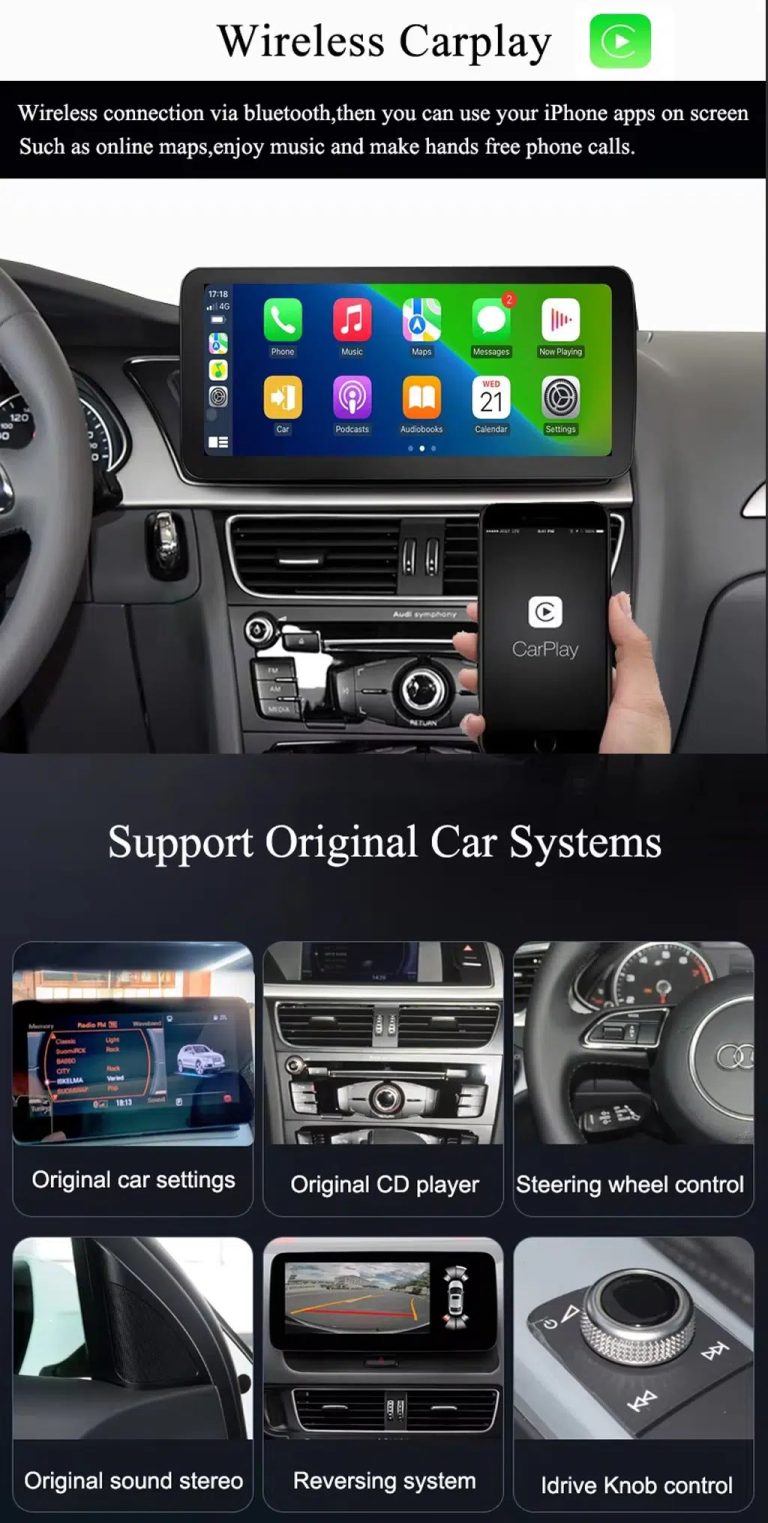
Use wireless CarPlay while keeping supported original car systems
This visual combines wireless CarPlay with original-system value, helping buyers understand that this is more than a simple screen swap.
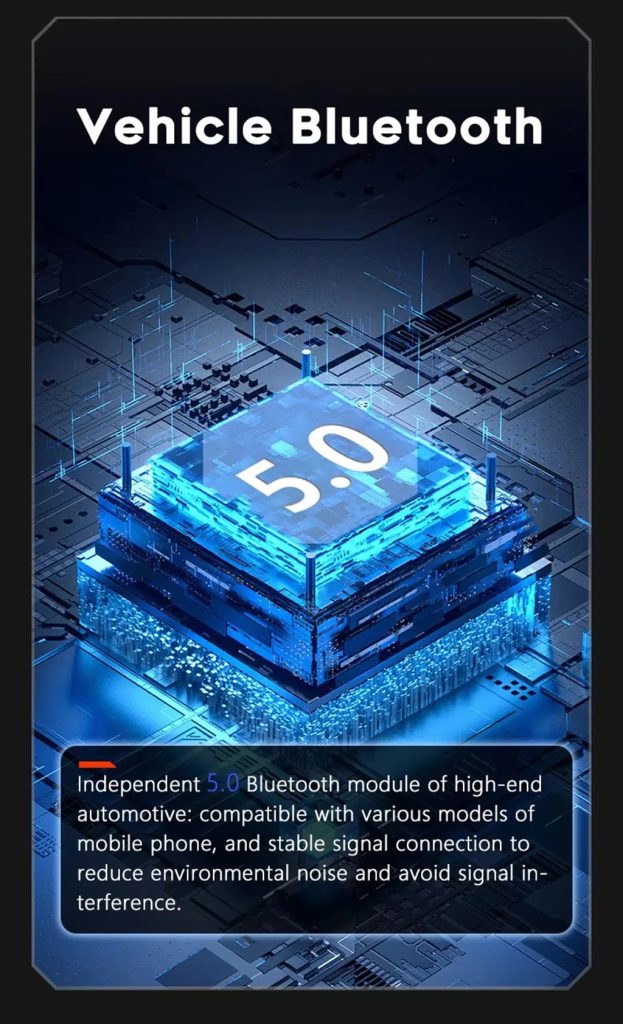
Improve Bluetooth connection on supported hardware
Bluetooth version depends on the selected hardware route, but the upgrade direction supports more practical phone and media connection than relying only on old factory behavior.
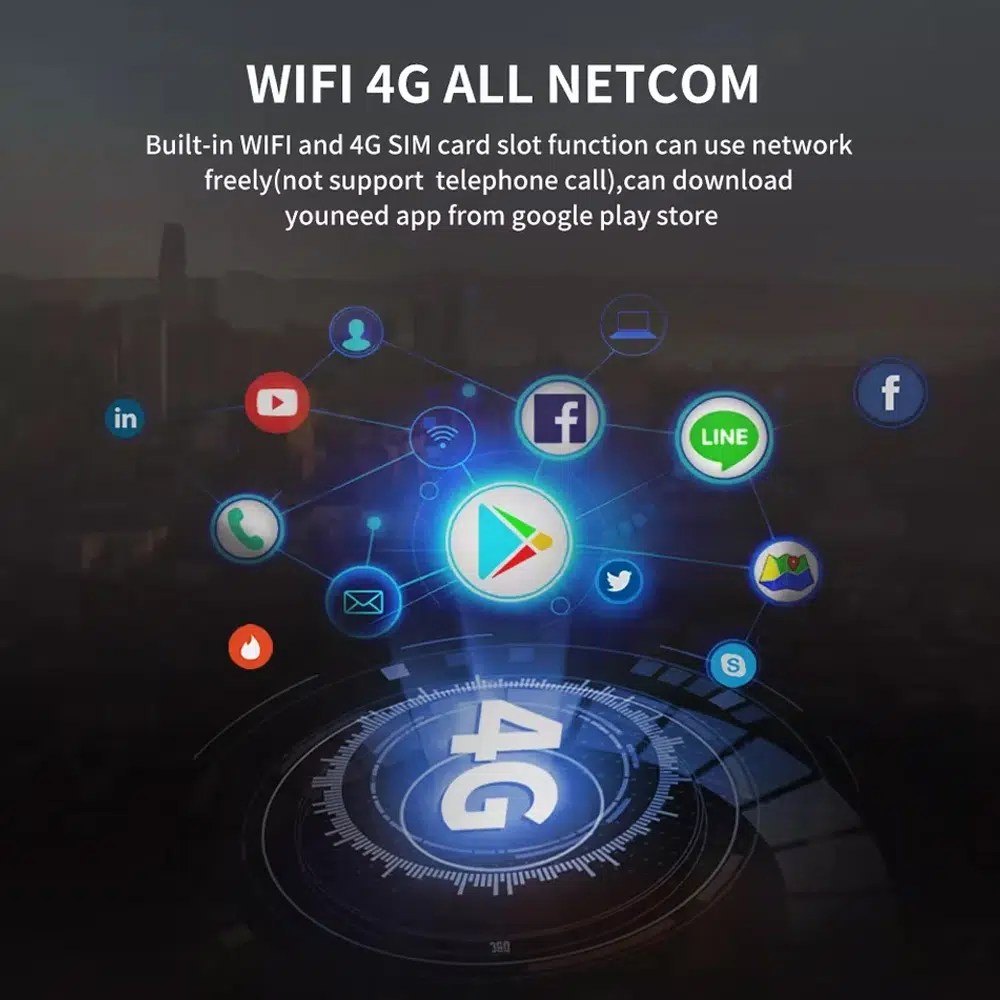
Use WiFi and 4G for apps and online navigation
WiFi and compatible 4G support online maps, app downloads and connected Android functions where local network and selected hardware allow it.
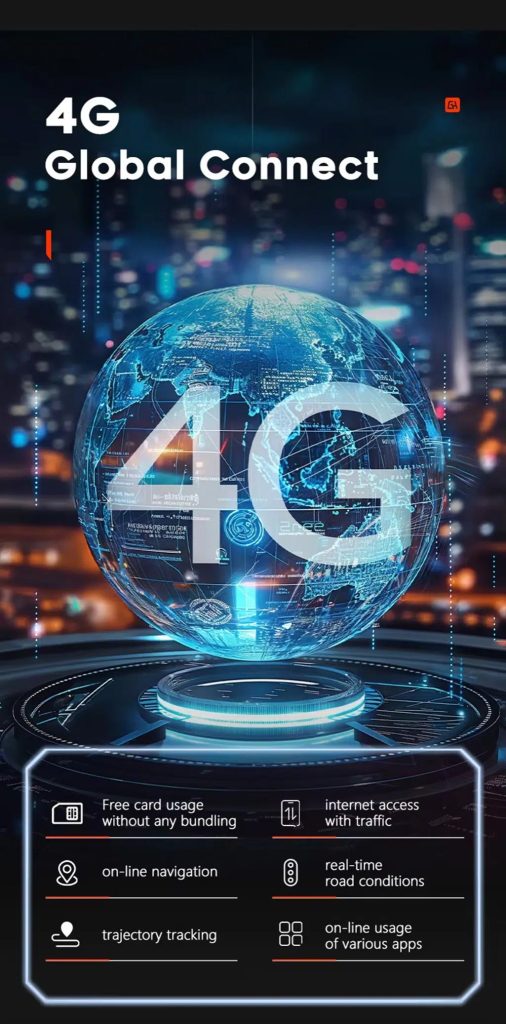
Gunakan fitur jaringan 4G di mana layanan lokal mengizinkan
Online navigation, traffic information and app access depend on compatible network service, SIM support and selected hardware configuration.
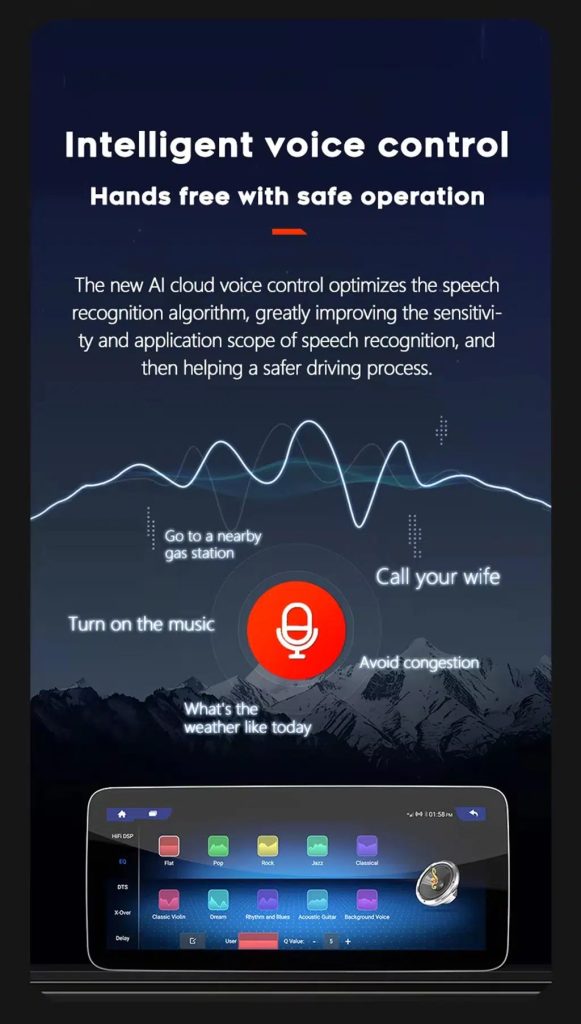
Use voice control with compatible apps
Voice control can make navigation, music and calls easier, but recognition depends on the app, microphone, language, internet connection and phone compatibility.
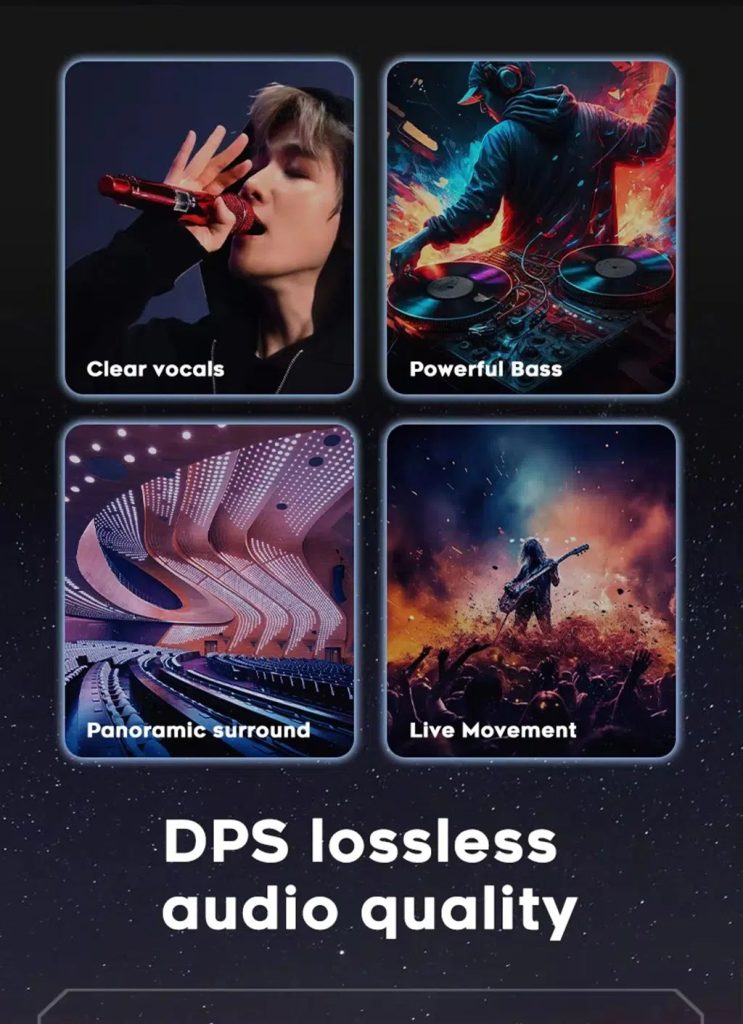
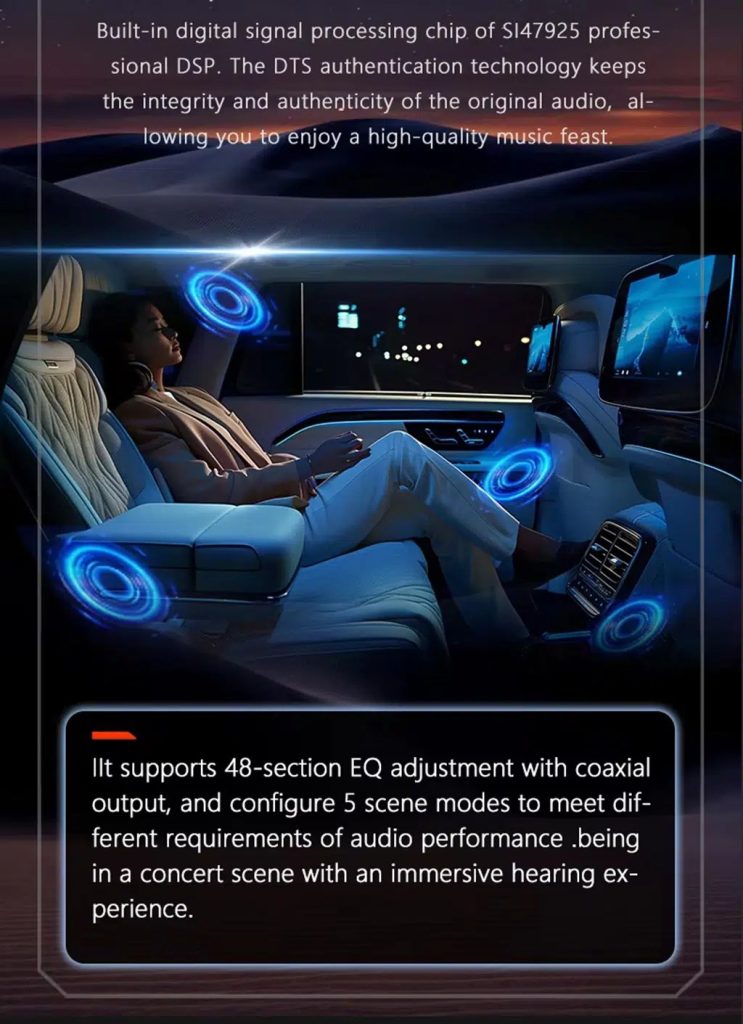
Tune the audio with DSP where supported
DSP helps tune vocals, bass, surround feeling and sound staging when the selected hardware version includes the supported DSP route.
Review multimedia and DSP function direction
This additional media reference helps buyers understand the entertainment and equalizer direction before choosing the hardware version.
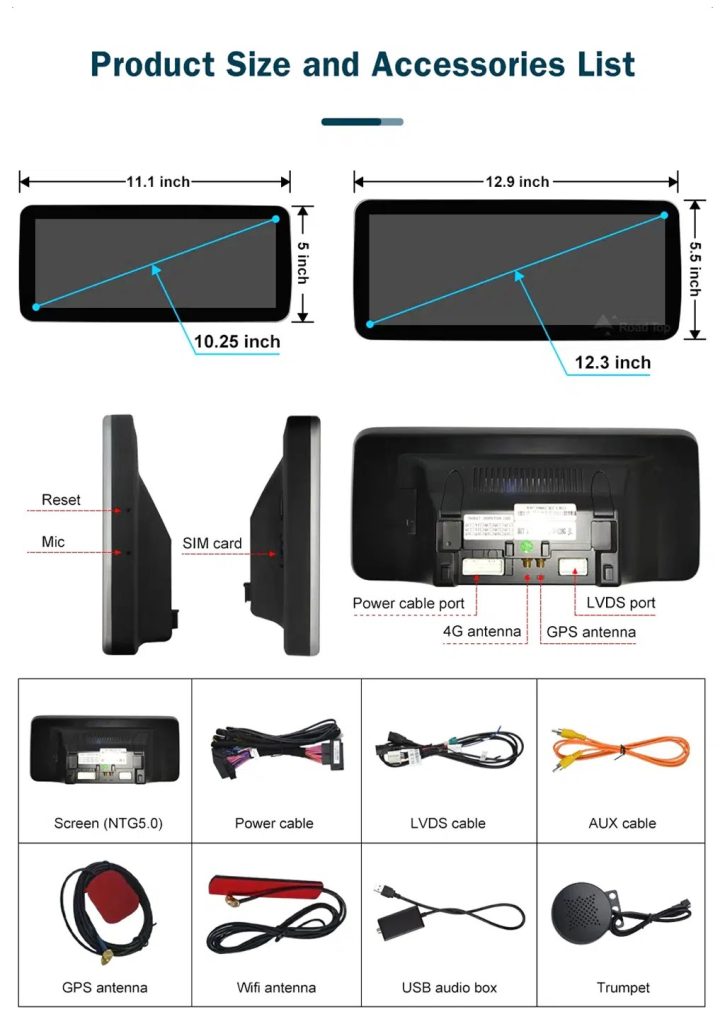
Check product size, rear ports and accessories
The accessory view helps installers understand the screen size, rear connection area, LVDS, power cable, AUX cable, GPS antenna, WiFi antenna, USB audio box and other included parts.
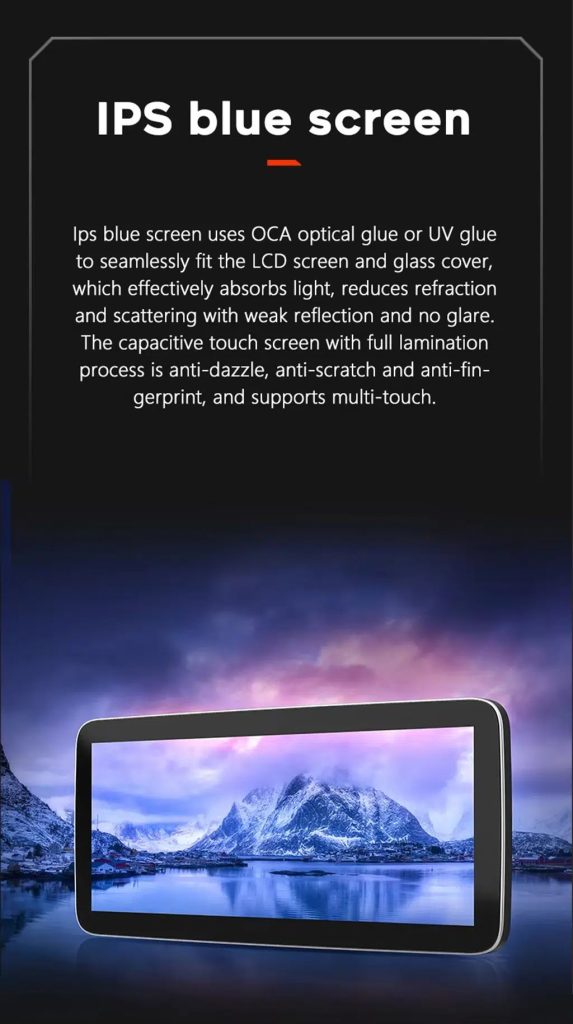
Understand the IPS blue screen display direction
The display construction direction supports a clearer and more comfortable in-car touch experience for daily map, media and menu use.
Review the product gallery before-and-after reference
This gallery view gives another quick reference for the original Q7 display before installation and the wider Android interface after installation.
Confirm another installed dashboard angle
This gallery view shows the unit installed in the Q7 dashboard with a modern interface, helping buyers compare the final visual balance.
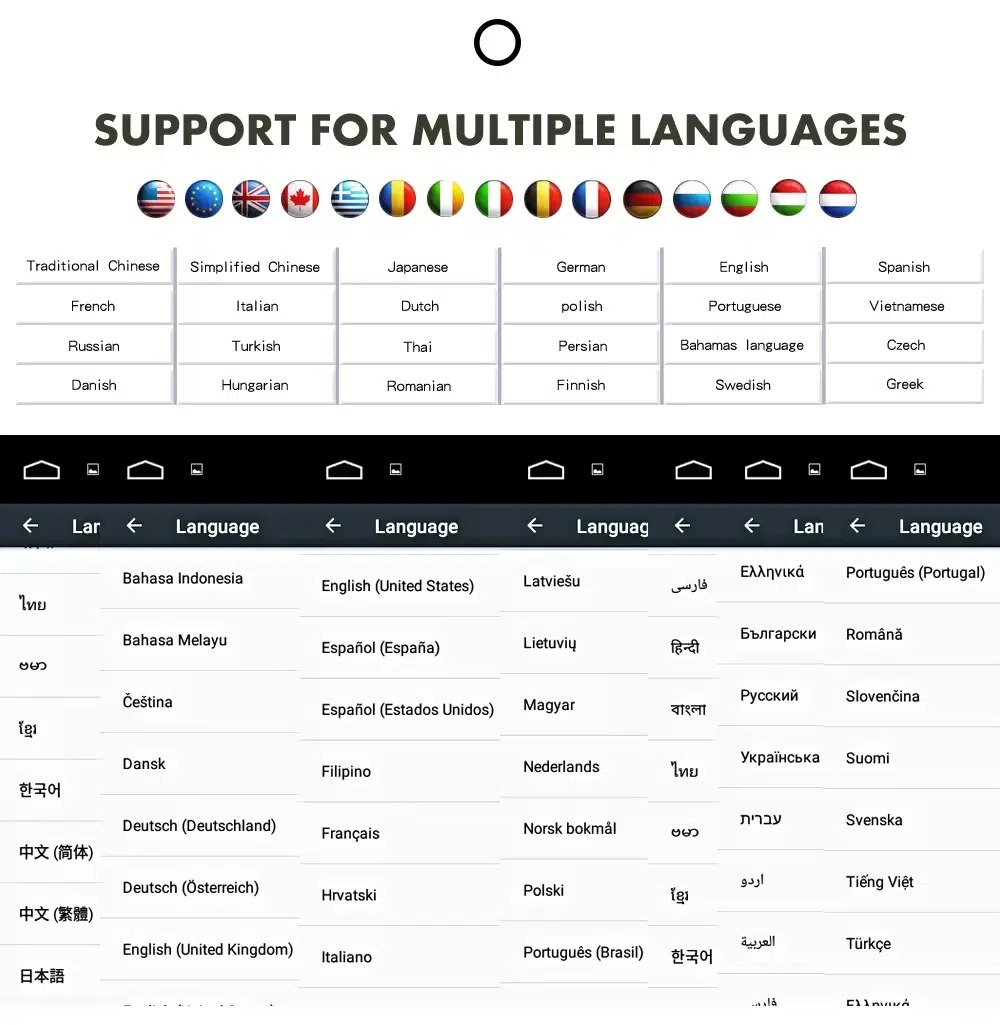
Gunakan antarmuka Android dalam berbagai bahasa
Multiple language support helps international owners and installers use the Android interface in a familiar language. Final availability depends on firmware and app settings.
Common interface languages include English, German, French, Spanish, Italian, Portuguese, Dutch, Russian, Arabic, Japanese and Chinese, depending on firmware and app settings.
Installation Route for the Audi Q7 10.25 Android Screen Upgrade
Ulasan Kendaraan
Submit the year, dashboard photos, steering position and original audio-system details.
Pencocokan Konfigurasi
iKAGOO checks the frame, harness, CAN decoder, amplifier and fiber-optic requirements.
Pre-Shipment Setup
The Android unit and matching accessories are prepared for the confirmed vehicle configuration.
Dukungan Pemasangan
Guidance is available for wiring, configuration and supported-function testing.
Pekerjaan utama yang diperlukan
- Confirm dashboard year route, CD panel, MMI system and steering side before shipment.
- Check whether the car has Bose, external amplifier or MOST fiber optic.
- Remove the original screen area and required dashboard trim carefully.
- Connect the matched power harness, CAN decoder, LVDS/video route and audio adapter.
- Install fiber-optic decoder when confirmed necessary.
- Connect GPS, USB, camera, microphone and WiFi/4G accessories according to selected configuration.
- Power on before final reassembly.
- Test original menu switching, CarPlay, Android Auto, audio, steering-wheel controls, cameras, Bluetooth, GPS and sleep/wake behavior.
Hentikan proses instalasi dan hubungi iKAGOO jika hal ini terjadi
- The screen frame does not match the dashboard opening.
- Bentuk konektor atau susunan pinnya jelas tidak sesuai dengan kabel yang disertakan.
- The car has Bose / MOST fiber optic but no confirmed decoder route.
- No sound comes from the speakers after power-on testing.
- The original MMI menu cannot be accessed after connection.
- A fiber-optic cable is bent sharply, crushed or left disconnected.
- Pin konektor bengkok, longgar, atau rusak.
- Sekring sering putus, atau muncul panas, bau, atau asap yang tidak wajar.
- Pemasangan tersebut akan memerlukan pemotongan rangkaian kabel utama pabrik.
Apa Saja yang Biasanya Termasuk
Android Display
Vehicle-specific display assembly with the selected Android hardware configuration.
Wiring Harness
Power, signal and integration wiring selected according to the confirmed vehicle.
CAN Decoder
Compatible decoder for supported steering controls and vehicle-information integration.
GPS Antenna
External GPS antenna for supported Android navigation functions.
USB Connections
USB extension inputs for compatible media, accessories and software updates.
Optional Adapters
Fiber-optic decoder, camera interface, AMI cable or other adapters when confirmed as necessary.
Package contents vary by selected version and confirmed vehicle configuration. The final order details should be checked before dispatch.
Pengiriman, Garansi, dan Layanan Purna Jual
Persiapan pesanan
Waktu persiapan pesanan biasanya memakan waktu 1–3 hari kerja setelah konfigurasi kendaraan Anda diverifikasi.
Pengiriman internasional dengan pelacakan
Pengiriman internasional dilengkapi dengan pelacakan. Perkiraan waktu pengiriman bergantung pada tujuan, proses bea cukai, dan metode pengiriman yang dipilih saat checkout.
12-month garansi perangkat keras
Masalah perangkat keras yang memenuhi syarat ditangani berdasarkan garansi terbatas iKAGOO. Kerusakan akibat pemasangan kabel yang salah, penggunaan yang tidak sesuai, masuknya air, atau modifikasi yang tidak sah biasanya tidak tercakup dalam garansi ini.
Vehicle-specific products require accurate vehicle information before shipment. If iKAGOO confirmed compatibility before purchase, your information was accurate, and no reasonable installation solution is available after supported troubleshooting, the current published return and refund policy applies.
Kebijakan Pengembalian & Pengembalian Dana · Kebijakan Garansi · Kebijakan Pengiriman
Audi Q7 10.25 Android Screen Upgrade FAQ
Is this Audi Q7 10.25 Android screen upgrade for every Q7 from 2006 to 2015?
Does this product support 2005 Audi Q7?
Apakah mendukung CarPlay nirkabel dan Android Auto?
Will the original Audi MMI menu still work?
Will Bose or the factory amplifier still work?
Does every Audi Q7 need a fiber optic decoder?
Can the original rear camera be retained?
Does it work with left-hand-drive and right-hand-drive Q7 vehicles?
Apakah instalasi plug-and-play?
Apa yang harus saya kirimkan sebelum memesan?
Buat Audi Q7 4L Anda Terasa Modern Kembali
Choose this Audi Q7 10.25 Android screen upgrade if you want a factory-style display route, wireless CarPlay, Android Auto, GPS navigation, DSP audio and iKAGOO configuration matching for your dashboard, MMI and audio system.
Related Q7 upgrade: Klaster Digital Audi Q7


Brian Gallagher -
Peningkatan yang sangat besar untuk Q7 2013 saya! Layar 10.25 inci sangat jernih dan sepenuhnya memodernisasi interior. Apple CarPlay nirkabel terhubung dengan sempurna dalam 5 detik setelah menyalakan mobil. Ini tetap mempertahankan semua fungsi MMI pabrik dengan sempurna. Sangat merekomendasikan ini untuk siapa pun yang ingin membawa Audi lama mereka ke dekade saat ini!
Brian Gallagher -
Layarnya terlihat OEM dan pemasangannya pas banget. Kualitas audio melalui AUX sangat bagus. Pemasangan sebagian besar plug-and-play, memakan waktu sekitar 2 jam dengan alat pembuka trim. Saya mengurangi satu bintang karena garis panduan kamera mundur perlu dikalibrasi di menu pengaturan pabrik, namun dukungan pelanggan memandu saya melaluinya dengan cepat.