


Data Mengemudi yang Lebih Jelas
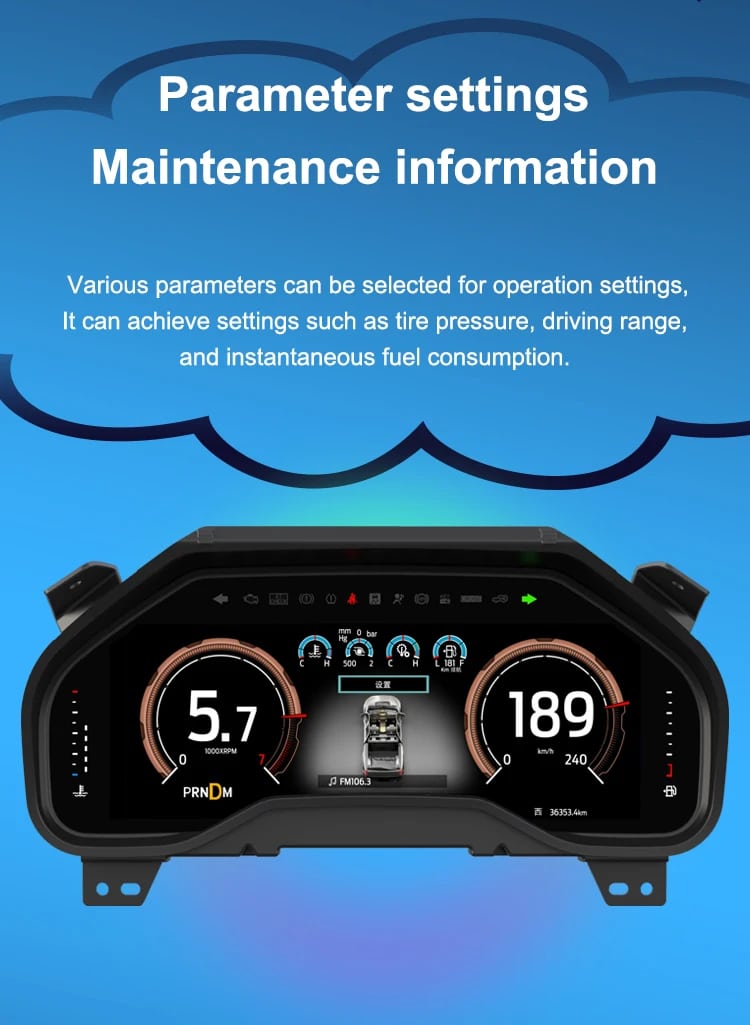
Speed, RPM, gear position, fuel range, oil information, water temperature, TPMS and supported warnings are easier to read than on the original analog layout.

| Berat | 4.5 kg |
|---|---|
| Dimensi | 45 × 35 × 25 cm |
| Mobil Pendukung | 2009-2012, 2013-2014 |
| Kompatibilitas produk | Plug and play |
| Asal produk | Bukan produk asli |



Dari: $1,380.00

Kami menangani PPN dan bea masuk yang berlaku untuk pesanan dari Uni Eropa dan Amerika Serikat yang memenuhi syarat. Perkiraan penghematan: $120-$280 .
Biaya pengiriman ditagih terpisah. Biaya pengiriman yang tepat dihitung berdasarkan tujuan dan ditampilkan di keranjang belanja Anda sebelum melakukan pembayaran.
Pengiriman final dikonfirmasi dari alamat pengiriman Anda saat checkout.
Penilaian kompatibilitas, perlindungan kompatibilitas penuh, garansi perangkat keras selama 12 bulan, serta dukungan berkelanjutan setelah pemasangan.
 Perlindungan Pengembalian Dana Penuh
Jaminan Kompatibilitas
Sudah dipastikan tidak kompatibel dengan kendaraan Anda? Anda akan mendapatkan pengembalian dana penuh.
→
Perlindungan Pengembalian Dana Penuh
Jaminan Kompatibilitas
Sudah dipastikan tidak kompatibel dengan kendaraan Anda? Anda akan mendapatkan pengembalian dana penuh.
→
 12-Month Garansi Perangkat Keras
Garansi perangkat keras berlaku selama 12 bulan pertama.
→
Dukungan Purna Jual Jangka Panjang
Panduan perangkat lunak, dukungan suku cadang, dan koordinasi perbaikan tetap terhubung dengan pesanan awal Anda.
→
12-Month Garansi Perangkat Keras
Garansi perangkat keras berlaku selama 12 bulan pertama.
→
Dukungan Purna Jual Jangka Panjang
Panduan perangkat lunak, dukungan suku cadang, dan koordinasi perbaikan tetap terhubung dengan pesanan awal Anda.
→
Tujuan kami adalah memastikan pesanan Anda benar sebelum dikirim. Kami memverifikasi kompatibilitas, menyiapkan pengaturan yang benar, dan menghubungi Anda hanya jika ada yang perlu konfirmasi.
F-150 2009–2014 · SVT Raptor 2010–2014
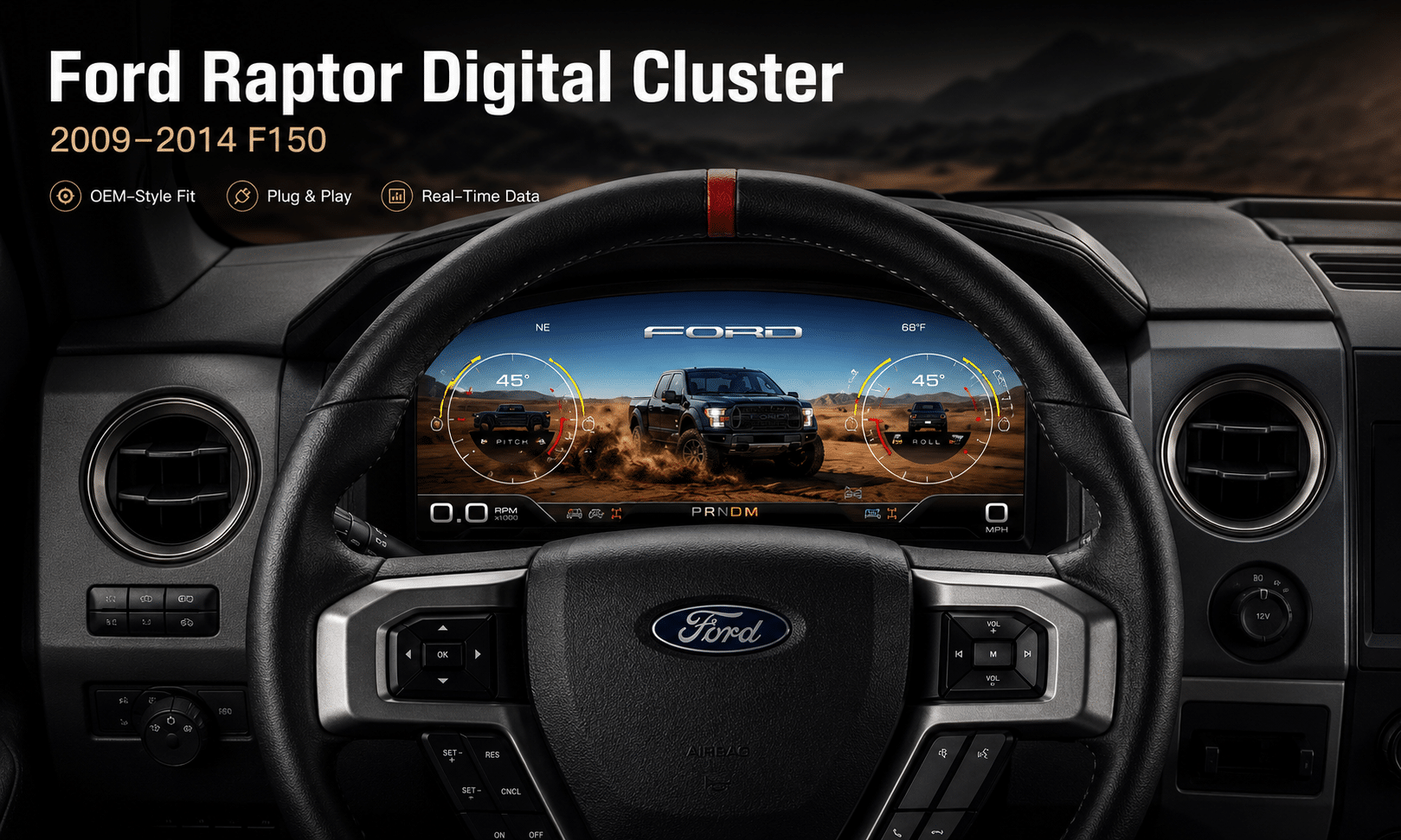
Ini Panel instrumen digital Ford F150 tahun 2009–2014 upgrades the original analog gauge area into a 13.1-inch Linux virtual cockpit. It keeps important original vehicle information visible, adds multiple Raptor-style UI themes, supports factory steering-wheel controls and gives the driver a much more modern instrument layout.
iKAGOO prepares the correct Ford F150 Raptor Digital Cluster 2009–2012 or 2013–2014 version, matched connection solution and installation guidance from your vehicle information.
Peningkatan dalam Penggunaan Sehari-hari
The strongest value is not only the screen size. The upgrade changes how you read speed, RPM, tire pressure, oil information, fuel data, warnings and off-road status during normal driving.
Speed, RPM, gear position, fuel range, oil information, water temperature, TPMS and supported warnings are easier to read than on the original analog layout.
The wider digital layout brings supported fuel, temperature, tire-pressure, warning and drivetrain information into a clearer driver-focused display.
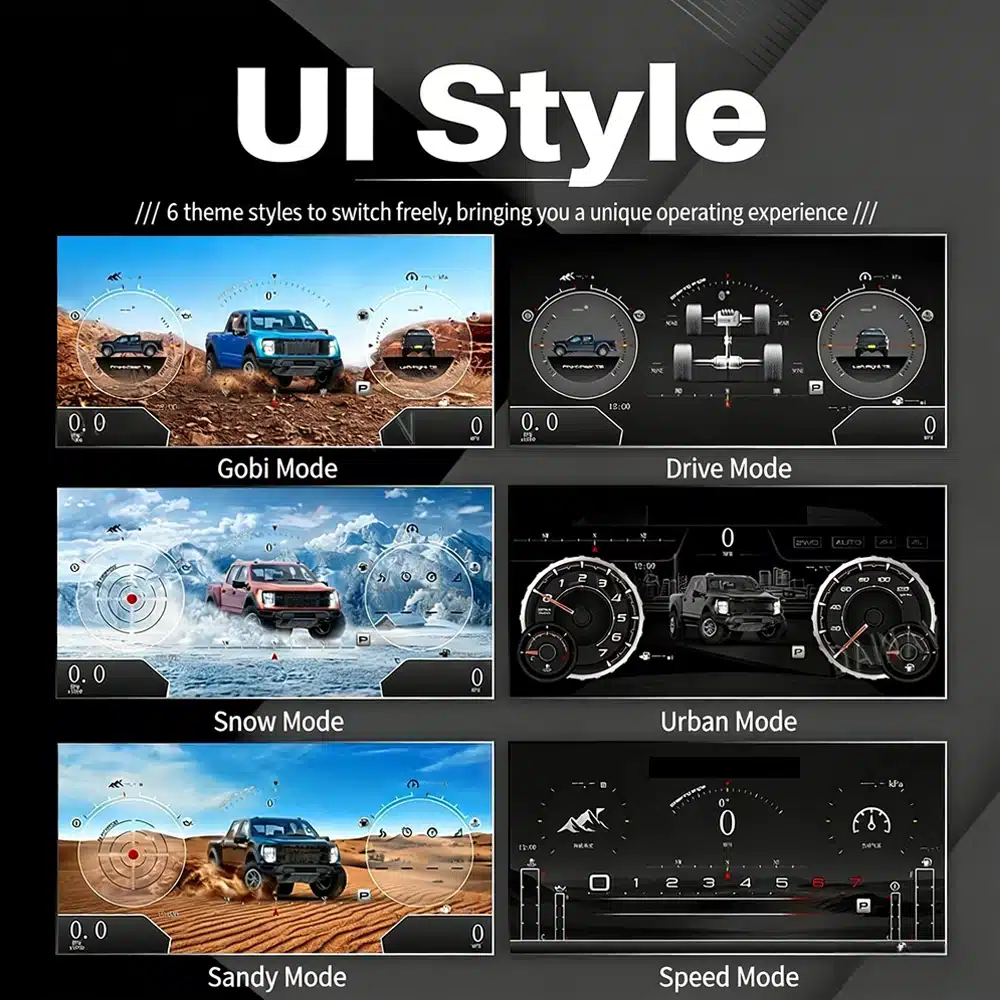
The interface includes multiple visual themes for city driving, speed-focused driving, snow, sand, desert and drivetrain-focused views, making the upgrade feel closer to a modern Raptor cockpit.
Fungsi Pabrik Tetap Dipertahankan
With the correct year version, retained original instrument electronics and proper installation, the cluster continues to present the important driving information your F-150 supplies.
Disediakan Khusus untuk Truk Anda
We separate the Ford F150 Raptor Digital Cluster 2009–2012 and 2013–2014 dashboard versions instead of treating every 12th-generation F-150 as identical.
We confirm your model year, original cluster layout, steering-wheel controls and required instrument configuration before preparing the correct version.
The installation path retains the required original instrument electronics so vehicle-specific data is not treated like a generic replacement cluster.
We help you check speed, RPM, gear, warnings, TPMS, steering controls, units and sleep behavior before final reassembly.
The matched installation is designed to connect without intentionally cutting the supported factory main wiring.
You receive installation and configuration assistance plus a 12-month limited hardware warranty for eligible manufacturing defects.
Perangkat Keras Khusus Kendaraan
The molded housing follows the original instrument opening so the finished result looks like a deliberate cockpit upgrade rather than a tablet added on top of the dashboard.

Pemilihan Tahun yang Benar
The 2009–2012 and 2013–2014 factory layouts are not identical. Choose the matching year option and send your original cluster photo. The cluster can retain supported original vehicle data when the correct year version and retained instrument electronics are installed properly.

Gaya Antarmuka Pengguna Berdefinisi Tinggi
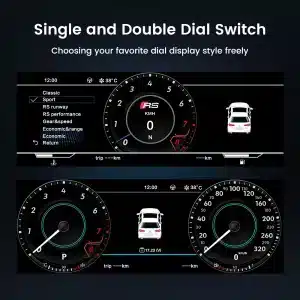
This clear UI image replaces the low-resolution dial-switch image. The available styles include Gobi Mode, Drive Mode, Snow Mode, Urban Mode, Sandy Mode and Speed Mode, giving your F-150 or Raptor a more modern factory-style digital cockpit.
Tema Kokpit yang Dapat Dipilih
The display can prioritize different information depending on how you use the truck: city driving, highway speed, desert driving, snow, sand, drivetrain status or daily vehicle information.

Antarmuka Multibahasa
The Linux interface supports multiple languages, including English, Spanish, French, German, Russian, Portuguese, Turkish, Korean, Chinese and Arabic. Ask iKAGOO about your preferred language when placing the order.

Peringatan dan Perawatan
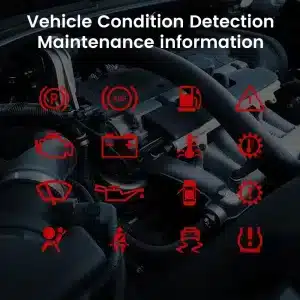
Supported warning indicators, maintenance information and vehicle-status messages remain part of the driving experience, helping you notice issues without returning to the limited original display.

Pengaktifan Linux yang Cepat
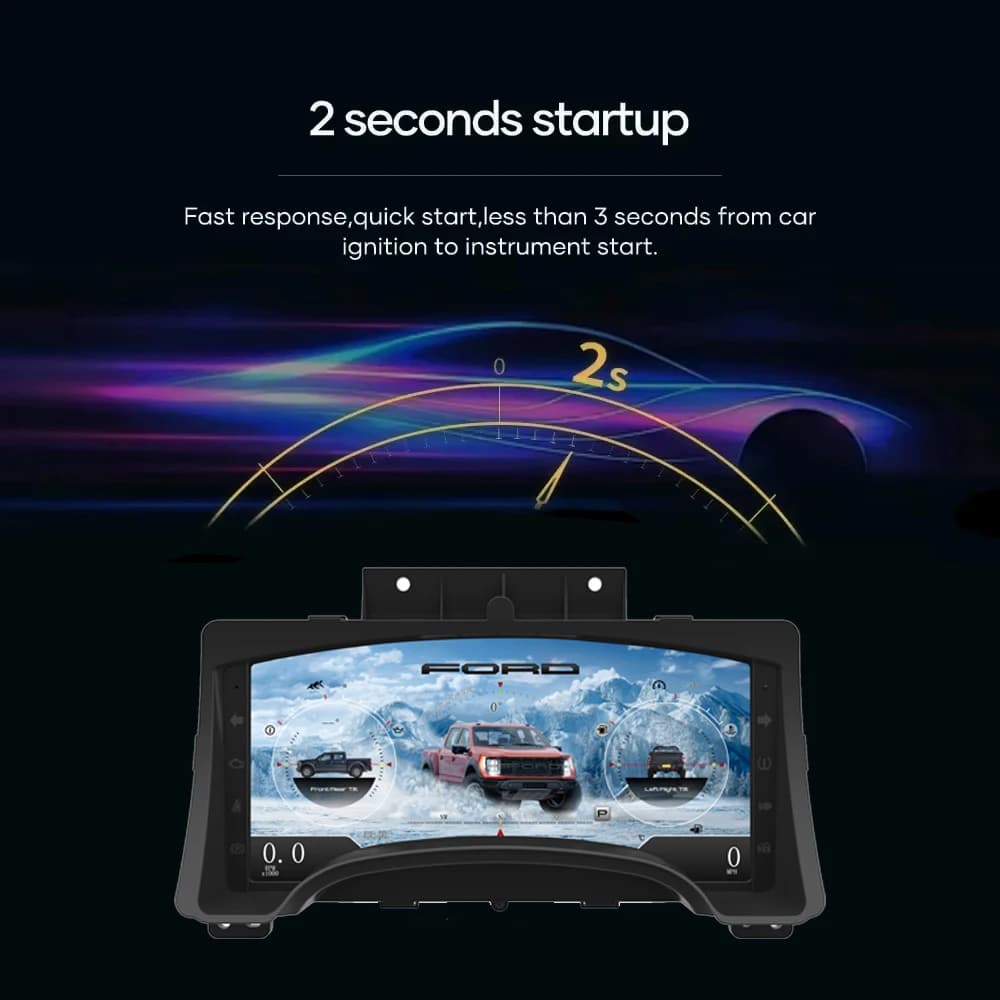
A dedicated Linux platform keeps startup focused on driving information. The specified startup time is under two seconds after ignition.
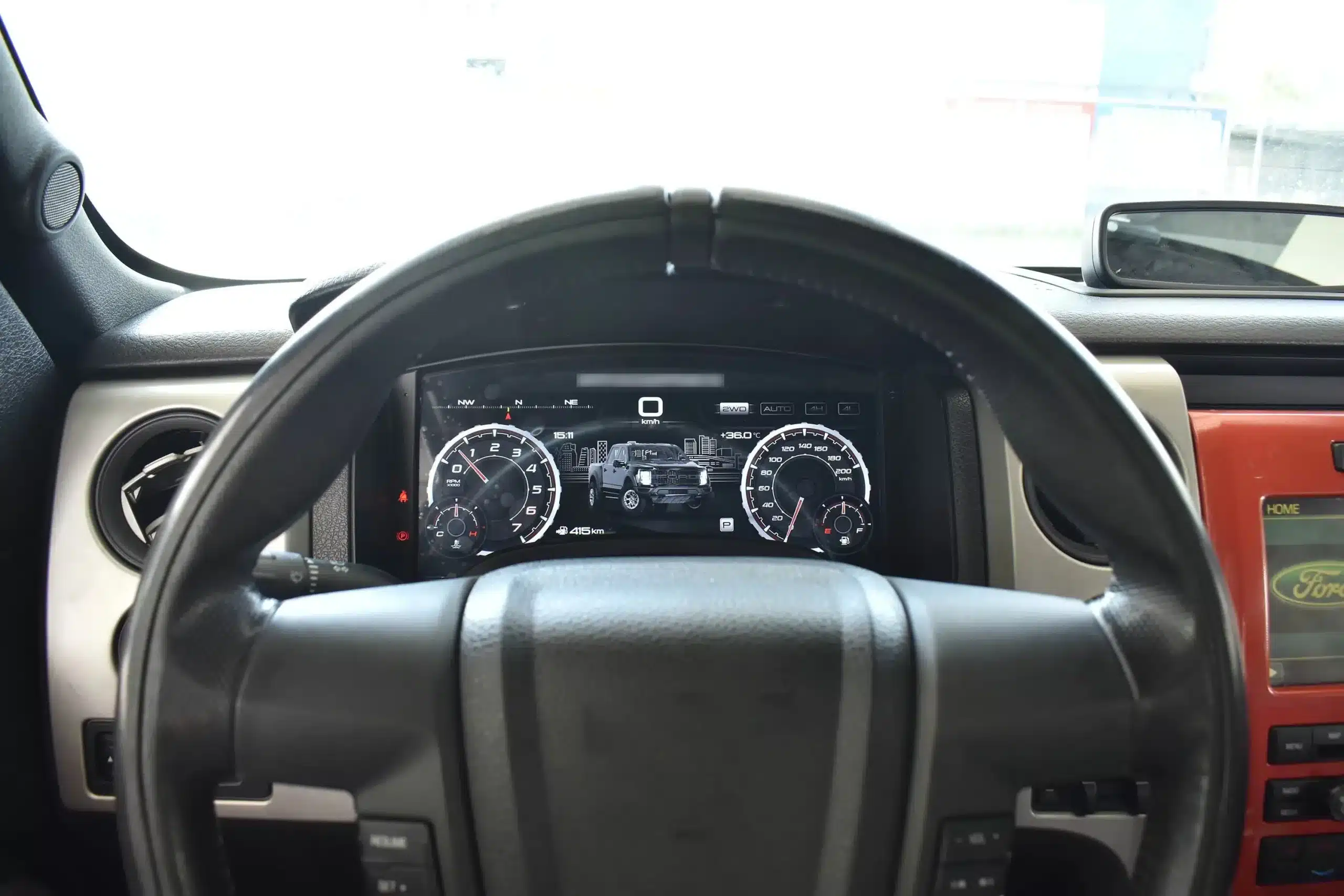
Tampilan Mengemudi Telah Diinstal
The wide screen sits behind the original steering wheel and within the existing dashboard architecture, creating a larger visual upgrade while leaving the center stack and surrounding interior intact.
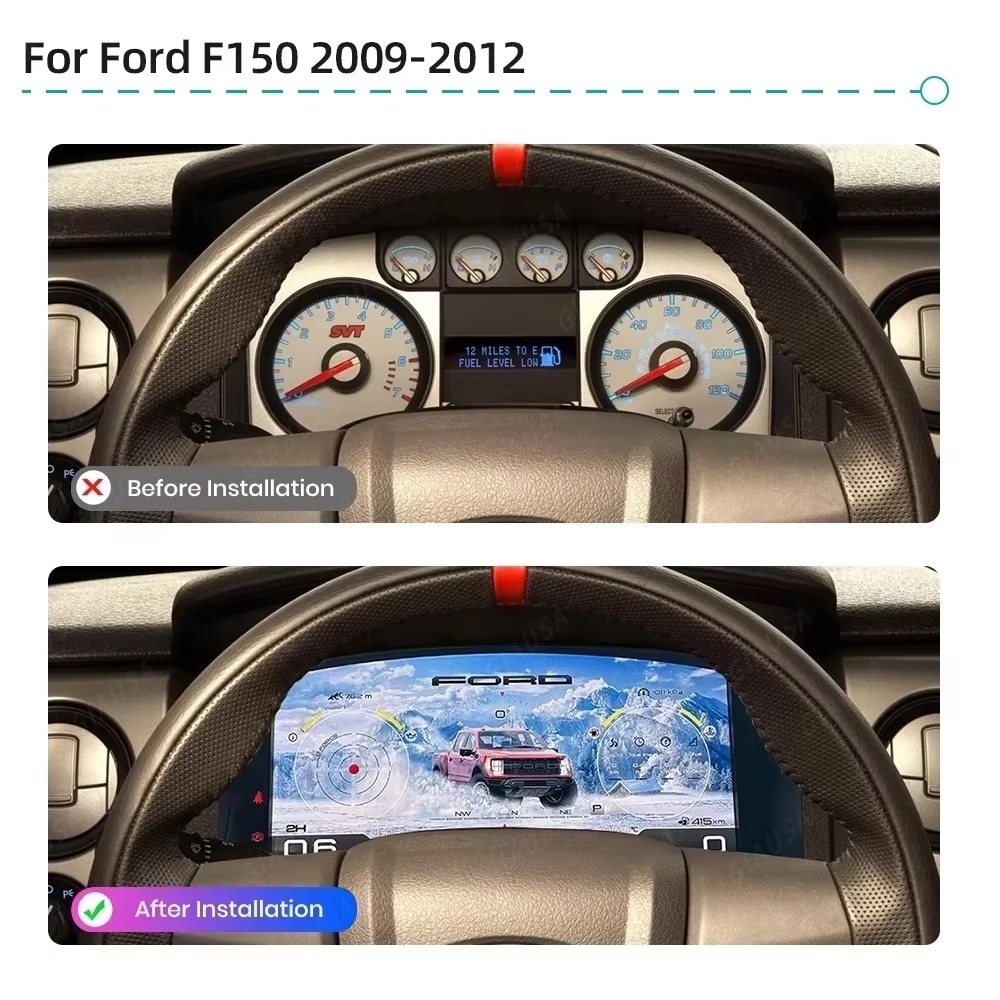
Sebelum dan Sesudah
The original analog cluster provides basic information, while the digital replacement creates a wider, brighter and more configurable view directly in the driver’s normal line of sight.
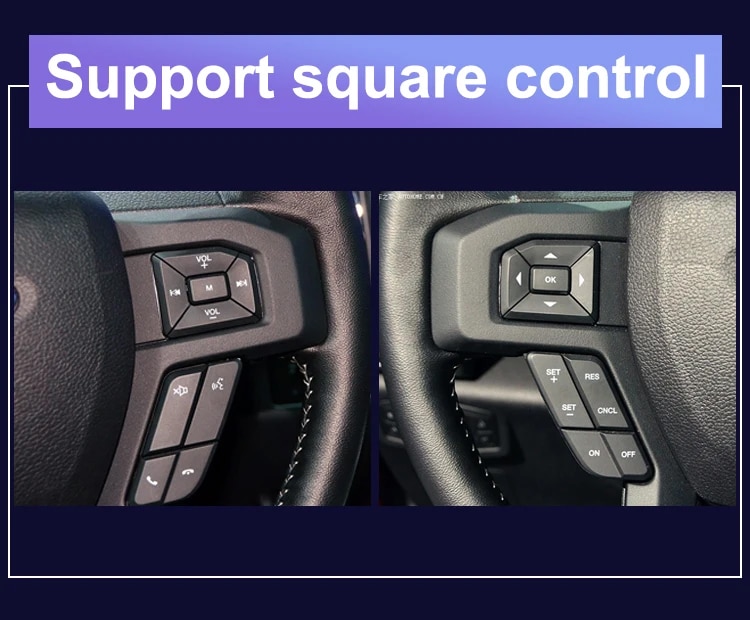
Kontrol Pabrik
The supported factory arrow and OK controls let you move through cluster pages, settings and UI modes without adding an unrelated controller to the dashboard.
Data Kendaraan
The screen layout can vary by year version and selected theme, but the purpose is consistent: make supported vehicle, maintenance and off-road information easier to find during daily use.
Gambaran Umum Fitur
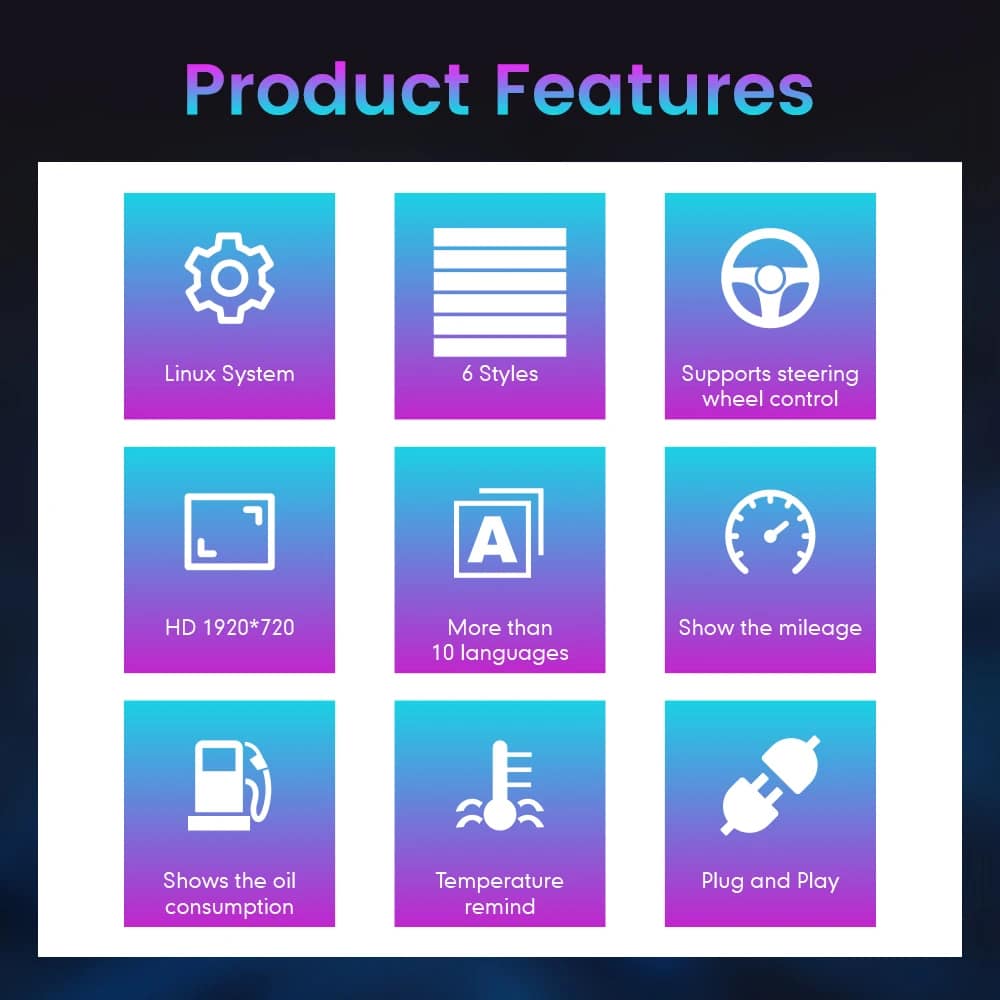
The cluster is built around Linux, selectable layouts, steering-wheel control, mileage display and supported vehicle-status information. For your order, iKAGOO prepares the 13.1-inch, 1920 × 932 configuration stated in the purchase specifications.
Panduan Nama Kendaraan dan Wilayah
This cluster is built around the 12th-generation F-150 dashboard architecture. The purchase area currently provides two hardware groups because the original cluster structure changes across the production run.
Select the Ford F150 Raptor Digital Cluster 2009–2012 option and provide a clear photo of the original cluster. This includes matching trucks with the earlier gauge layout.
Select the 2013–2014 option and provide the later original cluster photo so the correct physical version can be prepared.
The first-generation Raptor belongs to this F-150 generation. Match by model year and original cluster appearance; there is no 2009 model-year SVT Raptor.
Mexican-market badge names can refer to the same generation, but the dashboard, original cluster and connector configuration must match before ordering.
This product is prepared around the North American left-hand-drive dashboard shown. For an aftermarket RHD conversion, send full dashboard and steering-control photos before purchase.
Jangan pilih versi 2009–2014 ini. Gunakan yang terpisah Halaman panel instrumen digital F-150 tahun 2015–2020 .
Spesifikasi Produk
Persiapan Pesanan
Sebutkan tahun model, varian, jenis mesin/bahan bakar, dan pasarnya.
Kirimkan foto cluster aslinya dan foto dasbor sisi pengemudi secara utuh.
Kami menyesuaikan dengan konfigurasi perangkat keras tahun 2009–2012 atau 2013–2014.
Confirm the original steering-wheel controls and instrument layout before shipment.
After delivery, use the provided guidance and contact iKAGOO if the display, controls or vehicle-data behavior differs.
Ulasan Pembelian iKAGOO
A score of 92/100 does not mean that 8% of factory functions are lost. The score also reflects that the new Linux interface and menu structure differ from the original Ford analog cluster.
Suitable for an experienced DIY installer or an automotive electronics installer. The level describes the work required; it does not indicate lower product quality or lower upgrade value.
Bandingkan Hasil Sebenarnya
Instalasi
This is not a simple USB accessory. Correct work requires careful trim removal, cluster removal, original-component handling, matched connection, vehicle-setting configuration and complete function testing.
Pengiriman dan Dukungan
Normally 1–3 business days before dispatch, with additional time when vehicle information or configuration needs clarification.
Typical delivery after dispatch: USA/Canada 5–9 business days, EU 7–15, UK/Australia 7–10, other supported regions 7–20.
Eligible manufacturing defects and hardware failures under normal use are covered by the current limited hardware warranty.
When iKAGOO confirmed compatibility from accurate pre-purchase information but no reasonable solution works, the current published refund policy applies.
Pertanyaan Pembeli
Siap untuk Meningkatkan Versi
Choose the correct year version, send the requested vehicle photos and let iKAGOO prepare the matched digital cluster configuration, UI setup and installation guidance for your truck.


Informasi jelas tentang kompatibilitas kendaraan, persiapan pesanan, pengiriman internasional, garansi, retur, dan dukungan purna jual.
Elektronik khusus kendaraan memerlukan versi yang tepat, kabel, dan konfigurasi. Proses kami dirancang untuk mengurangi masalah kompatibilitas dan pemasangan yang dapat dihindari.
Model kendaraan, tahun, sistem asli, dan informasi konfigurasi terkait dapat ditinjau sebelum pembelian untuk mengurangi risiko memilih versi yang salah.
Sebelum pengiriman, pesanan diperiksa berdasarkan informasi kendaraan yang telah dikonfirmasi sehingga versi, konfigurasi, dan komponen khusus kendaraan yang diperlukan dapat disiapkan.
Tujuan kami adalah memastikan pesanan Anda benar sebelum dikirim. Kami memverifikasi kompatibilitas, menyiapkan pengaturan yang tepat, dan menghubungi Anda hanya jika masih ada yang perlu konfirmasi.
Ringkasan praktis dari ketentuan utama yang berlaku untuk pesanan iKAGOO khusus kendaraan.
Sebagian besar pesanan iKAGOO dikirim dari lokasi pemenuhan kami di China setelah konfigurasi produk dan informasi kendaraan telah diperiksa.
Pemrosesan pesanan normal memakan waktu sekitar 1-3 hari kerja. Estimasi pengiriman setelah barang dikirim umumnya:
Pengurusan bea cukai, hari libur, cuaca, keterlambatan kurir, dan pengiriman ke area terpencil dapat memengaruhi perkiraan ini.
Pengiriman internasional standar biasanya tidak termasuk PPN negara tujuan, bea masuk, biaya perantara, atau biaya pengurusan bea cukai.
Untuk destinasi Uni Eropa yang memenuhi syarat, pengiriman DDP mungkin tersedia. Biaya terkait impor hanya termasuk saat DDP dipilih saat checkout atau dikonfirmasi oleh iKAGOO secara tertulis sebelum pengiriman.
Saat DDP tidak dipilih, biaya yang dikenakan oleh bea cukai setempat atau kurir pengiriman biasanya menjadi tanggung jawab penerima.
Pengiriman ekspres atau dipercepat mungkin tersedia untuk produk dan destinasi tertentu. Ketersediaan, kurir, dan biaya tambahan apa pun dikonfirmasi sebelum pengiriman.
Tergantung pada rute dan jenis produk, iKAGOO dapat menggunakan DHL, FedEx, UPS, EMS, 4PX atau penyedia logistik terlacak lainnya.
Setelah pengiriman, nomor pelacakan atau tautan pelacakan biasanya dikirim ke alamat email yang digunakan untuk pesanan. Pembaruan pelacakan mungkin memerlukan beberapa hari kerja untuk muncul selama transfer kurir internasional.
Kelayakan pengembalian tergantung pada alasan pengembalian, kondisi produk, status pemasangan, bukti pendukung, dan apakah pengembalian telah disetujui oleh iKAGOO.
Untuk pengembalian non-cacat yang disetujui, produk biasanya harus tetap tidak digunakan, tidak terpasang, lengkap, dan layak untuk dijual kembali. Pelanggan umumnya bertanggung jawab atas biaya pengiriman pengembalian yang disetujui.
Biaya pengiriman asli, DDP, PPN, bea cukai, dan biaya logistik lainnya umumnya tidak dapat dikembalikan kecuali diwajibkan oleh hukum atau dikonfirmasi sebaliknya oleh iKAGOO.
Jangan mengirim produk kembali sebelum menerima alamat pengembalian yang disetujui dan instruksi pengembalian dari iKAGOO.
Perlindungan tambahan dapat berlaku jika iKAGOO telah meninjau kompatibilitas kendaraan, pelanggan memberikan informasi kendaraan yang akurat, dan langkah-langkah pemasangan serta diagnostik yang wajar telah diselesaikan.
Jika iKAGOO mengonfirmasi bahwa tidak ada solusi teknis yang wajar tersedia dan masalah dilaporkan dalam 7 hari kalender setelah pengiriman, pelanggan mungkin memenuhi syarat untuk pengembalian dana sebesar harga produk tanpa diwajibkan untuk mengembalikan produk tersebut.
Biaya pengiriman asli, DDP, PPN, bea cukai, dan biaya pihak ketiga lainnya tidak termasuk dalam pengembalian dana harga produk ini.
Produk yang memenuhi syarat mencakup sebuah Garansi perangkat keras terbatas selama 12 bulan mencakup cacat produksi yang terverifikasi dan kegagalan perangkat keras yang memenuhi syarat dalam penggunaan normal.
Tergantung pada masalah yang terverifikasi, dukungan dapat mencakup diagnosis jarak jauh, bantuan konfigurasi, suku cadang pengganti, perbaikan, penggantian, pengembalian dana sebagian, atau pengembalian dana penuh.
Inspeksi atau pemeriksaan pihak ketiga tidak secara otomatis membatalkan seluruh garansi. Namun, kerusakan yang disebabkan oleh perbaikan tidak sah, modifikasi yang salah, sirkuit rusak, perakitan ulang yang tidak benar, perkabelan yang salah, benturan, masuknya air, atau penyalahgunaan biasanya tidak ditanggung.
Hubungi iKAGOO sebelum membongkar, memodifikasi, atau memperbaiki produk agar prosedur diagnostik yang benar dapat diberikan.
Hubungi iKAGOO dalam waktu 7 hari kalender setelah pengiriman dan simpan kemasan asli, label pengiriman, aksesori dan produk.
Mohon berikan foto atau video yang jelas yang memperlihatkan:
Setelah verifikasi, iKAGOO dapat mengatur pengiriman bagian yang hilang, penggantian, perbaikan, pengembalian dana, atau solusi wajar lainnya.
Hubungi iKAGOO sesegera mungkin dan sebelum pemasangan. Untuk perubahan alamat, konfigurasi kendaraan, atau produk, hubungi kami sebaiknya dalam 12 jam setelah melakukan pemesanan.
Penukaran atau pengembalian dapat disetujui apabila produk yang salah dipilih masih belum digunakan, belum terpasang, lengkap, dan layak untuk dijual kembali. Pelanggan biasanya bertanggung jawab atas biaya pengiriman dan selisih harga yang relevan.
Produk khusus kendaraan dapat memasuki proses pengadaan, pemrograman, pengujian, atau konfigurasi segera setelah pembayaran. Setelah persiapan atau pengiriman dimulai, pembatalan mungkin tidak dapat dilakukan lagi, atau biaya wajar yang telah dikeluarkan dapat dipotong.
Isi paket bervariasi tergantung produk, model kendaraan, sistem pabrik dan konfigurasi yang dipilih.
Tergantung pada produk, paket dapat mencakup perangkat utama, kabel harness khusus kendaraan, antarmuka CANBUS, adaptor, kabel USB, antena, mikrofon, perangkat pemasangan, atau aksesori instalasi lain yang diperlukan.
Lihat foto produk, spesifikasi, dan konfirmasi pesanan yang relevan untuk mengetahui isi pesanan Anda secara pasti.
Anda dapat menghubungi iKAGOO melalui formulir kontak di situs web, WhatsApp, atau saluran dukungan lain yang tersedia. Waktu respons umumnya dalam 24 jam kerja.
Untuk diagnosis teknis yang lebih cepat, sertakan nomor pesanan, model dan tahun kendaraan, foto sistem pabrik yang relevan, foto produk, dan video jelas yang menunjukkan masalahnya.
Pembayaran diproses melalui metode pembayaran aman yang ditampilkan saat checkout.
Opsi kartu, dompet, dan cicilan yang tersedia dapat bervariasi menurut negara, mata uang, penyedia pembayaran, dan kelayakan pelanggan.
Layanan cicilan, termasuk opsi yang ditawarkan oleh PayPal atau penyedia pembayaran lain, tetap tunduk pada ketersediaan regional dan persyaratan persetujuan penyedia tersebut.
Bagian ini adalah panduan pelanggan yang disederhanakan. Halaman kebijakan yang diterbitkan lengkap, konfirmasi pesanan, dan hukum konsumen yang berlaku akan diutamakan jika ada perbedaan kata-kata.
Volkswagen Amarok Digital Cockpit untuk model tahun 2017–2020 meningkatkan tampilan dasbor bawaan pabrik Anda dengan sistem OE...
Dari: $1,380.00
Pengiriman final dikonfirmasi dari alamat pengiriman Anda saat checkout.

Pilih apa yang ingin Anda beli. Kami hanya menampilkan detail yang diperlukan untuk produk tersebut.
Kami akan meninjau detailnya dan mengirimkan rekomendasi versi produk yang direkomendasikan ke email Anda.
Kami menggunakan cookie penting untuk menjaga situs tetap aman dan berfungsi dengan baik. Dengan persetujuan Anda, kami juga dapat menggunakan cookie analitik untuk meningkatkan pengalaman menjelajah. Lihat Kebijakan Privasi.




Michael Brown -
Saya memasang perangkat ini di Raptor 2009 milik saya. ‘Mode Off-road’-nya benar-benar luar biasa—melihat sudut kemiringan ke depan dan ke samping serta tekanan ban secara real-time di layar HD berukuran 13,1 inci membuat panel instrumen analog bawaan tampak seperti berasal dari Zaman Batu. Pemasangannya benar-benar plug-and-play
Proses pemasangannya sangat mudah (plug-and-play), menunya berjalan lancar tanpa lag, efek visualnya memukau, dan resolusinya sangat tinggi